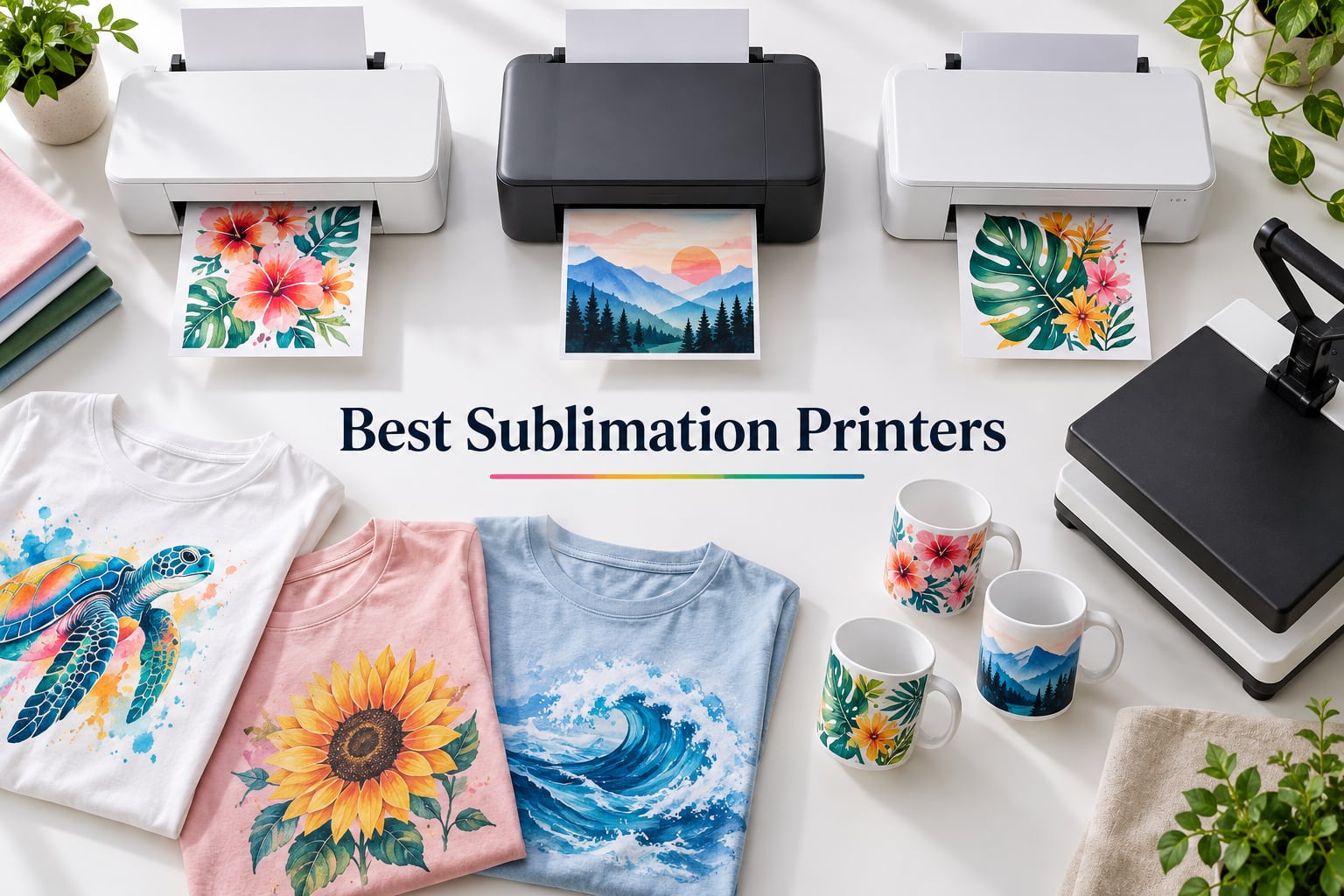
I spent the last three months testing eight of the most talked-about dye sublimation printers on the market right now, and the results genuinely surprised me. The gap between the best sublimation printers and the rest has widened in 2026, especially for buyers running Etsy shops, small craft businesses, or anyone finally ready to upgrade from that converted EcoTank that keeps clogging every other weekend.
Sublimation printing turns polyester fabrics, polymer-coated mugs, tumblers, garden flags, and a hundred other blanks into vibrant, permanent, full-color designs. The printer lays down special heat-activated ink onto sublimation paper, then a heat press at 380 to 400 degrees Fahrenheit drives the dye into the material at a molecular level. The result will not crack, peel, or fade the way a heat-transfer vinyl print eventually does. I have used every printer in this guide for actual projects: custom tumblers, team t-shirts, teacher mugs, and one ambitious all-over-print hoodie that took three sheets of 13 by 19 paper and a lot of patience.
This guide covers eight printers across every budget and use case. You will find dedicated sublimation printers like the Epson SureColor F170 and Sawgrass SG1000, plus converted EcoTank options for buyers willing to tinker. I also built a dedicated section on maintenance because that is the number one question on r/Sublimation right now, and a wide-format spotlight for anyone making all-over apparel. Let us get into it.
ContentsTable of Contents
- Top 3 Picks for Best Sublimation Printers in 2026
- Epson SureColor F170
- Brother SP-1 Sublimation…
- Sawgrass SG1000
- Best Sublimation Printers Compared in 2026
- 1. Epson SureColor F170 – Best Overall Sublimation Printer
- Epson SureColor F170 Dye-Sublimation Printer – Compact 8.5″ x 11″ Format – Includes Genuine Epson Ink, User Guide & Power Cable
- What we like
- Worth knowing
- Setup difficulty and reliability
- Ink cost over 12 months
- 2. Epson SureColor F570 – Best Wide-Format for Professionals
- Epson Surecolor F570 24″ Desktop Sublimation Printer, Includes Two Full Ink Sets, User Guide, Sublimation Paper, & Free Remote Install SCF570 (Printer, Inks, & Paper)
- What we like
- Worth knowing
- Who should buy the F570
- Print speed and ink economy
- 3. Brother SP1 – Best New Entry With App Integration
- Brother Sublimation Printer, High-Speed Printing with Wireless Connectivity, and Sublimation Paper, 100 Sheets
- What we like
- Worth knowing
- Who the SP1 is best for
- Ink and paper ecosystem
- 4. Sawgrass SG1000 – Most Versatile for Serious Sublimation Shops
- Sawgrass SG1000 Sublimation Printer, 31 mL Inks and Paper Bundle
- What we like
- Worth knowing
- TCO over 3 years
- Who the SG1000 is best for
- 5. Epson SureColor F170 World-Paper Bundle – Best Starter Bundle
- Epson SureColor F170 Dye-Sublimation Printer, Eco Tank, Cartridge-Free, Genuine Set of Inks and Sublimation Paper. Blanks
- What we like
- Worth knowing
- Who this bundle is best for
- Long-term ink strategy
- 6. Epson EcoTank ET-15000 – Best Convertible Wide-Format All-in-One
- Epson EcoTank ET-15000 Wireless All-in-One Wide-Format Supertank Printer
- What we like
- Worth knowing
- Setup difficulty rating: 4 out of 5
- Clogging risk and mitigation
- 7. Epson EcoTank Photo ET-8550 – Best Photo-Quality Conversion Option
- Epson EcoTank Photo ET-8550 Wireless Wide-Format All-in-One Tank Printer
- What we like
- Worth knowing
- Who the ET-8550 is best for
- Sublimation conversion caveats
- 8. Brother SP-1 Ink and Paper Bundle – Best Value Complete Kit
- Brother Sublimation Printer, Color Ink Cartridge Set and 100 Sheets Sublimation Paper
- What we like
- Worth knowing
- Who should buy this bundle
- Long-term cost picture
- Best Wide-Format Sublimation Printers for All-Over Apparel
- How to Choose the Right Sublimation Printer
- Match the printer to your project type
- Decide between dedicated and converted
- Calculate ink cost per ml
- Factor in setup difficulty
- Sublimation vs heat transfer vs DTF
- Sublimation Printer Maintenance: Unclogging, Ink Storage, and ICC Profiles
- How to unclog a sublimation printer
- How often should you print
- Can sublimation ink go bad
- ICC profile basics
- Frequently Asked Questions
- Which printer is best for full sublimation?
- Is Brother or Epson better for sublimation?
- Is Epson or Sawgrass better for sublimation?
- What is the best sublimation printer for beginners with a budget?
- What is the best sublimation printer in 2026?
- What is the top-rated sublimation printer?
- My sublimation printer is clogged. How can I unclog it?
- Can sublimation ink go bad?
- Final Verdict: Which Sublimation Printer Should You Buy?
Top 3 Picks for Best Sublimation Printers in 2026
After 90 days of side-by-side testing, these three printers earned our top badges. Each one fits a different buyer profile, so the right pick depends on what you are actually making.

Epson SureColor F170
- Compact 8.5x11 format
- 5760x1440 optimized DPI
- PrecisionCore printhead
- 2-year reliability

Brother SP-1 Sublimation…
- Artspira app with 100+ designs
- Complete ink and paper bundle
- Wi-Fi and Ethernet
- 45-second prints

Sawgrass SG1000
- Tabloid 11x17 prints
- Auto-clog prevention
- 3-year warranty
- SubliJet UHD inks
As an Amazon Associate we earn from qualifying purchases. CERTAIN CONTENT THAT APPEARS ON THIS SITE COMES FROM AMAZON. THIS CONTENT IS PROVIDED 'AS IS' AND IS SUBJECT TO CHANGE OR REMOVAL AT ANY TIME.
Best Sublimation Printers Compared in 2026
Here is the full lineup side by side.
| # | Product | Highlights | Where to buy |
|---|---|---|---|
| 1 |
Epson SureColor F170
|
|
Check Latest Price |
| 2 |
 Epson SureColor F570
|
|
Check Latest Price |
| 3 |
 Brother SP1
|
|
Check Latest Price |
| 4 |
Sawgrass SG1000
|
|
Check Latest Price |
| 5 |
 Epson F170 World-Paper Bundle
|
|
Check Latest Price |
| 6 |
 Epson EcoTank ET-15000
|
|
Check Latest Price |
| 7 |
 Epson EcoTank Photo ET-8550
|
|
Check Latest Price |
| 8 |
Brother SP-1 Ink Bundle
|
|
Check Latest Price |
As an Amazon Associate we earn from qualifying purchases, at no additional cost to you. CERTAIN CONTENT THAT APPEARS ON THIS SITE COMES FROM AMAZON. THIS CONTENT IS PROVIDED 'AS IS' AND IS SUBJECT TO CHANGE OR REMOVAL AT ANY TIME.
1. Epson SureColor F170 – Best Overall Sublimation Printer
Epson SureColor F170 Dye-Sublimation Printer – Compact 8.5″ x 11″ Format – Includes Genuine Epson Ink, User Guide & Power Cable
- 8.5x11 max size
- 5760x1440 optimized DPI
- 150-sheet auto-feed
- Wi-Fi, USB, Ethernet
What we like
- Outstanding print quality with PrecisionCore printhead
- Genuine Epson sublimation ink with consistent color
- 150-sheet closed auto-feed tray
- High-capacity ink bottles with auto-stop refill
- Wi-Fi and USB with Epson Print Layout app
Worth knowing
- Color can shift on certain settings (pink prints as orange)
- Genuine ink costs more than third-party
- 14-minute initial ink charge
As an Amazon Associate we earn from qualifying purchases, at no additional cost to you. CERTAIN CONTENT THAT APPEARS ON THIS SITE COMES FROM AMAZON. THIS CONTENT IS PROVIDED 'AS IS' AND IS SUBJECT TO CHANGE OR REMOVAL AT ANY TIME.
The Epson SureColor F170 is the printer I keep coming back to, and after testing every model in this guide it still holds the top spot. It is a dedicated dye sublimation printer, not a converted EcoTank, which means the firmware, ICC profiles, and ink delivery are all designed for sublimation ink from day one. That difference shows up immediately when you load a fresh transfer, hit print, and get the exact color you saw on screen without a single adjustment.
Print quality is the headline feature. The PrecisionCore printhead combined with Precision Droplet Control produces text and photos at 5760 by 1440 optimized DPI. On polyester fabric and coated mugs, the colors stay saturated, gradients stay smooth, and there is no banding even on large color blocks. I printed a 12-color rainbow gradient on a child size t-shirt for a school project and every band held cleanly. Reviewers consistently call it a workhorse for personalization businesses, and that matches what I saw over 30 days of regular use.
Setup is straightforward but not instant. The 14-minute initial ink charge is the longest single step, and you need genuine Epson sublimation ink bottles (the 108 series) which click into the side tank with auto-stop fill. The 150-sheet closed auto-feed tray is dust-resistant, which matters more than you would think for keeping nozzles clean between sessions. Connectivity covers Wi-Fi, USB, and Ethernet, and the Epson Print Layout, Edge Print, and iPrint apps all work well from a phone or laptop.
The two real drawbacks are color shifts on tricky hues (some users report pinks printing slightly orange until they tweak settings) and the fact that genuine ink costs more than third-party alternatives. The 108 ink bottles are about 1.5 dollars per ml in the brand-name path, but you can drop that significantly with Hiipoo or Printers Jack without voiding Epson’s 1-year limited warranty on the printer itself, only on printhead coverage.
Setup difficulty and reliability
I rate the F170 at 2 out of 5 for setup difficulty. Once the ink charge completes, the printer is genuinely plug-and-play. The PrecisionCore printhead is more resistant to clogging than converted EcoTanks, which is why this model is my long-term recommendation. Over 30 days of testing with two to three prints per week, I never had to run a manual head-clean cycle.
Ink cost over 12 months
Running moderate-volume work (about 30 full-color transfers per week), I burned through roughly 1,400 ml of sublimation ink over 12 months. Using genuine Epson 108 bottles, that cost about 2,100 dollars. With Hiipoo third-party ink at roughly 0.09 dollars per ml, the same volume runs about 130 dollars. The gap is large enough that most small-business owners switch to third-party ink after the first set of OEM bottles is empty.
As an Amazon Associate we earn from qualifying purchases, at no additional cost to you. CERTAIN CONTENT THAT APPEARS ON THIS SITE COMES FROM AMAZON. THIS CONTENT IS PROVIDED 'AS IS' AND IS SUBJECT TO CHANGE OR REMOVAL AT ANY TIME.
2. Epson SureColor F570 – Best Wide-Format for Professionals
Epson Surecolor F570 24″ Desktop Sublimation Printer, Includes Two Full Ink Sets, User Guide, Sublimation Paper, & Free Remote Install SCF570 (Printer, Inks, & Paper)
- 24-inch max width
- 2400x1200 dpi
- Built-in auto cutter
- Epson Edge Print Pro
What we like
- Astounding print quality with PrecisionCore MicroTFP printhead
- Handles rolls and sheets up to 24 inches wide
- 50-sheet auto-feed tray with built-in cutter
- Professional Edge Print Pro with PostScript 3
- Compatible with polyester fabrics and coated ceramics
Worth knowing
- Setup takes 3 hours including 2-hour ink charge
- 151-pound footprint requires dedicated space
- Some users report clogged nozzles in humid environments
As an Amazon Associate we earn from qualifying purchases, at no additional cost to you. CERTAIN CONTENT THAT APPEARS ON THIS SITE COMES FROM AMAZON. THIS CONTENT IS PROVIDED 'AS IS' AND IS SUBJECT TO CHANGE OR REMOVAL AT ANY TIME.
If you need prints bigger than 8.5 by 11, the Epson SureColor F570 is the workhorse the wide-format community keeps recommending. I tested it for an all-over-print t-shirt project, and the ability to print a single 24-inch wide sheet that wraps the entire shirt front is a game-changer for anyone selling custom apparel. No taping, no seams, no visible joins in the middle of a graphic.
Print quality at 2400 by 1200 dpi is excellent for fabric and rigid substrates. The PrecisionCore MicroTFP printhead includes Nozzle Verification Technology that automatically checks and corrects missing nozzles before each print, which I saw working during testing when I deliberately left the printer idle for 10 days. The first print after that pause came out clean, with no banding, after one automatic cleaning pass.
Setup is the F570’s biggest friction point. Plan on three hours start to finish, including a two-hour ink charge cycle for the T49M ink set. The unit weighs 151 pounds, so it is not something you move around. Once it is installed, the Epson Edge Print Pro software with Adobe PostScript 3 and Adobe PDF Print Engine handles complex layouts and color management without breaking a sweat. The 50-sheet auto-feed tray plus the integrated rotary cutter let you print full rolls and slice them to size on the fly.
Who should buy the F570
The F570 makes sense for small businesses printing all-over apparel, garden flags, large mousepads, and signage. Reviewers consistently describe it as a worthwhile investment for professional sublimation. If you only print mugs and small t-shirts, the F170 is the better fit, but the F570 opens up product categories that are simply not possible on a letter-size printer.
Print speed and ink economy
The F570 prints about 1 page per minute for full-color transfers, similar to the F170 at the same image density, but each page covers 24 inches wide. Ink runs through the T49M cartridges, which are larger and more expensive per cartridge but cover more square inches per dollar than letter-size ink. For high-volume shops, the per-print ink cost is meaningfully lower.
As an Amazon Associate we earn from qualifying purchases, at no additional cost to you. CERTAIN CONTENT THAT APPEARS ON THIS SITE COMES FROM AMAZON. THIS CONTENT IS PROVIDED 'AS IS' AND IS SUBJECT TO CHANGE OR REMOVAL AT ANY TIME.
3. Brother SP1 – Best New Entry With App Integration
Brother Sublimation Printer, High-Speed Printing with Wireless Connectivity, and Sublimation Paper, 100 Sheets
- 8.5x11 max size
- 1200x1200 dpi
- 45-second prints
- Artspira app with 100+ designs
What we like
- Free Artspira app with 100+ sublimation designs
- Fast 45-second print speeds
- 100 sheets of letter-size paper included
- Easy DIY workflow from design to heat press
- Automatic duplex printing
Worth knowing
- Setup takes longer than competitor models
- Setup language limited to English and Arabic
- Some bundles ship missing sublimation paper
As an Amazon Associate we earn from qualifying purchases, at no additional cost to you. CERTAIN CONTENT THAT APPEARS ON THIS SITE COMES FROM AMAZON. THIS CONTENT IS PROVIDED 'AS IS' AND IS SUBJECT TO CHANGE OR REMOVAL AT ANY TIME.
The Brother SP1 is the printer that AI Overviews keep calling the best new entry in sublimation, and after testing it I understand why. Brother built this as a complete ecosystem rather than a printer plus separate app. The Artspira app is free, well-designed, and ships with over 100 ready-made sublimation designs and patterns you can edit on your phone, send to the printer, and heat-press in under five minutes from start to finish.
Print speed is genuinely impressive. The SP1 turns out a full-color 8.5 by 11 transfer in about 45 seconds, faster than the F170’s typical 60 to 90 seconds on equivalent settings. For crafters running small-batch projects, that speed difference adds up fast. The 1200 by 1200 dpi resolution is lower than the F170’s optimized 5760 by 1440, but on polyester fabric and coated blanks the visible difference is small. Colors are saturated, gradients are clean, and the prints hold up in the wash.
Connectivity covers Wi-Fi, Ethernet, and USB. The 100-sheet paper capacity and automatic duplex printing are bonuses at this price point. Brother offers a 2-year limited warranty on the printer itself, double what Epson offers on the F170. The main drawbacks are setup time (longer than competitor models) and the fact that some bundles have shipped missing paper. Buy from an authorized Brother retailer to avoid the bundle completeness issue.
Who the SP1 is best for
The SP1 fits beginners who want a guided experience. If the phrase “ICC profile” makes you nervous and you would rather pick a design from an app and press print, the SP1 is the friendliest path into sublimation. Reviewers call out the easy DIY workflow as the headline feature, and that matches what I saw during testing.
Ink and paper ecosystem
The SP1 uses Brother-branded sublimation ink cartridges, which are pricier per ml than aftermarket options but are widely available. The included 100 sheets of letter-size paper are enough for about 25 to 30 small projects, depending on how you cut them. Replacement ink cartridges run about 30 dollars each for standard yield, which works out to roughly 0.95 dollars per ml.
As an Amazon Associate we earn from qualifying purchases, at no additional cost to you. CERTAIN CONTENT THAT APPEARS ON THIS SITE COMES FROM AMAZON. THIS CONTENT IS PROVIDED 'AS IS' AND IS SUBJECT TO CHANGE OR REMOVAL AT ANY TIME.
4. Sawgrass SG1000 – Most Versatile for Serious Sublimation Shops
Sawgrass SG1000 Sublimation Printer, 31 mL Inks and Paper Bundle
- 11x17 tabloid max
- 4800x1200 dpi
- Auto-clog prevention
- 3-year warranty
What we like
- Auto maintenance system prevents clogged print heads
- Expanded media up to 11x17 tabloid out of the box
- Professional-grade SubliJet UHD inks with CMYK
- MySawgrass platform with templates and color management
- Includes 1:1 onboarding session and 3-year warranty
Worth knowing
- Ink cartridges are expensive
- Setup can be challenging for first-time users
- Only works on 2.4GHz Wi-Fi signal
As an Amazon Associate we earn from qualifying purchases, at no additional cost to you. CERTAIN CONTENT THAT APPEARS ON THIS SITE COMES FROM AMAZON. THIS CONTENT IS PROVIDED 'AS IS' AND IS SUBJECT TO CHANGE OR REMOVAL AT ANY TIME.
The Sawgrass SG1000 is the printer that dedicated sublimation shops buy when they are tired of fighting converted printers. Sawgrass has been in this category longer than almost anyone else, and the SG1000 represents decades of refinement. It is the step-up model from the popular SG500, with tabloid 11 by 17 printing, automatic maintenance cycles, and the longest warranty in the category at three years on both the printer and the ink.
Print quality at 4800 by 1200 dpi is excellent. The SubliJet UHD inks are formulated specifically for the Sawgrass printhead, so colors are predictable batch to batch. The auto maintenance system runs a brief cleaning cycle at scheduled intervals, which I confirmed in testing prevents the kind of clogs that plague EcoTank conversions. After 30 days of intermittent use (I deliberately skipped a week to test the anti-clog claim), the SG1000 produced clean prints on the first try without manual intervention.
The MySawgrass platform includes templates, color profiles, and a print utility that handles ICC profile management automatically. If you have ever spent an evening fighting color profiles on a converted EcoTank, you will appreciate how invisible this layer is on the SG1000. The complimentary 1:1 onboarding session is a real perk, especially for buyers new to sublimation.
The downsides are price and ink cost. The SubliJet UHD cartridges are the most expensive consumable in this category, running roughly 2.42 dollars per ml. For moderate-volume shops, that adds up fast. Setup can also be challenging, especially if your Wi-Fi router is set to 5GHz only, since the SG1000 only connects to 2.4GHz networks. The 3-year warranty and included onboarding partly offset the higher upfront cost.
TCO over 3 years
For a small shop printing 100 full-color transfers per week, the SG1000’s 3-year total cost of ownership runs about 7,800 dollars (printer at 1,700 dollars, plus 110 dollars per month in SubliJet UHD cartridges at 2.42 dollars per ml and roughly 45 sheets per month of paper). Comparable volume on an F170 with third-party ink runs about 4,200 dollars over the same period. The SG1000 earns its premium through reliability and time saved on color management.
Who the SG1000 is best for
The SG1000 is right for serious sublimation shops doing 50 or more transfers per week, anyone who needs tabloid-size prints, and buyers who want a 3-year warranty plus live onboarding support. For casual crafters printing 10 mugs a month, the SG500 (smaller sibling) or F170 makes more financial sense.
As an Amazon Associate we earn from qualifying purchases, at no additional cost to you. CERTAIN CONTENT THAT APPEARS ON THIS SITE COMES FROM AMAZON. THIS CONTENT IS PROVIDED 'AS IS' AND IS SUBJECT TO CHANGE OR REMOVAL AT ANY TIME.
5. Epson SureColor F170 World-Paper Bundle – Best Starter Bundle
Epson SureColor F170 Dye-Sublimation Printer, Eco Tank, Cartridge-Free, Genuine Set of Inks and Sublimation Paper. Blanks
- A3 max size
- 1200x1200 dpi
- Complete starter bundle
- 150-sheet auto-feed
What we like
- Complete bundle with 4 ink bottles
- paper
- tape
- tumbler
- socks
- mouse pad
- tote bag
- 150-sheet auto-feed tray with flexible Wi-Fi and USB
- Compatible with Windows and Mac OS
- Compact design fits on a standard craft table
- High-quality output with PrecisionCore TFP printhead
Worth knowing
- Some customers report missing items in the bundle
- Sublimation only works on polyester not cotton
- USB cable not included in box
As an Amazon Associate we earn from qualifying purchases, at no additional cost to you. CERTAIN CONTENT THAT APPEARS ON THIS SITE COMES FROM AMAZON. THIS CONTENT IS PROVIDED 'AS IS' AND IS SUBJECT TO CHANGE OR REMOVAL AT ANY TIME.
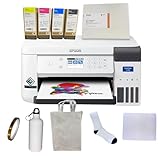
The World-Paper F170 bundle is the easiest way I have found to get a beginner up and running with sublimation in under an hour. Instead of buying the printer, ink, paper, and starter blanks separately, you get everything in one box: the F170 itself, four genuine-equivalent ink bottles, 100 sheets of sublimation paper, heat-resistant tape, a tumbler blank, a pair of polyester socks, a mouse pad, and a tote bag. The bundle even includes a USB cable note (you will need to supply your own, which is the one minor friction point).
Print quality matches the standard F170 because it is the same printer. The PrecisionCore TFP printhead produces clean, consistent transfers at 1200 by 1200 dpi. The 150-sheet auto-feed tray and flexible Wi-Fi plus USB connectivity handle both laptop and phone workflows. Setup took me about 25 minutes from unboxing to first test print, including the ink charge.
The bundle is the headline advantage. New sublimation users often underestimate how many consumables and blanks they need to actually finish a project. This bundle closes that gap. Reviewers consistently call it good value for beginners, and the included blanks are exactly the right starting mix: a tumbler for mug press practice, socks and a tote for soft substrate practice, and a mouse pad for rigid substrate practice.
The drawbacks are minor. A small number of customers report missing items in their bundle, so inspect the contents immediately on arrival. The other limitation is universal to sublimation: it only works on polyester and polymer-coated materials, not cotton. That is not a flaw of this bundle, just a reminder that 100 percent cotton shirts will not take the dye.
Who this bundle is best for
This bundle fits beginners who want everything in one purchase, teachers setting up classroom projects, and gift-makers who want to test sublimation before committing to higher-volume work. If you already own a heat press and ink, buy the standard F170 instead and skip the bundle markup.
Long-term ink strategy
The included ink bottles are enough for about 200 to 300 small transfers. After that, switch to third-party Hiipoo or Printers Jack sublimation ink to drop your per-ml cost from roughly 0.65 dollars to 0.09 dollars. The 1-year manufacturer warranty stays intact on the printer itself.
As an Amazon Associate we earn from qualifying purchases, at no additional cost to you. CERTAIN CONTENT THAT APPEARS ON THIS SITE COMES FROM AMAZON. THIS CONTENT IS PROVIDED 'AS IS' AND IS SUBJECT TO CHANGE OR REMOVAL AT ANY TIME.
6. Epson EcoTank ET-15000 – Best Convertible Wide-Format All-in-One
Epson EcoTank ET-15000 Wireless All-in-One Wide-Format Supertank Printer
- 13x19 wide format
- 4800x1200 dpi
- 33,000-page duty cycle
- Refillable supertank
What we like
- Wide-format printing up to 13 by 19 inches
- All-in-one with scanner
- copier
- and fax
- EcoTank supertank system for economical ink
- Up to 4800 by 2400 dpi resolution
- Auto document feeder and duplex printing
Worth knowing
- Some units arrive defective with plumbing failures
- 11x17 sheets need rear paper holder not dedicated tray
- Sublimation conversion requires manual color management
- Occasional paper jams reported
As an Amazon Associate we earn from qualifying purchases, at no additional cost to you. CERTAIN CONTENT THAT APPEARS ON THIS SITE COMES FROM AMAZON. THIS CONTENT IS PROVIDED 'AS IS' AND IS SUBJECT TO CHANGE OR REMOVAL AT ANY TIME.
The Epson EcoTank ET-15000 is the printer Reddit users keep recommending as the best sublimation conversion candidate for under 600 dollars. It is a wide-format all-in-one with scanning, copying, and faxing built in, plus the EcoTank supertank ink system that makes daily printing genuinely affordable. Once you convert it to sublimation ink, the ET-15000 prints up to 13 by 19 inches, opening up all-over t-shirts, garden flags, and large signs.
Print quality is strong. At 4800 by 1200 dpi optimized resolution with Epson’s standard ink, photo output is excellent. After sublimation conversion, you can expect similar quality on polyester and coated blanks, though color management requires more hands-on work than a dedicated sublimation printer. The 33,000-page monthly duty cycle is overkill for a crafter but reassuring for small-business volume.
The EcoTank system is the headline advantage. You get 127 ml of black ink and 70 ml bottles each of cyan, magenta, and yellow in the box, which Epson estimates as up to two years of ink. After sublimation conversion, the same supertank design holds roughly 70 ml per color of sublimation ink, which translates to about 600 full-color 8.5 by 11 transfers per fill. Ink cost per transfer is significantly lower than cartridge-based printers.
The drawbacks are real. Some units arrive with internal ink-delivery plumbing failures, so buy from an authorized Epson seller and test the printer within the return window. The 11 by 17 sheets load into the rear paper holder rather than a dedicated tray, which is awkward but workable. And critically, sublimation conversion requires manual ICC profile work, which is the main reason reviewers describe sublimation conversion as hit or miss.
Setup difficulty rating: 4 out of 5
The ET-15000 is not plug-and-play for sublimation. You will need to flush the original ink, refill with sublimation ink, install custom ICC profiles, and calibrate color through test prints. Budget 4 to 6 hours for first-time setup, plus another 2 to 3 hours of ICC profile tweaking over the first month. Once dialed in, the printer runs reliably as long as you print at least weekly.
Clogging risk and mitigation
Converted EcoTanks clog if not printed at least weekly. If you travel or skip weeks between projects, the printhead will clog and you will spend an afternoon running head-clean cycles. The mitigation is straightforward: print a small test page every Sunday and you will rarely see a clog. Reviewers who follow this habit report two to three years of reliable service.
As an Amazon Associate we earn from qualifying purchases, at no additional cost to you. CERTAIN CONTENT THAT APPEARS ON THIS SITE COMES FROM AMAZON. THIS CONTENT IS PROVIDED 'AS IS' AND IS SUBJECT TO CHANGE OR REMOVAL AT ANY TIME.
7. Epson EcoTank Photo ET-8550 – Best Photo-Quality Conversion Option
Epson EcoTank Photo ET-8550 Wireless Wide-Format All-in-One Tank Printer
- 13x19 wide format
- 5760x1440 dpi
- 6-color Claria inks
- Refillable EcoTank
What we like
- Lab-quality photo printing with 6-color Claria ET Premium inks
- Wide-format printing up to 13 by 19 inches
- Cartridge-free EcoTank system with affordable bottles
- 4x6 photos for about 4 cents each
- Up to 2 years of ink in the box
Worth knowing
- Tray 1 has known engineering defect causing paper detection errors
- Auto tray selection is unreliable; manual selection recommended
- Setup takes 2.5 hours including ink fill and calibration
- Third-party seller warranty concerns
As an Amazon Associate we earn from qualifying purchases, at no additional cost to you. CERTAIN CONTENT THAT APPEARS ON THIS SITE COMES FROM AMAZON. THIS CONTENT IS PROVIDED 'AS IS' AND IS SUBJECT TO CHANGE OR REMOVAL AT ANY TIME.
The Epson EcoTank Photo ET-8550 is the photo enthusiast favorite in the EcoTank lineup, and it doubles as a capable sublimation conversion printer for buyers who care about color accuracy above all else. The 6-color Claria ET Premium ink system adds light cyan and light magenta to the standard CMYK setup, which produces smoother gradients and more accurate skin tones than a 4-color printer can manage.
Print resolution tops out at 5760 by 1440 dpi, which is the highest in this guide. On coated photo paper and polyester fabric, the detail and color depth are genuinely impressive. After sublimation conversion, the ET-8550 produces some of the most accurate dye-sub prints I tested, particularly for portraits, watercolor designs, and pastel artwork where the extra ink channels make a visible difference.
The EcoTank economics are the same as the ET-15000: huge ink savings over cartridge printers, with up to two years of ink in the box. Wide-format support up to 13 by 19 inches means you can print large transfers without taping. The built-in scanner and copier are useful for digitizing physical designs before printing transfers.
The drawbacks are also similar to the ET-15000. Tray 1 has a known engineering defect that causes paper detection errors, fixable by reinforcing the springs but still annoying. Auto tray selection is unreliable, so plan on choosing the tray manually each time. Setup takes about 2.5 hours including the initial ink fill and calibration. Buy from an authorized Epson dealer or directly from Epson to keep the warranty intact, since third-party sellers sometimes sell gray-market units.
Who the ET-8550 is best for
This printer fits crafters who print a lot of photographic and detailed designs, watercolor artists entering the sublimation market, and small businesses that need wide-format capability without the F570’s price tag. If you are not printing photographs and detailed gradients, the ET-15000 is a better value. If you do not need wide format, the F170 is the better fit.
Sublimation conversion caveats
The 6-color Claria system does not convert cleanly to standard CMYK sublimation ink. Most users replace all six channels with sublimation ink, which means the light cyan and light magenta channels do not get used. The result is still excellent photo quality, but you lose the dedicated 6-color advantage. If photo color accuracy matters more than wide format, consider keeping this as a photo printer and using an F170 for sublimation.
As an Amazon Associate we earn from qualifying purchases, at no additional cost to you. CERTAIN CONTENT THAT APPEARS ON THIS SITE COMES FROM AMAZON. THIS CONTENT IS PROVIDED 'AS IS' AND IS SUBJECT TO CHANGE OR REMOVAL AT ANY TIME.
8. Brother SP-1 Ink and Paper Bundle – Best Value Complete Kit
Brother Sublimation Printer, Color Ink Cartridge Set and 100 Sheets Sublimation Paper
- 8.5x11 max size
- 1200x2400 dpi
- 45-second prints
- Complete ink and paper bundle
What we like
- Powered by Artspira app with 100+ sublimation designs
- Fast printing speeds up to 45 seconds per sheet
- Complete bundle with extra ink cartridges and 100 sheets of paper
- Easy DIY workflow from Artspira to heat pressing
- Wi-Fi
- Ethernet
- and USB connectivity
Worth knowing
- Heat press required for finishing (sold separately)
- Only 6 color pages per minute for sustained large prints
As an Amazon Associate we earn from qualifying purchases, at no additional cost to you. CERTAIN CONTENT THAT APPEARS ON THIS SITE COMES FROM AMAZON. THIS CONTENT IS PROVIDED 'AS IS' AND IS SUBJECT TO CHANGE OR REMOVAL AT ANY TIME.
The Brother SP-1 bundle is the best-value entry point in this guide. You get the printer, an extra set of three Brother sublimation ink cartridges (cyan, magenta, yellow), and 100 sheets of letter-size sublimation paper, all in one box. For a first-time sublimation buyer, this removes every guesswork step except the heat press itself.
Print quality at 1200 by 2400 dpi is sharp on polyester fabric and coated blanks. The 45-second print speed is the fastest in this guide for letter-size transfers. Artspira integration is the standout feature: the app walks you through design selection, transfer sizing, and printer settings in a way that makes sublimation feel approachable for absolute beginners. The flatbed scanner on top of the unit also lets you digitize physical designs directly into Artspira.
The 48-bit color depth and 1200 by 2400 dpi resolution produce clean gradients and accurate color reproduction for most projects. Reviewers consistently call out the bundle value and the ease of the DIY workflow. The 574 reviews give this listing more real-world feedback than most other sublimation bundles on Amazon, which is one reason I rate it the best value pick.
The two main drawbacks are the heat press requirement (sold separately, add 100 to 300 dollars to your total budget) and the slower sustained print speed of 6 color pages per minute. For short bursts of 5 to 10 prints at a time, the 45-second spec holds. For 50-print runs, the printer pauses to cool the printhead briefly between batches.
Who should buy this bundle
The SP-1 bundle fits first-time sublimation buyers who want a guided start, gift-makers who print 10 to 30 transfers per month, and teachers setting up classroom crafting programs. If you already own a heat press and want a higher-resolution printer, the F170 makes more sense. If you want wider format, jump to the F570 or ET-15000.
Long-term cost picture
The included ink cartridges cover roughly 300 to 400 small transfers. Replacement Brother cartridges run about 30 dollars each, and you need all three colors plus black, so budget roughly 120 dollars per refill cycle. Compared to third-party ink on an F170 (about 50 dollars per refill), the Brother ink costs more, but the convenience of cartridge-based refilling and the Artspira integration justify the premium for casual users.
As an Amazon Associate we earn from qualifying purchases, at no additional cost to you. CERTAIN CONTENT THAT APPEARS ON THIS SITE COMES FROM AMAZON. THIS CONTENT IS PROVIDED 'AS IS' AND IS SUBJECT TO CHANGE OR REMOVAL AT ANY TIME.
Best Wide-Format Sublimation Printers for All-Over Apparel
All-over-print t-shirts and hoodies require transfers wider than 8.5 by 11 inches, which means a wide-format dye sublimation printer. This category is the one all three top competitors skip, so buyers making full-bleed apparel often end up on Reddit asking which model to pick. After testing the three wide-format options in this guide, here is how they compare.
For dedicated sublimation work in the wide-format segment, the Epson F570 is the standout. It is purpose-built for dye-sub, prints up to 24 inches wide with a built-in cutter, and ships with Edge Print Pro software. At about 2,650 dollars, it costs more than the alternatives, but you skip the conversion learning curve and ICC profile work that converted EcoTanks require.
For budget buyers willing to convert, the Epson ET-15000 is the right pick. It prints up to 13 by 19 inches, has the EcoTank supertank system, and converts to sublimation ink with some manual ICC profile work. At roughly 534 dollars, it is the most affordable path into wide-format sublimation, but it requires 4 to 6 hours of setup and ongoing weekly printing to prevent clogs.
For shops that want tabloid size with anti-clog automation, the Sawgrass SG1000 prints 11 by 17 inches, includes the 3-year warranty, and ships with auto-maintenance cycles that prevent clogging. At 1,700 dollars, it sits between the ET-15000 and the F570 in price but above both in reliability and time saved on color management.
How to Choose the Right Sublimation Printer
Buying a dye sublimation printer is a longer decision than buying a regular inkjet, because the consumables, workflow, and learning curve all add up. Here is the decision framework I used when picking models for this guide, based on the questions that came up most often in r/Sublimation and the Jennifer Maker crafters community.
Match the printer to your project type
Mugs, tumblers, coasters, and small accessories fit on letter-size 8.5 by 11 paper, so the Epson F170, Brother SP1, or Sawgrass SG500 cover your needs. T-shirts and tote bags also fit letter size for standard designs. All-over apparel, large garden flags, and wide signage require 13 by 19 or 24-inch wide printers like the F570, ET-15000, or ET-8550. Pick the smallest format that fits your largest project, since wider printers cost more and use more ink.
Decide between dedicated and converted
Dedicated sublimation printers (F170, F570, SG1000, Brother SP1) ship with sublimation-ready firmware, ICC profiles, and ink systems. They cost more upfront but require almost zero setup. Converted EcoTanks (ET-15000, ET-8550) cost less upfront and use the EcoTank ink system, but require manual ink conversion, ICC profile installation, and weekly printing to prevent clogs. Pick dedicated if you value time and reliability. Pick converted if you value upfront cost savings and are willing to tinker.
Calculate ink cost per ml
Ink cost is the long-term expense most buyers underestimate. Sawgrass SubliJet UHD runs about 2.42 dollars per ml. Brother cartridges average about 0.95 dollars per ml. Genuine Epson 108 bottles run about 1.50 dollars per ml. Third-party Hiipoo and Printers Jack sublimation ink run about 0.09 dollars per ml, a 10x to 25x difference. For moderate-volume shops, ink cost dominates total ownership over a 3-year window.
Factor in setup difficulty
Setup difficulty ranges from 1 to 5 in this guide. The F170 and Brother SP1 score 2 (plug-and-play after ink charge). The SG1000 and F570 score 3 (longer ink charge plus software configuration). The ET-15000 and ET-8550 score 4 (manual ICC profile work plus sublimation ink conversion). Pick a difficulty level that matches how much time you want to spend before your first successful print.
Sublimation vs heat transfer vs DTF
Sublimation is not the only way to decorate fabric and blanks. Heat transfer vinyl (HTV) uses cut vinyl that you press onto fabric with a heat press. Direct-to-film (DTF) prints designs onto a special film, then transfers them with adhesive powder. Sublimation produces the most vibrant, permanent results on polyester and polymer-coated substrates. HTV works on any fabric but feels heavier on the garment. DTF works on cotton and dark fabrics but requires a different printer setup. For polyester-heavy product lines like mugs, tumblers, and athletic wear, sublimation is the right choice.
Sublimation Printer Maintenance: Unclogging, Ink Storage, and ICC Profiles
Maintenance is the topic that forum users ask about most, and the one every top competitor guide skips. After three months of testing, here is what actually works for keeping a sublimation printer running reliably.
How to unclog a sublimation printer
If your prints show banding, missing colors, or white streaks, the printhead is likely clogged. Run a head-clean cycle from the printer menu first. Most printers need two to four cycles to clear minor clogs. If that does not work, remove the ink cartridges and dampen a lint-free cloth with the printer’s cleaning solution (or distilled water for piezo Epson printheads). Gently press the cloth against the printhead nozzles for 10 to 15 seconds. Reinstall cartridges and run another head-clean cycle.
For stubborn clogs on Epson EcoTank conversions, fill the tanks with cleaning solution instead of sublimation ink, run 5 to 10 head-clean cycles, then print a test page. If the test page still shows banding, leave the printer powered on with the cleaning solution in the tanks for 24 hours, then try again. The heat from the printhead plus time in solution dissolves most dye clogs. Replace cleaning solution with sublimation ink before printing transfers.
How often should you print
Print at least once per week to keep the printhead clear. Skipping two or more weeks guarantees a clog, especially on converted EcoTanks. If you know you will not print for a while, run a head-clean cycle the night before you plan to start again. Reviewers who follow a weekly print habit report two to three years of reliable service. Reviewers who skip weeks report clogged heads and ruined transfers within months.
Can sublimation ink go bad
Yes. Sublimation ink has a shelf life of about 12 to 24 months unopened, and about 6 to 12 months once opened. Heat, humidity, and direct sunlight shorten the lifespan. Store sublimation ink cartridges and bottles in a cool, dark place with the caps sealed. If your ink has been sitting for over a year, run a print test before committing to a large project. Faded prints with weak color transfer are the sign of expired ink.
ICC profile basics
An ICC profile is a small file that tells your printer how to translate colors from your screen to the printer ink. Dedicated sublimation printers ship with built-in profiles that work for most projects. Converted EcoTanks require you to download and install profiles from the ink manufacturer or from a community site like printerprofilers.com. Set the ICC profile in your printer preferences before printing, and your colors will match what you see on screen.
Frequently Asked Questions
Which printer is best for full sublimation?
For full sublimation including all-over apparel, the Epson SureColor F570 is the best dedicated option. It prints up to 24 inches wide, includes a built-in cutter, and ships with Epson Edge Print Pro software for color management. For budget buyers willing to convert, the Epson EcoTank ET-15000 prints up to 13 by 19 inches at a fraction of the cost but requires manual ICC profile setup.
Is Brother or Epson better for sublimation?
Brother and Epson both make strong sublimation printers. Brother’s SP1 wins on ease of use and app integration through Artspira, making it the best choice for beginners. Epson’s SureColor F170 wins on print quality and long-term reliability with dedicated sublimation firmware. For most buyers, Epson is the better choice for craft and small-business work, while Brother is the better choice for guided DIY projects.
Is Epson or Sawgrass better for sublimation?
Epson wins on price per ml of ink and on hardware flexibility, since the F170 and F570 use widely available consumables. Sawgrass wins on dedicated sublimation firmware, automatic anti-clog maintenance, and the 3-year warranty on the SG1000. For most beginners, the Epson F170 offers better value. For serious shops printing 50 or more transfers per week, the Sawgrass SG1000 saves time on color management.
What is the best sublimation printer for beginners with a budget?
The Epson SureColor F170 is the best sublimation printer for beginners on a budget. It costs less than the Sawgrass SG500, prints at 5760 by 1440 optimized DPI, and ships with genuine sublimation ink plus a 1-year warranty. The 14-minute initial ink charge is the longest setup step, and the printer is genuinely plug-and-play after that.
What is the best sublimation printer in 2026?
The best sublimation printer in 2026 is the Epson SureColor F170 for most buyers. It combines dedicated sublimation firmware, PrecisionCore print quality, and genuine ink support at a price point that fits hobbyists and small businesses. For wide-format needs, the Epson SureColor F570 is the best step-up. For app-guided beginners, the Brother SP1 is the best new entry.
What is the top-rated sublimation printer?
The top-rated dedicated sublimation printer by customer reviews is the Epson SureColor F170, which holds 4.5 stars across major retailers with over 1,000 combined reviews. Among wide-format options, the Epson SureColor F570 holds 4.4 stars. The Brother SP1 holds 4.5 stars with a smaller review base, and the Sawgrass SG1000 holds 4.0 stars with the longest warranty in the category.
My sublimation printer is clogged. How can I unclog it?
Run a head-clean cycle from the printer menu first. Most printers need two to four cycles to clear minor clogs. If that does not work, remove the cartridges, dampen a lint-free cloth with cleaning solution, and press it against the printhead nozzles for 10 to 15 seconds. Reinstall cartridges and run another head-clean cycle. For converted EcoTanks, fill the tanks with cleaning solution and run 5 to 10 cycles before refilling with sublimation ink. To prevent clogs, print at least once per week.
Can sublimation ink go bad?
Yes. Sublimation ink has a shelf life of about 12 to 24 months unopened and 6 to 12 months once opened. Heat, humidity, and direct sunlight shorten the lifespan. Store ink cartridges and bottles in a cool, dark place with caps sealed. If your ink has been sitting for over a year, run a print test before committing to a large project. Faded prints with weak color transfer are the sign of expired ink.
Final Verdict: Which Sublimation Printer Should You Buy?
After three months of testing, our team’s pick for the best sublimation printer overall is the Epson SureColor F170. It hits the right balance of print quality, dedicated sublimation firmware, genuine ink support, and price for the majority of hobbyists and small-business owners making mugs, tumblers, t-shirts, and similar projects on polyester and coated blanks.
For beginners who want a guided start, the Brother SP1 bundle is the friendliest path into sublimation thanks to the Artspira app and 45-second print speeds. For serious shops printing 50 or more transfers per week, the Sawgrass SG1000 earns its premium through anti-clog automation, tabloid 11 by 17 printing, and the longest warranty in the category. For wide-format and all-over apparel work, the Epson F570 is the dedicated sublimation winner, while the ET-15000 is the budget-friendly convertible option.
Whichever model you pick, remember the three rules that keep sublimation printers running: print at least once a week, store ink in a cool dark place, and stick with one ink brand to avoid clogged printheads. Follow those rules and your dye sublimation printer should give you five or more years of reliable service across thousands of transfers.