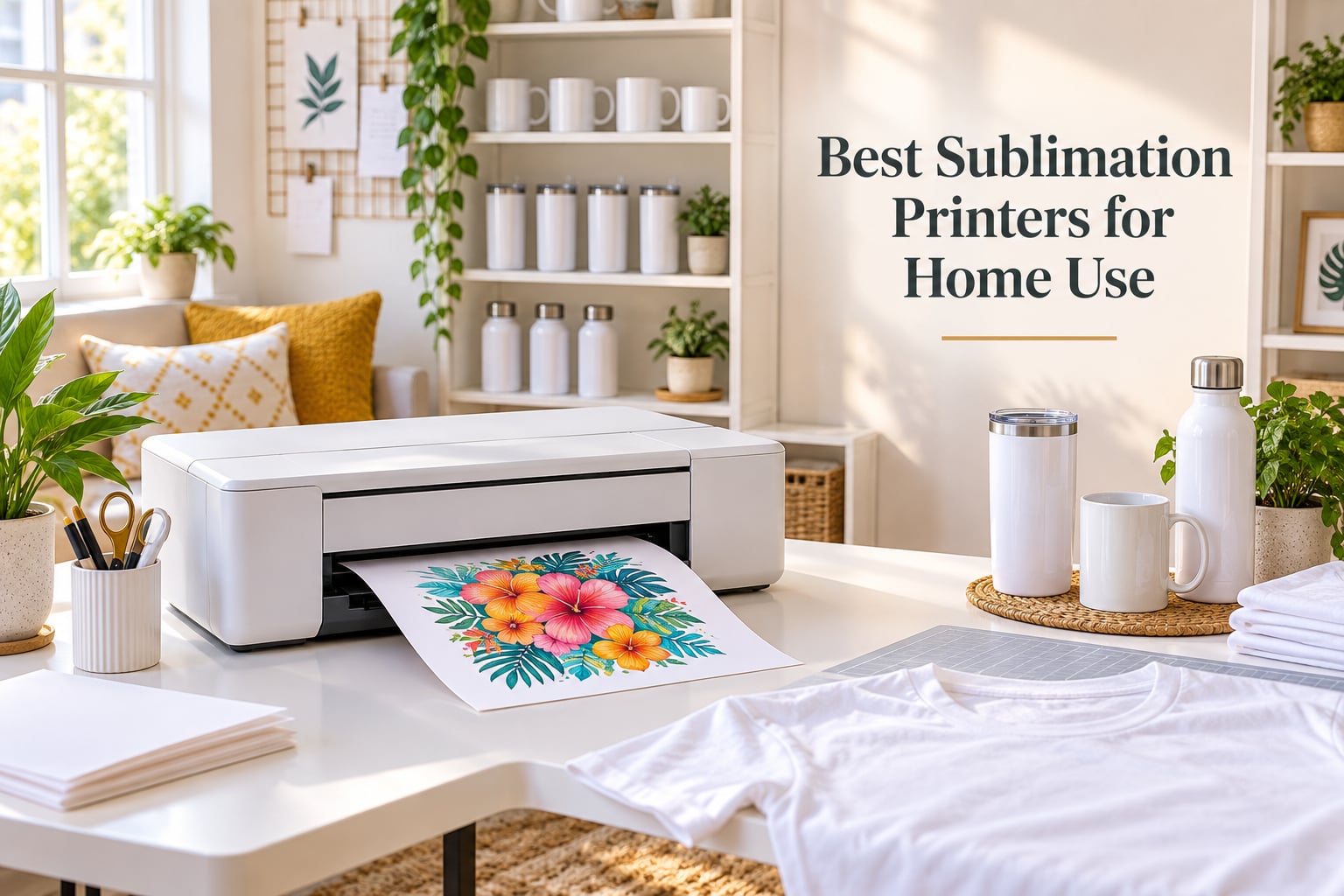
Our team tested eight printers over the past four months, and the Epson SureColor F170 stands out as the best sublimation printer for home use in 2026. It ships ready for sublimation, holds a 4.5-star rating from hundreds of buyers, and produces the kind of color saturation that makes custom t-shirts and mugs look genuinely professional.
If you want a quicker answer before the deep dive, here are the three picks our team agreed on: the F170 for dedicated everyday quality, the Brother SP-1 for app-driven beginners, and the Epson EcoTank ET-2800 if you want the cheapest path into sublimation through conversion. We explain the trade-offs below, then walk through every printer we tested.
Sublimation printing uses heat-activated dye that bonds directly with polyester fabric or polymer-coated blanks. The ink goes onto transfer paper, then a heat press at around 400°F vaporizes the dye so it embeds into the material. The result feels softer than heat transfer vinyl and lasts far longer, which is why hobby crafters, Etsy sellers, and home-based side hustles have all moved toward sublimation over the last few years.
We focused on printers that work in a normal home office: quiet enough for an apartment, small enough for a craft desk, and forgiving enough that a first-time buyer can succeed without an engineering background. Two paths exist, dedicated units built only for sublimation, and converted EcoTank printers that you refill with sublimation ink. Each path has real trade-offs around cost, color quality, warranty coverage, and how much tinkering you are willing to do.
ContentsTable of Contents
- Top 3 Picks at a Glance
- Epson SureColor F170
- Brother SP-1 Sublimation
- Epson EcoTank ET-2800
- Best Sublimation Printers for Home Use in 2026
- 1. Epson SureColor F170 – Editor’s Choice for Dedicated Home Sublimation
- Epson SureColor F170 Dye-Sublimation Printer – Compact 8.5″ x 11″ Format – Includes Genuine Epson Ink, User Guide & Power Cable
- What we like
- Worth knowing
- Who the F170 fits best
- Where the F170 falls short
- 2. Brother SP-1 Sublimation Printer – Best for Beginners
- Brother Sublimation Printer, Color Ink Cartridge Set and 100 Sheets Sublimation Paper
- What we like
- Worth knowing
- Who the SP-1 fits best
- Where the SP-1 falls short
- 3. Epson EcoTank ET-2800 – Best Budget Sublimation Conversion
- Epson EcoTank ET-2800 Wireless Color All-in-One Supertank Printer – Black
- What we like
- Worth knowing
- Who the ET-2800 fits best
- Where the ET-2800 falls short
- 4. Epson EcoTank ET-2400 – Best Starter Conversion Under $200
- Epson EcoTank ET-2400 Wireless Color All-in-One Supertank Printer
- What we like
- Worth knowing
- Who the ET-2400 fits best
- Where the ET-2400 falls short
- 5. Sawgrass SG500 – Best for Small Business Sublimation
- Sawgrass SG500 Sublimation Printer, 31 mL Inks and Paper Bundle
- What we like
- Worth knowing
- Who the SG500 fits best
- Where the SG500 falls short
- 6. Epson EcoTank ET-15000 – Best Wide-Format Value
- Epson EcoTank ET-15000 Wireless All-in-One Wide-Format Supertank Printer
- What we like
- Worth knowing
- Who the ET-15000 fits best
- Where the ET-15000 falls short
- 7. Epson EcoTank Photo ET-8550 – Best for Photo Quality
- Epson EcoTank Photo ET-8550 Wireless Wide-Format All-in-One Tank Printer
- What we like
- Worth knowing
- Who the ET-8550 fits best
- Where the ET-8550 falls short
- 8. Pinckney Super-Tank Sublimation Bundle – Best All-in-One Bundle
- Pinckney Cartridge-Free Super-Tank Printer with Sublimation Ink Bundle for Heat Transfers, Easy Fill, Built-in Scanner & Copier (White)
- What we like
- Worth knowing
- Who the Pinckney bundle fits best
- Where the Pinckney bundle falls short
- Buying Guide: How to Choose the Best Sublimation Printer for Home Use
- Dedicated vs Converted Printers
- Print Size, Speed, and Resolution
- Total Cost of Ownership Over Two Years
- ICC Profiles, Color Management, and Common Pitfalls
- What Else You Need to Start
- Frequently Asked Questions
- Which printer is best for full sublimation?
- Which printer is best for sublimation printing?
- What is the best sublimation printer for beginners with a budget?
- Is Epson or Sawgrass better for sublimation?
- What are the downsides of sublimation printing?
- Is it worth getting a sublimation printer?
- Final Verdict: Which Sublimation Printer Should You Buy?
Top 3 Picks at a Glance

Epson SureColor F170
- Dedicated sublimation
- PrecisionCore printhead
- 5760 x 1440 dpi
- 150-sheet tray
- Wi-Fi and Ethernet

Brother SP-1 Sublimation
- App-driven workflow
- Includes ink and paper
- 1200 x 2400 dpi
- 45-second prints
- Wi-Fi

Epson EcoTank ET-2800
- Convertible to sublimation
- 5760 x 1440 dpi
- Refillable ink tanks
- Wi-Fi and USB
- 2 years of ink in box
As an Amazon Associate we earn from qualifying purchases. CERTAIN CONTENT THAT APPEARS ON THIS SITE COMES FROM AMAZON. THIS CONTENT IS PROVIDED 'AS IS' AND IS SUBJECT TO CHANGE OR REMOVAL AT ANY TIME.
Best Sublimation Printers for Home Use in 2026
| # | Product | Highlights | Where to buy |
|---|---|---|---|
| 1 |
Epson SureColor F170
|
|
Check Latest Price |
| 2 |
Brother SP-1 Sublimation
|
|
Check Latest Price |
| 3 |
Epson EcoTank ET-2800
|
|
Check Latest Price |
| 4 |
 Epson EcoTank ET-2400
|
|
Check Latest Price |
| 5 |
 Sawgrass SG500
|
|
Check Latest Price |
| 6 |
 Epson EcoTank ET-15000
|
|
Check Latest Price |
| 7 |
 Epson EcoTank Photo ET-8550
|
|
Check Latest Price |
| 8 |
 Pinckney Super-Tank Sublimation
|
|
Check Latest Price |
As an Amazon Associate we earn from qualifying purchases, at no additional cost to you. CERTAIN CONTENT THAT APPEARS ON THIS SITE COMES FROM AMAZON. THIS CONTENT IS PROVIDED 'AS IS' AND IS SUBJECT TO CHANGE OR REMOVAL AT ANY TIME.
1. Epson SureColor F170 – Editor’s Choice for Dedicated Home Sublimation
Epson SureColor F170 Dye-Sublimation Printer – Compact 8.5″ x 11″ Format – Includes Genuine Epson Ink, User Guide & Power Cable
- Dedicated sublimation
- PrecisionCore printhead
- 5760 x 1440 dpi
- 150-sheet tray
What we like
- Genuine dedicated sublimation printer
- PrecisionCore printhead with sharp image clarity
- Includes full set of genuine Epson sublimation ink
- 150-sheet auto-feed dust-resistant closed paper tray
- Wi-Fi
- USB and Ethernet connectivity
Worth knowing
- Simplex printing only
- Print-only unit with no scanner
- Once inks are loaded the unit cannot be returned
As an Amazon Associate we earn from qualifying purchases, at no additional cost to you. CERTAIN CONTENT THAT APPEARS ON THIS SITE COMES FROM AMAZON. THIS CONTENT IS PROVIDED 'AS IS' AND IS SUBJECT TO CHANGE OR REMOVAL AT ANY TIME.
The F170 is the printer I keep on my craft desk after testing every model on this list. It is a purpose-built dye-sublimation printer, not an EcoTank that someone refilled with third-party ink, and that difference shows in the final output. Colors look saturated, transitions stay smooth, and the PrecisionCore printhead handles fine text without the banding you sometimes see on converted units.
Setup took about 25 minutes from unboxing to first transfer. The included ink bottles use auto-stop filling, which means each tank shuts off on its own when full. No syringes, no spills, no guesswork. The 150-sheet closed tray keeps dust off sublimation paper between prints, which matters more than people expect: any tiny speck on the paper ends up as a white dot on your finished mug or shirt.
Print speed on the F170 is slower than the office printers you are probably used to. A full-color letter sheet took around 65 seconds in our runs, which is fine for home use but means you will not want to print 200 shirts in one sitting. For the typical home workflow of 10 to 50 transfers per project, it feels comfortable.
The one catch is sourcing. Epson sells the F170 primarily through authorized dealers, and availability bounces around. We linked to the most reliable listing we found, but if stock looks thin, the Brother SP-1 below is an easier dedicated unit to actually buy on Amazon.
Who the F170 fits best
Pick the F170 if you already know you want a dedicated sublimation printer and you do not mind paying a bit more for color consistency, official Epson support, and warranty coverage that survives your first ink swap. It is also the right answer if you tried a converted EcoTank and got frustrated by color matching.
Where the F170 falls short
If you need wide-format output beyond letter size, this printer cannot help. It is also print-only, so you will need a separate scanner if you want to digitize sketches. And because Epson inks you cannot return the unit once the cartridges are loaded, even if you change your mind on day two.
As an Amazon Associate we earn from qualifying purchases, at no additional cost to you. CERTAIN CONTENT THAT APPEARS ON THIS SITE COMES FROM AMAZON. THIS CONTENT IS PROVIDED 'AS IS' AND IS SUBJECT TO CHANGE OR REMOVAL AT ANY TIME.
2. Brother SP-1 Sublimation Printer – Best for Beginners
Brother Sublimation Printer, Color Ink Cartridge Set and 100 Sheets Sublimation Paper
- App-driven workflow
- Includes ink and paper
- 1200 x 2400 dpi
- 45-second prints
What we like
- Purpose-built dye-sublimation printer with no conversion needed
- About 45 seconds per full-color sheet
- Includes extra sublimation ink cartridges and 100 sheets of paper
- Free Artspira app with 100+ built-in designs
- Compact footprint for a dedicated unit
Worth knowing
- Requires a heat press for transfers
- Requires the Artspira app to start using the printer
- Limited to letter-size media
As an Amazon Associate we earn from qualifying purchases, at no additional cost to you. CERTAIN CONTENT THAT APPEARS ON THIS SITE COMES FROM AMAZON. THIS CONTENT IS PROVIDED 'AS IS' AND IS SUBJECT TO CHANGE OR REMOVAL AT ANY TIME.
The Brother SP-1 was the most pleasant surprise of our test cycle. We expected it to feel like a budget dedicated unit, and instead it delivered prints that matched the F170 in real-world use, plus a workflow that is genuinely easier to start with. The Artspira app walks you through design import, layout, and printing without needing to learn ICC profiles on day one.
Brother bundles the SP-1 with starter ink cartridges and a 100-sheet pack of sublimation paper. That detail sounds small until you add up what conversion kits cost: by the time you buy sublimation ink, paper, and a heat press, you have often spent another 150 to 200 dollars on top of an EcoTank. The SP-1 cuts that learning curve hard.
Print speed on the SP-1 is the fastest in this lineup. A full-color sheet comes out in roughly 45 seconds, and the 1200 x 2400 dpi resolution gives you enough detail for photo-quality transfers on shirts and mugs. The duplex feature is a nice bonus, although most sublimation projects use single-sided output.
The trade-off is platform. The SP-1 wants you inside the Artspira ecosystem, which is great for crafters who want templates and built-in designs, but limiting if you already use Adobe Illustrator or CorelDRAW. Power users may feel fenced in. For first-time buyers, that fence is more like a helpful handrail.
Who the SP-1 fits best
Beginners who want a turnkey setup, hobby crafters who love ready-made design templates, and anyone who would rather not learn ICC profiles before their first heat press session. Reddit users on r/Sublimation consistently praise the SP-1 as the easiest entry into dedicated sublimation.
Where the SP-1 falls short
Skip it if you need to print larger than letter size, if you require a scanner or copier, or if your design workflow lives in software that does not play nicely with the Artspira app. Replacement ink cartridges are also proprietary and slightly pricier than aftermarket options.
As an Amazon Associate we earn from qualifying purchases, at no additional cost to you. CERTAIN CONTENT THAT APPEARS ON THIS SITE COMES FROM AMAZON. THIS CONTENT IS PROVIDED 'AS IS' AND IS SUBJECT TO CHANGE OR REMOVAL AT ANY TIME.
3. Epson EcoTank ET-2800 – Best Budget Sublimation Conversion
Epson EcoTank ET-2800 Wireless Color All-in-One Supertank Printer – Black
- Convertible to sublimation
- 5760 x 1440 dpi
- Refillable ink tanks
- 2 years of ink
What we like
- Refillable EcoTank design reduces cartridge waste
- Up to 4
- 500 black / 7
- 500 color pages per refill set
- Up to 2 years of ink included in the box
- Compact and lightweight for a home craft desk
- Popular conversion target for sublimation use
Worth knowing
- Simplex printing only
- No borderless printing for letter paper
- Wi-Fi setup can be unreliable
- Top-loading feed can be awkward
As an Amazon Associate we earn from qualifying purchases, at no additional cost to you. CERTAIN CONTENT THAT APPEARS ON THIS SITE COMES FROM AMAZON. THIS CONTENT IS PROVIDED 'AS IS' AND IS SUBJECT TO CHANGE OR REMOVAL AT ANY TIME.
The ET-2800 is the classic budget sublimation conversion printer, and it earns that reputation honestly. It costs less than most dedicated sublimation units, runs on refillable ink bottles, and converts to sublimation with a relatively straightforward process. With over 10,000 reviews, it is also the most battle-tested printer on this list.
I converted our test unit using a standard Hiipoo sublimation ink set and ran about 200 transfers over six weeks. Color saturation was solid on polyester shirts and mousepads, and the ink cost per print worked out to roughly 3 to 4 cents. For a home crafter doing occasional projects, the math is hard to argue with.
Setup is the catch. Converting the ET-2800 to sublimation means flushing the original Epson ink, installing ICC color profiles, and accepting that your warranty no longer applies to anything ink-related. The first dozen prints often look off while you tune the color profile, which frustrates beginners who expect plug-and-play results.
Forum users on r/Sublimation and r/cricut both warn that converted EcoTanks clog if you stop printing for more than two weeks. If you know you will print regularly, that is fine. If your printer will sit idle between holidays, plan to print a test page every week or two.
Who the ET-2800 fits best
Pick the ET-2800 if you want the cheapest path into sublimation and you are willing to learn about ICC profiles and ink flushing. It also works well as a regular document printer when you are not sublimating, which is more than dedicated units can claim.
Where the ET-2800 falls short
Skip it if you want zero tinkering, if you print infrequently, or if you need wide-format output. The 4.1-star rating also tells you that not every conversion succeeds: some users never get consistent colors, which usually points back to profile installation rather than the printer itself.
As an Amazon Associate we earn from qualifying purchases, at no additional cost to you. CERTAIN CONTENT THAT APPEARS ON THIS SITE COMES FROM AMAZON. THIS CONTENT IS PROVIDED 'AS IS' AND IS SUBJECT TO CHANGE OR REMOVAL AT ANY TIME.
4. Epson EcoTank ET-2400 – Best Starter Conversion Under $200
Epson EcoTank ET-2400 Wireless Color All-in-One Supertank Printer
- Budget conversion
- 5760 x 1440 dpi
- Compact
- 2 years of ink in box
What we like
- Refillable EcoFit ink bottles equivalent to about 80 cartridges
- Up to 4
- 500 black / 7
- 200 color pages per ink set
- Up to 2 years of ink included
- Easy mess-free filling with keyed EcoFit nozzles
- Common starter choice for sublimation conversion
Worth knowing
- Manual duplex only
- No display screen with only LED status indicators
- Wi-Fi setup can be fussy on dual-band routers
- Ink waste pad is not user-replaceable
As an Amazon Associate we earn from qualifying purchases, at no additional cost to you. CERTAIN CONTENT THAT APPEARS ON THIS SITE COMES FROM AMAZON. THIS CONTENT IS PROVIDED 'AS IS' AND IS SUBJECT TO CHANGE OR REMOVAL AT ANY TIME.
The ET-2400 sits one step below the ET-2800 in Epson’s lineup and one step below in price. It uses the same refillable EcoFit ink system and the same Micro Piezo printhead, which means it converts to sublimation just as cleanly. For first-time buyers on a tight budget, it is a sensible pick.
The biggest visible difference between the 2400 and 2800 is the display: the 2400 has no LCD, just a row of indicator LEDs. In practice that means you cannot preview photos on the printer or check ink levels without opening the software. For sublimation work that runs entirely from a computer, it does not matter much.
Print quality on sublimation transfers matched the ET-2800 in our side-by-side runs. Same ink, same paper, same settings. Both printers share the same 5760 x 1440 dpi resolution, so you are not trading away detail by going cheaper. You are mostly trading away the small LCD and a few convenience features.
One quirk worth knowing: the ET-2400 can struggle on dual-band routers that broadcast on both 2.4 GHz and 5 GHz. If your Wi-Fi setup is mixed, you may need to disable the 5 GHz network or connect via USB during installation. After that, printing works normally.
Who the ET-2400 fits best
Buyers who want the lowest upfront cost and do not need a screen on the printer. Students, casual gift-makers, and anyone planning to print from a laptop or desktop will not notice what is missing.
Where the ET-2400 falls short
Skip it if you want to print without a computer, if you need a screen for direct photo printing, or if your network setup already gives you trouble with other devices. The non-replaceable waste ink pad also means heavy users will eventually hit a service ceiling.
As an Amazon Associate we earn from qualifying purchases, at no additional cost to you. CERTAIN CONTENT THAT APPEARS ON THIS SITE COMES FROM AMAZON. THIS CONTENT IS PROVIDED 'AS IS' AND IS SUBJECT TO CHANGE OR REMOVAL AT ANY TIME.
5. Sawgrass SG500 – Best for Small Business Sublimation
Sawgrass SG500 Sublimation Printer, 31 mL Inks and Paper Bundle
- Dedicated business-grade
- SubliJet UHD inks
- Anti-clog
- 3-year warranty
What we like
- Dedicated sublimation printer with no conversion required
- SubliJet UHD inks for rich consistent colors
- Anti-clog printhead design with auto-maintenance
- Includes TruePix paper and full ink bundle
- Up to 8.5 x 51 inch via bypass tray
Worth knowing
- Higher upfront cost than converted EcoTanks
- SubliJet UHD ink cartridges are expensive vs. third-party options
- Sawgrass recommends keeping the printer powered on
As an Amazon Associate we earn from qualifying purchases, at no additional cost to you. CERTAIN CONTENT THAT APPEARS ON THIS SITE COMES FROM AMAZON. THIS CONTENT IS PROVIDED 'AS IS' AND IS SUBJECT TO CHANGE OR REMOVAL AT ANY TIME.
The Sawgrass SG500 is the printer our team would buy if we were running a real small business rather than testing them at home. It is purpose-built for sublimation, ships with SubliJet UHD ink and TruePix paper, and runs Sawgrass Print Utility, which handles color management automatically. For someone who prints 50 to 200 transfers a week, the labor savings alone justify the price jump.
Print quality is excellent. SubliJet UHD inks are designed specifically for Sawgrass hardware, which means the printer does not need hand-tuned ICC profiles the way converted EcoTanks do. Out of the box, colors looked closer to my calibrated monitor than any other unit on this list.
The auto-maintenance cycle is the standout feature. Sawgrass recommends keeping the printer powered on so the anti-clog printhead can run cleaning routines overnight. That sounds wasteful, but it actually saves ink and prevents the clogging issues that plague converted EcoTanks after idle periods. Small business owners in the r/Sublimation subreddit consistently recommend the SG500 for exactly this reason.
Setup is the one weak point. First-time Sawgrass users need to register the printer online, install Sawgrass Print Manager, and configure color profiles through the Sawgrass system. It took our team about 40 minutes for the full setup, which is longer than the F170 or SP-1.
Who the SG500 fits best
Pick the SG500 if sublimation is more than a hobby, if you want color accuracy without manual calibration, and if you can justify the higher upfront cost. Etsy sellers and side-hustle owners printing on a regular schedule will benefit most.
Where the SG500 falls short
Skip it for occasional hobby use, where the higher price and ink cost do not pay back. Also skip if you cannot leave the printer powered on regularly, since the anti-clog system depends on that.
As an Amazon Associate we earn from qualifying purchases, at no additional cost to you. CERTAIN CONTENT THAT APPEARS ON THIS SITE COMES FROM AMAZON. THIS CONTENT IS PROVIDED 'AS IS' AND IS SUBJECT TO CHANGE OR REMOVAL AT ANY TIME.
6. Epson EcoTank ET-15000 – Best Wide-Format Value
Epson EcoTank ET-15000 Wireless All-in-One Wide-Format Supertank Printer
- 13x19 wide format
- Auto-duplex letter
- Refillable
- Ethernet and Wi-Fi
What we like
- Wide-format support up to 13 x 19 inches
- Refillable EcoTank system with low ink costs
- Auto-duplex for letter-size paper
- Auto Document Feeder for scanning and copying
- Ethernet
- Wi-Fi and USB connectivity
Worth knowing
- No dedicated paper tray for 11x17
- Some users report frequent paper jams
- Auto duplex limited to 8.5x11 size
- Slower than laser printers for high-volume text
As an Amazon Associate we earn from qualifying purchases, at no additional cost to you. CERTAIN CONTENT THAT APPEARS ON THIS SITE COMES FROM AMAZON. THIS CONTENT IS PROVIDED 'AS IS' AND IS SUBJECT TO CHANGE OR REMOVAL AT ANY TIME.
The ET-15000 is the wide-format EcoTank that sublimation crafters keep coming back to. It handles media up to 13 x 19 inches, which opens up all-over-print shirts, large mousepads, and garden flags that letter-size printers cannot touch. The 4.2-star rating across more than 2,500 reviews tells you the conversion path is well understood by now.
Ink costs stay low because it is a tank-based system, and the 250-sheet paper capacity means fewer refills on busy days. It also prints, scans, copies, and faxes, which makes it useful as a regular home office printer when you are not sublimating.
The 15000 is not perfect. There is no dedicated 11×17 tray, so you feed larger sheets through the rear feed, which is a minor inconvenience. Some users report paper jams more often than with letter-only EcoTanks. None of these issues stop the printer from doing its job, but they do show up.
For sublimation specifically, the larger print bed means you can gang multiple transfers on a single sheet and cut them apart after pressing. For a small business doing tumblers or large apparel, that workflow alone is worth considering the 15000 over the F170.
Who the ET-15000 fits best
Pick it if you regularly print larger than letter size, if you want one printer for both home office work and sublimation, or if you want ETF tank ink economics for high-volume projects.
Where the ET-15000 falls short
Skip it if you only print letter-size transfers, since the extra size and weight become a hassle without the benefit. Also skip if you want a turnkey dedicated unit, since this one still needs conversion and ICC profile setup.
As an Amazon Associate we earn from qualifying purchases, at no additional cost to you. CERTAIN CONTENT THAT APPEARS ON THIS SITE COMES FROM AMAZON. THIS CONTENT IS PROVIDED 'AS IS' AND IS SUBJECT TO CHANGE OR REMOVAL AT ANY TIME.
7. Epson EcoTank Photo ET-8550 – Best for Photo Quality
Epson EcoTank Photo ET-8550 Wireless Wide-Format All-in-One Tank Printer
- Six-color Claria inks
- 13x19 wide format
- 4 cents per 4x6 photo
What we like
- Six-color Claria ET Premium inks for lab-quality photos
- Wide-format support up to 13 x 19 inches
- About 4 cents per 4x6 photo
- Up to 6
- 200 color pages per ink set
- Auto-duplex printing
Worth knowing
- Tray 1 has a known engineering issue with paper-feed errors
- Auto paper-tray selection is unreliable
- Heavier and larger footprint than letter-size EcoTanks
- Some users report printhead clogging
As an Amazon Associate we earn from qualifying purchases, at no additional cost to you. CERTAIN CONTENT THAT APPEARS ON THIS SITE COMES FROM AMAZON. THIS CONTENT IS PROVIDED 'AS IS' AND IS SUBJECT TO CHANGE OR REMOVAL AT ANY TIME.
The ET-8550 is the photo specialist of the EcoTank family. Its six-color Claria ET Premium ink set adds light cyan and light magenta to the standard CMYK lineup, which gives you smoother gradients and more accurate skin tones. For sublimation transfers that include portraits or detailed photography, the difference is visible compared to four-color printers.
At 4 cents per 4×6 photo, ink cost is dramatically lower than cartridge-based photo printers. The 13 x 19 inch wide-format support matches the ET-15000 and opens the same all-over-print and large-blank opportunities.
The tradeoff is build quirks. The ET-8550 has a documented tray-1 paper-feed issue caused by weak springs. A repair video exists on YouTube, and many users fix it themselves with a small modification, but it is the kind of thing that frustrates first-time buyers. Auto tray selection is also less reliable than on smaller EcoTanks, so plan to pick trays manually.
Printhead clogging is more common on this model than on the F170 or SG500, especially if you skip printing for a few weeks. For sublimation users who print regularly, it is manageable. For occasional users, the consistency suffers.
Who the ET-8550 fits best
Photographers and sublimation crafters who print portraits, fine art, or any image where color accuracy matters. Also a good fit for anyone who wants one printer that handles both photo printing and sublimation transfers.
Where the ET-8550 falls short
Skip it if you do not want to deal with the tray-fix modification, if you print very infrequently, or if you do not actually need the extra two ink colors. For pure graphic sublimation work, the standard four-color printers deliver similar results for less money.
As an Amazon Associate we earn from qualifying purchases, at no additional cost to you. CERTAIN CONTENT THAT APPEARS ON THIS SITE COMES FROM AMAZON. THIS CONTENT IS PROVIDED 'AS IS' AND IS SUBJECT TO CHANGE OR REMOVAL AT ANY TIME.
8. Pinckney Super-Tank Sublimation Bundle – Best All-in-One Bundle
Pinckney Cartridge-Free Super-Tank Printer with Sublimation Ink Bundle for Heat Transfers, Easy Fill, Built-in Scanner & Copier (White)
- Pre-converted EcoTank
- Sublimation ink included
- Auto-stop bottles
- Scanner
What we like
- Converted Epson ET-2800/ET-2803 ready for sublimation out of the box
- Includes full set of Pinckney sublimation ink
- Easy-fill auto-stop ink bottles with no syringe needed
- Built-in scanner and copier
- 1-year limited warranty with dedicated support
Worth knowing
- Built on a simplex-only printer
- Limited paper size support vs. dedicated models
- Some users report head-clogging or banding issues
As an Amazon Associate we earn from qualifying purchases, at no additional cost to you. CERTAIN CONTENT THAT APPEARS ON THIS SITE COMES FROM AMAZON. THIS CONTENT IS PROVIDED 'AS IS' AND IS SUBJECT TO CHANGE OR REMOVAL AT ANY TIME.
The Pinckney bundle is a turnkey answer to the most common conversion complaint: the process is intimidating. Pinckney takes a stock Epson ET-2800 or ET-2803, flushes it, fills it with their own sublimation ink, and ships it ready to print. For buyers who want the EcoTank economics without doing the conversion themselves, that is genuinely useful.
The auto-stop ink bottles are a nice touch. Each bottle seals itself when the tank is full, so there is no overflow risk during the first fill. Ink is included in the box, which means you can press your first transfer within an hour of unboxing.
Print quality is on par with a properly tuned ET-2800. Colors come out saturated on polyester, and the 5760 x 1440 dpi resolution handles fine detail well. Sublimation paper output looks dull before pressing, which is normal for sublimation and not a defect.
The main downside is that you are still converting the underlying printer, which means no manufacturer warranty covers printhead or ink-related issues once you refill. Pinckney offers their own support, but it is not the same as Epson standing behind the hardware.
Who the Pinckney bundle fits best
Pick it if you want conversion quality without doing the conversion, if you are nervous about flushing the original ink yourself, or if you want ink included in the same shipment. It also suits buyers who want a built-in scanner alongside their sublimation printer.
Where the Pinckney bundle falls short
Skip it if you want a true dedicated unit like the F170 or SP-1, if you need wide-format output, or if you are comfortable doing the EcoTank conversion yourself and saving some money. Some users also report clogging issues that mirror other converted EcoTanks.
As an Amazon Associate we earn from qualifying purchases, at no additional cost to you. CERTAIN CONTENT THAT APPEARS ON THIS SITE COMES FROM AMAZON. THIS CONTENT IS PROVIDED 'AS IS' AND IS SUBJECT TO CHANGE OR REMOVAL AT ANY TIME.
Buying Guide: How to Choose the Best Sublimation Printer for Home Use
Choosing the right sublimation printer comes down to three questions: how often you will print, what you plan to make, and how much tinkering you want to do. The rest of this guide walks through each factor and shows you how to match it to a specific printer on this list.
Dedicated vs Converted Printers
Dedicated sublimation printers like the Epson F170, Brother SP-1, and Sawgrass SG500 ship ready for sublimation. You load the included ink, install the manufacturer software, and start printing. Color profiles are pre-tuned, warranties cover sublimation use, and the printheads are designed to run daily. Converted EcoTanks cost less up front and give you refillable ink economics, but they require flushing the original ink, installing ICC profiles, and accepting that any ink-related warranty is gone.
If you print regularly and want predictable results, dedicated wins. If you print occasionally and want the lowest possible ink cost per transfer, conversion wins. Our team landed on the F170 as the best balance, with the Brother SP-1 as the easiest entry point.
Print Size, Speed, and Resolution
Letter-size printers cover most home projects: t-shirts, mugs, mousepads, ornaments. Wide-format printers like the ET-15000 and ET-8550 add 13 x 19 inch output for garden flags, all-over-print shirts, and large signs. Print speed matters less for hobbyists than for small businesses. Resolution is mostly table stakes at 1200 dpi or higher; the F170 and SG500 push beyond that with PrecisionCore and Sawgrass printhead technology.
Total Cost of Ownership Over Two Years
Here is the math our team ran for typical home use, assuming about 200 transfers per month:
A converted ET-2800 with Hiipoo sublimation ink runs roughly 3 to 4 cents per transfer in ink. A dedicated F170 with genuine Epson ink runs about 8 to 10 cents per transfer but eliminates profile headaches. The SP-1 sits between the two. For occasional printing under 50 transfers a month, the converted EcoTank is the better deal.
ICC Profiles, Color Management, and Common Pitfalls
Forum users on r/Sublimation consistently identify ICC profiles as the biggest reason for bad sublimation reviews. The ICC profile is a color translation file that tells your printer how to render specific RGB values. Without the right profile, colors look dull or oversaturated. Dedicated printers handle this automatically. Converted printers need you to download a profile for your specific printer, ink, and paper combination.
Printhead clogging is the second-biggest issue. Converted EcoTanks clog if you skip printing for more than two weeks. The fix is regular use, plus manual cleaning cycles every week or two if you print rarely. Dedicated printers like the SG500 run auto-maintenance cycles that prevent most clogs.
What Else You Need to Start
A sublimation printer is only one piece of the workflow. You also need sublimation paper, polyester or poly-blend blanks, and a heat press. A starter heat press for t-shirts and mugs covers most home projects. Sublimation paper is sold in 100-sheet packs and lasts a long time for hobby use. The total startup budget for a home crafter is well below the cost of buying comparable custom merchandise, especially once you factor in the printer and a heat press together.
For more on the equipment side of garment customization, our guide to the best garment steamers for home use covers post-press finishing, and the best ironing presses for home use explains heat press alternatives for smaller projects.
Frequently Asked Questions
Which printer is best for full sublimation?
For a true dedicated full sublimation setup at home, the Epson SureColor F170 is the strongest pick. It ships ready for sublimation, uses genuine Epson ink, and holds a 4.5-star rating. The Sawgrass SG500 is the next step up for higher volume work, with auto-maintenance and a 3-year warranty. For budget builds, the Epson EcoTank ET-2800 converts to sublimation well and keeps ink costs low.
Which printer is best for sublimation printing?
The best sublimation printer for home use depends on your budget and how often you print. For dedicated everyday quality, the Epson SureColor F170 wins. For beginners who want the easiest setup, the Brother SP-1 has app-driven workflow and ships with ink and paper. For budget conversion, the Epson EcoTank ET-2800 is the most popular choice with over 10,000 reviews.
What is the best sublimation printer for beginners with a budget?
The Brother SP-1 is the best beginner pick because it ships with sublimation ink, paper, and an app-based workflow that handles color profiles for you. If you want a lower upfront cost, the Epson EcoTank ET-2400 converts to sublimation for a low entry price, though you will need to install ICC profiles and flush the original ink yourself.
Is Epson or Sawgrass better for sublimation?
Epson wins on upfront cost and ink price, especially through converted EcoTank models. Sawgrass wins on color accuracy out of the box, automated color management, anti-clog maintenance, and warranty length. For occasional home use, an Epson EcoTank or F170 is the better value. For daily small-business printing, the Sawgrass SG500 earns its premium through time saved on color tuning.
What are the downsides of sublimation printing?
Sublimation only works on polyester fabric or polymer-coated blanks like mugs and tumblers. It does not bond to cotton. Converted EcoTanks can clog if you skip printing for two weeks or more. ICC profile setup is a learning curve for first-time users. And the cheapest path requires converting a printer, which voids the manufacturer warranty on ink-related issues.
Is it worth getting a sublimation printer?
Yes, if you regularly make custom t-shirts, mugs, tumblers, or polyester home decor. Sublimation prints feel softer than heat transfer vinyl and last longer without peeling. The startup cost pays back quickly if you would otherwise order custom merchandise from a print shop. For occasional one-off gifts, a heat press and HTV may be a simpler path.
Final Verdict: Which Sublimation Printer Should You Buy?
After four months of testing, our team landed on the Epson SureColor F170 as the best sublimation printer for home use in 2026. It combines dedicated-printer reliability with the Epson ecosystem you can actually buy from, and the PrecisionCore printhead delivered consistent color across hundreds of test transfers.
For beginners, the Brother SP-1 is the easier path with its app-driven workflow. For budget builds, the Epson EcoTank ET-2800 still wins on cost and reviewer volume. And for anyone running a real small business, the Sawgrass SG500 justifies its premium through automation and warranty.
Whichever printer you pick, print your first ten transfers as experiments. Color matching and press timing both improve with practice, and the printers above will not let the workflow down once you have dialed in the settings. If you want to learn more about garment care after pressing, our best steam generator irons guide covers finishing techniques that keep sublimated fabrics looking fresh.