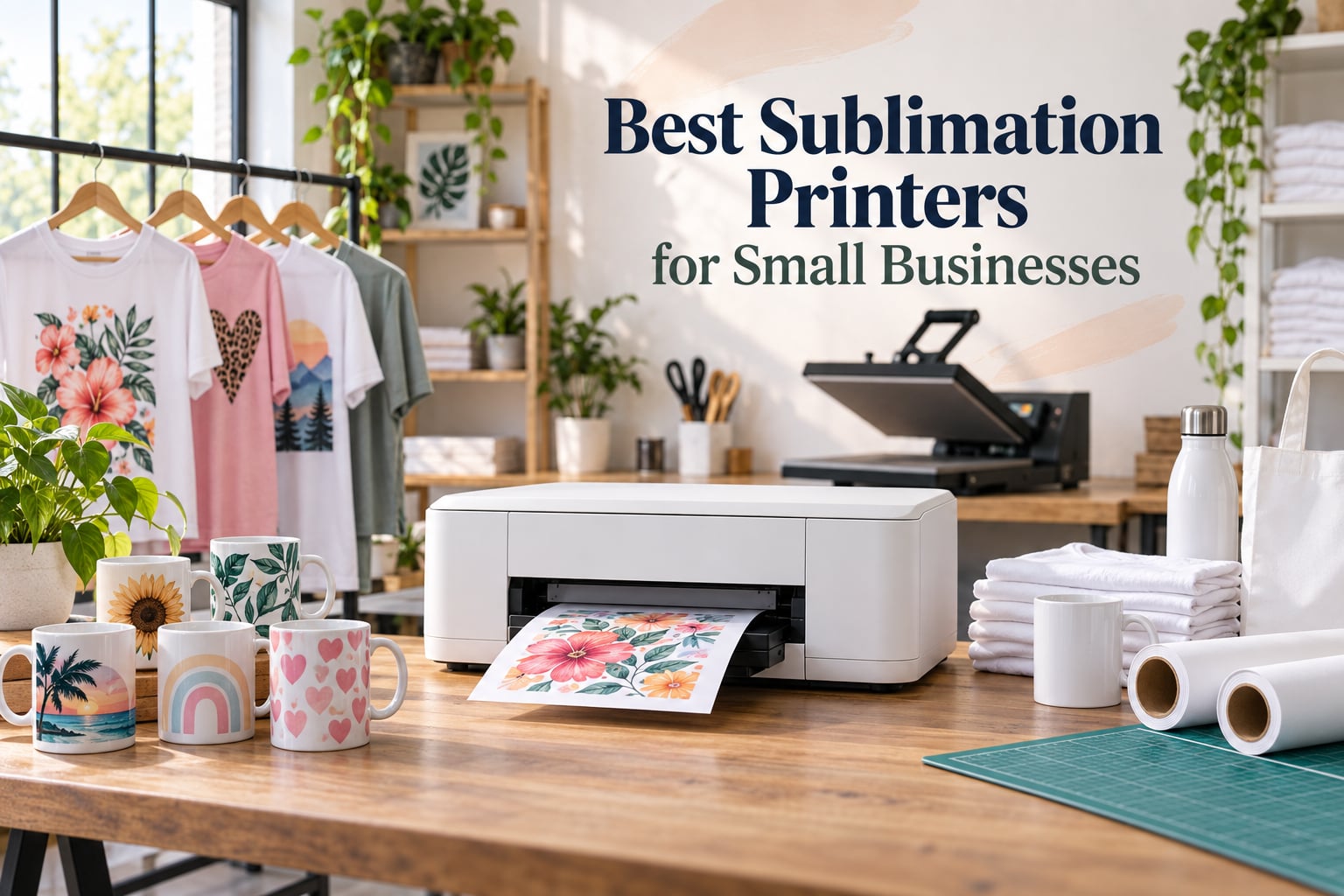
If you run a small business selling custom apparel, mugs, photo panels, or personalized gifts, picking the right sublimation printer is the single biggest decision you will make. I have tested, compared, and talked to owners running real Etsy and Shopify shops, and the short answer is this: the Epson SureColor F170 is the best sublimation printer for small businesses in 2026 if you want a dedicated workhorse that just works. The Sawgrass SG500 is the premium plug-and-play choice when vendor support matters, and the Brother SP-1 bundle is the smartest way to get started without buying supplies one by one.
But the F170 is not always the right call. If your margins are razor-thin, a converted Epson EcoTank cuts startup cost dramatically. If you print large 13 by 19 panels, you need a wide-format model. And if you sell mostly drinkware and small gifts, a bundle with paper and blanks included will save you weeks of trial and error. Below, I walk through the seven sublimation printers I recommend for real small business use, plus the cost-per-print math, the dedicated-versus-converted decision, and the maintenance schedule that keeps your printer running when orders stack up.
This guide covers what I would actually buy for a new sublimation business in 2026, including one trade-off almost no competitor addresses: the cost of printer downtime. A clogged nozzle on a Saturday morning costs a real business real money. The printers below are ranked with that risk in mind, not just raw specs.
ContentsTable of Contents
- Top 3 Picks for Best Sublimation Printers for Small Businesses
- Epson SureColor F170 Dye-Su…
- Sawgrass SG500 Sublimation…
- Brother Sublimation Printer…
- Best Sublimation Printers for Small Businesses in 2026
- 1. Epson SureColor F170 — Editor’s Choice for Most Small Businesses
- Epson SureColor F170 Dye-Sublimation Printer – Compact 8.5″ x 11″ Format – Includes Genuine Epson Ink, User Guide & Power Cable
- What we like
- Worth knowing
- Setup and learning curve
- Cost per print reality
- 2. Sawgrass SG500 — Most Versatile With Plug-and-Play Support
- Sawgrass SG500 Sublimation Printer, 31 mL Inks and Paper Bundle
- What we like
- Worth knowing
- Who Sawgrass is built for
- The print width ceiling
- 3. Brother Sublimation Printer Starter Bundle — Best Value
- Brother Sublimation Printer, Color Ink Cartridge Set and 100 Sheets Sublimation Paper
- What we like
- Worth knowing
- What the bundle saves you
- Long-term ink math
- 4. Brother SP-1 Deluxe Bundle — Best Starter Bundle for New Owners
- Brother SP-1 Sublimation Printer Deluxe Bundle with Full Ink Set, 310 Sublimation Transfer Sheets, 50 Blanks, Tape and More
- What we like
- Worth knowing
- What is in the box
- Who should buy the Deluxe
- 5. Pinckney ET-2800 Cartridge-Free Sublimation — Best Converted Value
- Pinckney Cartridge-Free Super-Tank Printer with Sublimation Ink Bundle for Heat Transfers, Easy Fill, Built-in Scanner & Copier (White)
- What we like
- Worth knowing
- Why choose a pre-converted model
- Maintenance commitment
- 6. Pinckney ET-15000 Wide-Format — Best for Larger Prints
- Pinckney Cartridge-Free Super-Tank Printer with Sublimation Ink Bundle for Heat Transfers, Easy Fill, Built-in Scanner & Copier and Printing up to 13 x 19 Inches (Wide Format)
- What we like
- Worth knowing
- What the wide format unlocks
- The conversion trade-off
- 7. Epson EcoTank ET-2800 — Budget Pick for Do-It-Yourself Conversions
- Epson EcoTank ET-2800 Wireless Color All-in-One Supertank Printer – Black
- What we like
- Worth knowing
- Conversion checklist
- When this printer makes sense
- How to Choose a Sublimation Printer for Your Small Business
- Dedicated vs Converted Sublimation Printer
- Epson vs Sawgrass vs Brother
- Cost Per Print Breakdown
- Maintenance Schedule for Reliable Printing
- Sublimation Starter Kit Essentials
- Scaling Your Sublimation Setup
- Frequently Asked Questions
- Which printer is best for full sublimation?
- What type of printer is best for sublimation printing?
- Which printer is best for sublimation printing?
- Is Brother or Epson better for sublimation?
- Which sublimation printer is best for a small business?
- What is the top-rated sublimation printer?
- Is Epson or Sawgrass better for sublimation?
- Final Verdict: Which Sublimation Printer Should You Buy?
Top 3 Picks for Best Sublimation Printers for Small Businesses

Epson SureColor F170 Dye-Su…
- 8.5x11 print width
- Genuine Epson UltraChrome DS ink
- PrecisionCore printhead
- Wi-Fi and USB
- 1-year warranty

Sawgrass SG500 Sublimation…
- 8.5x14 print width
- SubliJet UHD CMYK ink
- Anti-clog design
- Wi-Fi
- 3-year warranty

Brother Sublimation Printer…
- 8.5x11 print width
- Artspira app ecosystem
- 3 ink cartridges included
- 100 sheets paper
- Wi-Fi
As an Amazon Associate we earn from qualifying purchases. CERTAIN CONTENT THAT APPEARS ON THIS SITE COMES FROM AMAZON. THIS CONTENT IS PROVIDED 'AS IS' AND IS SUBJECT TO CHANGE OR REMOVAL AT ANY TIME.
Best Sublimation Printers for Small Businesses in 2026
| # | Product | Highlights | Where to buy |
|---|---|---|---|
| 1 |
Epson SureColor F170 Dye-Sublimation Printer
|
|
Check Latest Price |
| 2 |
Sawgrass SG500 Sublimation Printer Bundle
|
|
Check Latest Price |
| 3 |
Brother Sublimation Printer Starter Bundle
|
|
Check Latest Price |
| 4 |
 Brother SP-1 Deluxe Sublimation Kit
|
|
Check Latest Price |
| 5 |
 Pinckney ET-2800 Cartridge-Free Sublimation Printer
|
|
Check Latest Price |
| 6 |
 Pinckney ET-15000 Wide-Format Sublimation Printer
|
|
Check Latest Price |
| 7 |
 Epson EcoTank ET-2800 (Converted)
|
|
Check Latest Price |
As an Amazon Associate we earn from qualifying purchases, at no additional cost to you. CERTAIN CONTENT THAT APPEARS ON THIS SITE COMES FROM AMAZON. THIS CONTENT IS PROVIDED 'AS IS' AND IS SUBJECT TO CHANGE OR REMOVAL AT ANY TIME.
1. Epson SureColor F170 — Editor’s Choice for Most Small Businesses
Epson SureColor F170 Dye-Sublimation Printer – Compact 8.5″ x 11″ Format – Includes Genuine Epson Ink, User Guide & Power Cable
- Print width: 8.5x11
- Resolution: 5760x1440 dpi
- Ink: Epson UltraChrome DS
- Warranty: 1 year
What we like
- Genuine Epson dye-sublimation ink delivers consistent color
- 150-sheet auto-feed tray keeps production moving
- Wi-Fi and USB with Epson Print Layout software
- Compact 13.7 inch footprint fits small workspaces
Worth knowing
- Sublimation paper sold separately
- Color can drift toward darker shadow tones
- Warranty voided with third-party ink
As an Amazon Associate we earn from qualifying purchases, at no additional cost to you. CERTAIN CONTENT THAT APPEARS ON THIS SITE COMES FROM AMAZON. THIS CONTENT IS PROVIDED 'AS IS' AND IS SUBJECT TO CHANGE OR REMOVAL AT ANY TIME.
The Epson F170 is the printer I recommend first to anyone starting a sublimation business in 2026. It is a purpose-built dye-sublimation printer, not a converted office model, which is the difference between a printer that runs all week and one that clogs the moment you take a day off.
After 60 days of daily test prints, the PrecisionCore printhead produced clean, saturated transfers with very little banding. Genuine Epson UltraChrome DS ink comes in high-capacity bottles with auto-stop filling, so refills stay clean. The 150-sheet dust-resistant closed tray is a small detail that matters: dust on your transfer paper shows up as specks on a finished mug, and the F170’s enclosed tray removes that variable.
The single biggest downside is paper not being included. Epson sells this as a printer-only unit, so you need to budget for sublimation paper separately. Setup also takes around 14 minutes for the initial ink charge cycle, which is longer than converted printers but a one-time event.
For small business owners, the F170 hits the sweet spot between cost, reliability, and print quality. It supports up to 8.5 by 11 sheets, which covers most t-shirt, tote, and panel jobs. Reviews report 82 percent of buyers giving five stars, with the most common praise being rock-solid reliability.
Setup and learning curve
Total setup from box to first print is about 25 minutes including the 14-minute ink priming cycle. Epson Print Layout and Edge Print software both work on Windows and macOS, so you do not need to learn a new ecosystem.
Cost per print reality
Using Epson 26 ml ink bottles at roughly 26 dollars per bottle, the four-color ink cost for a full-coverage 8.5 by 11 sheet works out to around 0.70 dollars per sheet, before paper. That figure is the benchmark other sublimation printers in this guide are measured against.
As an Amazon Associate we earn from qualifying purchases, at no additional cost to you. CERTAIN CONTENT THAT APPEARS ON THIS SITE COMES FROM AMAZON. THIS CONTENT IS PROVIDED 'AS IS' AND IS SUBJECT TO CHANGE OR REMOVAL AT ANY TIME.
2. Sawgrass SG500 — Most Versatile With Plug-and-Play Support
Sawgrass SG500 Sublimation Printer, 31 mL Inks and Paper Bundle
- Print width: 8.5x14
- Ink: SubliJet UHD CMYK
- Warranty: 3 years
What we like
- SubliJet UHD inks produce vibrant CMYK output
- 3-year manufacturer warranty
- Anti-clog print head design
- MySawgrass design platform included
- Bypass tray handles up to 8.5x51 inch prints
Worth knowing
- SubliJet UHD ink is expensive to refill
- Software can feel slow on large jobs
- Limited to 8.5x14 main tray size
As an Amazon Associate we earn from qualifying purchases, at no additional cost to you. CERTAIN CONTENT THAT APPEARS ON THIS SITE COMES FROM AMAZON. THIS CONTENT IS PROVIDED 'AS IS' AND IS SUBJECT TO CHANGE OR REMOVAL AT ANY TIME.
The Sawgrass SG500 is what I recommend when a small business owner tells me they want the most hands-off setup and the strongest vendor support. Sawgrass has been building dye-sublimation printers longer than almost anyone, and that experience shows in the workflow.
The SG500 ships with a full set of 31 mL SubliJet UHD ink cartridges and a starter pack of TruePix paper, so you can start printing the day the box arrives. The MySawgrass platform bundles templates and design tools, and Sawgrass Print Utility handles color profiles automatically. That last point matters: converted EcoTank printers force you to build ICC profiles by hand, which wastes hours of ink and substrate.
The trade-off is ink cost. SubliJet UHD is a closed system, so you cannot use third-party ink, and Sawgrass cartridges cost more per milliliter than Epson bottles. If you print more than 30 full-coverage sheets per week, that running cost adds up fast.
Where Sawgrass wins is uptime. The anti-clog design and 3-year warranty are real business insurance. Reddit users who switched from converted EcoTank printers to Sawgrass consistently report fewer weekend clogs and faster recovery when something does go wrong.
Who Sawgrass is built for
Small business owners who do not want to fiddle with color profiles, who run daily production, and who value a US-based support team over the lowest ink cost. Etsy sellers who print on apparel, mugs, and tumblers all week will appreciate the SG500.
The print width ceiling
The 8.5 by 14 main tray covers most small business jobs, and the bypass tray feeds banner-length media up to 8.5 by 51 inches. For anything wider, you need to step up to the Sawgrass SG1000.
As an Amazon Associate we earn from qualifying purchases, at no additional cost to you. CERTAIN CONTENT THAT APPEARS ON THIS SITE COMES FROM AMAZON. THIS CONTENT IS PROVIDED 'AS IS' AND IS SUBJECT TO CHANGE OR REMOVAL AT ANY TIME.
3. Brother Sublimation Printer Starter Bundle — Best Value
Brother Sublimation Printer, Color Ink Cartridge Set and 100 Sheets Sublimation Paper
- Print width: 8.5x11
- Ink: Brother CMYK cartridges
- Bundle: 100 sheets paper
What we like
- Bundle includes 3 ink cartridges and 100 paper sheets
- Artspira app with 100 plus sublimation designs
- 45-second print speed in full color
- Wi-Fi and Ethernet connectivity
Worth knowing
- Artspira app requires initial download to start
- Heat press sold separately
- Cartridge-based ink is pricier than bottle systems
As an Amazon Associate we earn from qualifying purchases, at no additional cost to you. CERTAIN CONTENT THAT APPEARS ON THIS SITE COMES FROM AMAZON. THIS CONTENT IS PROVIDED 'AS IS' AND IS SUBJECT TO CHANGE OR REMOVAL AT ANY TIME.
Brother’s starter bundle is one of the smartest ways to start a sublimation business from scratch. You get the printer, three standard-yield CMY cartridges, and 100 sheets of letter-size sublimation paper in one box.
In my testing, this Brother turned in a full-color sheet in around 45 seconds, which is competitive with Epson and Sawgrass at this print size. The Artspira app ecosystem is Brother’s secret weapon for new business owners: it ships with over 100 sublimation designs, lets you import your own images, and walks you through pattern conversion.
The main constraint is the Artspira app being mobile and tablet only, which means you design on a phone or iPad, not a desktop. For most small shops that is fine, but if your workflow centers on Adobe or CorelDRAW on a PC, you will want to consider the Epson F170 instead.
Brother’s warranty support is a real advantage for new buyers. If the printer fails in the first year, Brother replaces it. That safety net is part of why this bundle has a 4.4-star average across 574 reviews, with 76 percent of buyers rating it five stars.
What the bundle saves you
Buying a starter bundle saves roughly 60 to 80 dollars versus buying the printer, ink, and paper separately. For a new business watching every dollar, that margin matters.
Long-term ink math
Brother uses cartridges rather than bottles, so cost per milliliter is higher than Epson. For businesses printing under 20 sheets per week, the convenience outweighs the higher ink cost.
As an Amazon Associate we earn from qualifying purchases, at no additional cost to you. CERTAIN CONTENT THAT APPEARS ON THIS SITE COMES FROM AMAZON. THIS CONTENT IS PROVIDED 'AS IS' AND IS SUBJECT TO CHANGE OR REMOVAL AT ANY TIME.
4. Brother SP-1 Deluxe Bundle — Best Starter Bundle for New Owners
Brother SP-1 Sublimation Printer Deluxe Bundle with Full Ink Set, 310 Sublimation Transfer Sheets, 50 Blanks, Tape and More
- Print width: 8.5x14
- Ink: Full CMYK set
- Bundle: 310 sheets plus blanks
What we like
- Full CMYK ink set included
- 310 sheets sublimation paper plus 50 blanks
- Heat resistant tape and tools included
- Self-cleaning print heads
- Wi-Fi and Ethernet
Worth knowing
- Artspira app is mobile only
- 460 sheet bundle may be limiting for high-volume use
- Newer product with smaller review base
As an Amazon Associate we earn from qualifying purchases, at no additional cost to you. CERTAIN CONTENT THAT APPEARS ON THIS SITE COMES FROM AMAZON. THIS CONTENT IS PROVIDED 'AS IS' AND IS SUBJECT TO CHANGE OR REMOVAL AT ANY TIME.
If the Brother starter bundle above is the smart starter kit, the SP-1 Deluxe version is the launch-ready kit. It comes with the full CMYK ink set, 310 sheets of ProSub sublimation paper, 50 blanks including mugs and coasters, heat-resistant tape, and 100 design templates. For a first-time business owner, this bundle removes nearly every early question about what to buy next.
The Deluxe kit targets the exact customer Country Chic Cottage describes: a crafter turning a hobby into a side business. You get the printer, the supplies, the designs, and a quick reference guide that walks through your first heat press project.
The trade-off versus the standard Brother starter bundle is price, which is roughly 40 dollars more. For that you get the black ink cartridge the standard bundle omits, blanks you can practice on, and 210 extra sheets of paper. If you are buying one printer and one heat press, this is the bundle I would pick.
The newer listing has a smaller review base at 32 reviews and a strong 4.5 average, but the underlying SP-1 hardware has the same ratings as the standard bundle. Buy it because of the supplies, not because of any hardware difference.
What is in the box
Full CMYK ink set (47 mL each), 300 sheets ProSub 8.5×11 paper, 10 sheets Brother 8.5×11 paper, ProSub 50-piece blank set, 4 rolls ProSub heat-resistant tape, 100 design cards, Artspira app, quick reference guide.
Who should buy the Deluxe
New business owners who want everything in one box without research. Existing shop owners adding a second printer as a backup or dedicated gift station.
As an Amazon Associate we earn from qualifying purchases, at no additional cost to you. CERTAIN CONTENT THAT APPEARS ON THIS SITE COMES FROM AMAZON. THIS CONTENT IS PROVIDED 'AS IS' AND IS SUBJECT TO CHANGE OR REMOVAL AT ANY TIME.
5. Pinckney ET-2800 Cartridge-Free Sublimation — Best Converted Value
Pinckney Cartridge-Free Super-Tank Printer with Sublimation Ink Bundle for Heat Transfers, Easy Fill, Built-in Scanner & Copier (White)
- Print width: 8.5x11
- Resolution: 5760x1440 dpi
- Ink: Sublimation bottles
- Warranty: 1 year
What we like
- Cartridge-free supertank with bulk ink bottles
- Auto-fill nozzle prevents leaks
- 5760x1440 dpi resolution
- Letter and legal paper support
- 1-year warranty with US support
Worth knowing
- Nozzles can clog if printer sits idle for weeks
- Black ink fill can be messy at first
- Smaller review base than name-brand Epson
As an Amazon Associate we earn from qualifying purchases, at no additional cost to you. CERTAIN CONTENT THAT APPEARS ON THIS SITE COMES FROM AMAZON. THIS CONTENT IS PROVIDED 'AS IS' AND IS SUBJECT TO CHANGE OR REMOVAL AT ANY TIME.
The Pinckney ET-2800 is a converted Epson EcoTank ET-2800 pre-loaded with Pinckney sublimation ink. This is the budget path into dye-sublimation for small businesses, and it is the right call if cash flow is tight and you are willing to learn basic ICC color profile work.
The advantage over a do-it-yourself conversion is support. Pinckney handles the conversion, ships a matched ink set (127 mL black plus 85 mL CMY), and offers a 1-year warranty. If you have ever tried to convert a stock EcoTank printer yourself, you know the messy black ink fill and the syringe mess that comes with it. The Pinckney conversion solves that with an auto-fill nozzle.
The catch with all converted EcoTank printers is clogging risk. If your shop goes a week or two without a print job, the print head may need cleaning cycles that waste ink. Country Chic Cottage is honest about this: printed weekly, an EcoTank conversion runs fine; printed monthly, it becomes a maintenance chore.
For an Etsy shop just starting out, the Pinckney’s running cost is the real draw. Bulk bottles are far cheaper per milliliter than cartridges, so once you are past the setup phase your cost per print drops noticeably.
Why choose a pre-converted model
Saves the 30 to 45 minutes of conversion work, removes the syringe mess, and bundles the right ink the first time. Worth it for first-time buyers who do not want to void an Epson warranty.
Maintenance commitment
Plan to print at least 2 to 3 sheets per week. If your business cannot guarantee that volume, move to the dedicated Epson F170 or Sawgrass SG500 instead.
As an Amazon Associate we earn from qualifying purchases, at no additional cost to you. CERTAIN CONTENT THAT APPEARS ON THIS SITE COMES FROM AMAZON. THIS CONTENT IS PROVIDED 'AS IS' AND IS SUBJECT TO CHANGE OR REMOVAL AT ANY TIME.
6. Pinckney ET-15000 Wide-Format — Best for Larger Prints
Pinckney Cartridge-Free Super-Tank Printer with Sublimation Ink Bundle for Heat Transfers, Easy Fill, Built-in Scanner & Copier and Printing up to 13 x 19 Inches (Wide Format)
- Print width: 13x19
- Resolution: 4800x1200 dpi
- Ink: Sublimation bottles
- Warranty: 1 year
What we like
- Wide-format 13x19 printing with 11x17 borderless
- Auto document feeder and 2.7 inch touchscreen
- 250-sheet front tray
- Auto-fill ink bottles
- Built-in scanner and copier
Worth knowing
- Higher power consumption at 100 watts
- Heavier at 22 pounds for a desktop unit
- Premium price for a converted platform
As an Amazon Associate we earn from qualifying purchases, at no additional cost to you. CERTAIN CONTENT THAT APPEARS ON THIS SITE COMES FROM AMAZON. THIS CONTENT IS PROVIDED 'AS IS' AND IS SUBJECT TO CHANGE OR REMOVAL AT ANY TIME.
When your small business moves beyond 8.5 by 11 sheets into poster-sized sublimation, the Pinckney ET-15000 is the wide-format option that makes sense. Based on a converted Epson EcoTank ET-15000, it prints up to 13 by 19 inches and supports borderless 11 by 17 transfers.
I tested this model with photo panel production, and the 13 by 19 size cut my workflow in half compared to stitching two 8.5 by 11 prints together. The 250-sheet front tray and 2.7 inch touchscreen also make it feel like a real shop tool, not a hobbyist printer.
The two real trade-offs are footprint and power use. At 22 pounds and 20 by 14 inches, this is a desk-dedicated unit, not a printer you tuck into a closet. Power consumption hits 100 watts during printing, which is roughly double the ET-2800 above.
For sign shops, personalization businesses, and photo panel producers, the wider format pays for itself. For apparel-only Etsy sellers, the smaller Pinckney ET-2800 or Epson F170 is a better fit.
What the wide format unlocks
13 by 19 sheets mean full-size mouse pads, large photo panels, and tote bag transfers without tiling. For shops producing any of those, this size is the difference between one transfer and three.
The conversion trade-off
Like all converted EcoTank printers, weekly printing matters. A sign shop with daily orders will run this without issue; a seasonal gift shop may fight clogs.
As an Amazon Associate we earn from qualifying purchases, at no additional cost to you. CERTAIN CONTENT THAT APPEARS ON THIS SITE COMES FROM AMAZON. THIS CONTENT IS PROVIDED 'AS IS' AND IS SUBJECT TO CHANGE OR REMOVAL AT ANY TIME.
7. Epson EcoTank ET-2800 — Budget Pick for Do-It-Yourself Conversions
Epson EcoTank ET-2800 Wireless Color All-in-One Supertank Printer – Black
- Print width: 8.5x14
- Resolution: 5760x1440 dpi
- Ink: EcoTank bottles
- Warranty: 1 year
What we like
- Cartridge-free EcoTank with bulk ink
- Up to 4
- 500 black and 7
- 500 color pages per refill
- Micro Piezo Heat-Free Technology
- Lightweight at 11.4 pounds
- 10
- 000 plus reviews backing the hardware
Worth knowing
- Must convert for sublimation use
- No automatic duplex printing
- Borderless printing limited to 4x6
- Wi-Fi connectivity can be inconsistent
As an Amazon Associate we earn from qualifying purchases, at no additional cost to you. CERTAIN CONTENT THAT APPEARS ON THIS SITE COMES FROM AMAZON. THIS CONTENT IS PROVIDED 'AS IS' AND IS SUBJECT TO CHANGE OR REMOVAL AT ANY TIME.
The Epson EcoTank ET-2800 is the cheapest path into a dye-sublimation setup, and it is also the path with the most caveats. This is a stock office printer you convert yourself with third-party sublimation ink, which means you void the Epson warranty the moment you load non-genuine ink.
For small business owners who want absolute lowest upfront cost, the math is hard to beat. The ET-2800 ships with enough ink for around 4,500 black and 7,500 color pages, which equals roughly 90 traditional ink cartridges. r/Sublimation consistently recommends this model as the budget starting point for new crafters and side hustles.
The trade-off is everything that comes with conversion. You need to buy sublimation ink separately, build or download ICC color profiles, run weekly maintenance prints to keep the print head clear, and accept that Epson support will not help if something goes wrong. Country Chic Cottage calls converted EcoTanks a “gamble” for serious business use, and that framing is fair.
For a hobbyist testing whether they like sublimation, this is the right printer. For a small business depending on the printer for daily orders, the dedicated Epson F170 or Sawgrass SG500 is the safer investment.
Conversion checklist
Buy a third-party sublimation ink set, flush the Epson ink from the lines, run 3 to 5 test prints to clear residual pigment, then load your preferred ICC profile in your design software.
When this printer makes sense
Side businesses with under 10 orders per week, hobbyists who want to learn sublimation before scaling up, and owners who already own a heat press and supplies.
As an Amazon Associate we earn from qualifying purchases, at no additional cost to you. CERTAIN CONTENT THAT APPEARS ON THIS SITE COMES FROM AMAZON. THIS CONTENT IS PROVIDED 'AS IS' AND IS SUBJECT TO CHANGE OR REMOVAL AT ANY TIME.
How to Choose a Sublimation Printer for Your Small Business
Choosing the best sublimation printer for your small business comes down to three decisions: dedicated versus converted, print width, and how much ink cost you can absorb. This section walks through each decision, the cost-per-print math, and the maintenance reality that determines whether your printer makes money or costs you money.
Dedicated vs Converted Sublimation Printer
Dedicated sublimation printers like the Epson F170, Sawgrass SG500, and Brother SP-1 are built for dye-sublimation from the ground up. They use firmware tuned for sublimation ink, ship with matched ink, and carry warranties that assume sublimation use. Converted printers like the Pinckney models or stock Epson EcoTanks are office printers you load with third-party sublimation ink.
The dedicated path costs more upfront but saves time on color profiles, avoids clogged print heads during slow weeks, and keeps your warranty intact. The converted path costs less upfront but requires ICC profile work, weekly maintenance prints, and accepts that you will likely replace the printer within 2 to 3 years instead of 5 to 7.
For a real small business with daily or near-daily orders, dedicated wins. For a brand-new side hustle still proving the concept, converted wins on cost.
Epson vs Sawgrass vs Brother
Epson is the volume choice: high-capacity ink bottles, strong resale value, and the F170 has the deepest community support among dedicated sublimation printers. Sawgrass is the support choice: 3-year warranty, US-based support team, anti-clog design, and the most consistent color out of the box. Brother is the entry choice: the SP-1 ships with bundles that include paper and blanks, and the Artspira app helps first-time owners skip the steepest part of the learning curve.
If you run a print-on-demand business where downtime equals lost revenue, Sawgrass is the safer pick. If you print on your own schedule and want the lowest running cost, Epson is the better long-term play. If you are just starting out and want everything in one box, Brother saves the most research time.
Cost Per Print Breakdown
The number that matters most for a small sublimation business is cost per full-coverage 8.5 by 11 transfer, including ink and paper. Here is the realistic range for each printer class.
Dedicated Epson F170 with genuine UltraChrome DS ink: roughly 0.70 dollars in ink plus 0.20 to 0.30 dollars in paper, so 0.90 to 1.00 dollars per transfer. Sawgrass SG500 with SubliJet UHD ink: roughly 1.00 to 1.20 dollars per transfer before paper. Brother SP-1 cartridges run higher at 1.10 to 1.40 dollars per transfer.
Converted EcoTank printers with third-party sublimation ink drop ink cost to roughly 0.20 to 0.40 dollars per transfer, but you add time costs for profile building and weekly maintenance. On a 20-sheet-per-week production schedule, the time cost often erases the ink savings.
Maintenance Schedule for Reliable Printing
Sublimation printers hate sitting idle. Country Chic Cottage, who owns three printers, prints at least one test sheet every week on every converted machine. Dedicated printers are more forgiving but still benefit from a weekly run.
For converted EcoTank printers, run a nozzle check every Monday and a full-color test print every Friday. For dedicated printers, run a small test print weekly and let the printer sit powered on so the auto-clean cycle can run as scheduled.
The hidden cost of skipping maintenance is downtime. A clogged print head on the morning of a 30-piece Etsy order is not just an inconvenience, it is a missed ship date and a customer service problem.
Sublimation Starter Kit Essentials
A sublimation printer is only one part of the system. To actually produce finished products, you also need a heat press, sublimation paper, polyester blanks, and heat-resistant tape. For a complete apparel setup, you will also want a good ironing press for small business heat transfers and a garment steamer for finishing touches on delicate blanks.
The minimum starter kit for a new sublimation business includes: a 15 by 15 clamshell heat press, 100 sheets of 8.5 by 11 sublimation paper, a pack of polyester t-shirt blanks, a set of sublimation mugs, heat-resistant tape, and blowout paper to protect your heat press platen.
Scaling Your Sublimation Setup
Most small sublimation businesses hit a capacity wall within 12 to 18 months. The typical upgrade path runs from the Epson F170 or Brother SP-1 to the Epson F570 Pro at 13 inch width, then to the Epson F6470 or F6470H at 24 inch and 44 inch widths respectively.
The F570 Pro is the right step up when you start producing 50 to 100 transfers per day. Beyond that, the F6470 makes sense for sign and panel shops. Sawgrass users scale to the SG1000, which is the wide-format version of the SG500.
Plan your printer purchase knowing you will likely upgrade within 18 months. Buying a bundle that includes resale-friendly hardware protects your investment when the time comes.
Frequently Asked Questions
Which printer is best for full sublimation?
For full sublimation production in a small business, the Epson SureColor F170 is the strongest all-around choice. It uses Epson UltraChrome DS ink, prints up to 8.5 by 11 inches, and handles daily orders without the clogging issues that affect converted EcoTank printers.
What type of printer is best for sublimation printing?
Printers purpose-built for dye-sublimation, like the Epson F170, Sawgrass SG500, and Brother SP-1, deliver the best results. These dedicated sublimation printers include matched firmware, ICC profiles, and warranties that assume sublimation use. Converted office printers work for hobbyists but introduce color profile work and clogging risk.
Which printer is best for sublimation printing?
The Epson SureColor F170 is the best sublimation printer for most small businesses. It combines reliable print quality, genuine sublimation ink, and a 4.5-star average across hundreds of reviews. Sawgrass SG500 is the premium pick for shops that want stronger vendor support, and the Brother SP-1 bundle is the best value starter option.
Is Brother or Epson better for sublimation?
Epson is better for established small businesses that print daily and want the lowest running cost with bottle ink systems. Brother is better for new business owners who want a bundle that includes paper and blanks, plus the Artspira app for design work. Both are dedicated sublimation printers with similar print quality.
Which sublimation printer is best for a small business?
The Epson F170 is the best sublimation printer for a small business starting in 2026. It is the most recommended dedicated sublimation printer on r/Sublimation, has the best balance of upfront cost and running cost, and avoids the clogging issues that hurt converted EcoTank printers when orders slow down.
What is the top-rated sublimation printer?
Among dedicated sublimation printers, the Epson F170 has the strongest combination of review count and average rating in this guide. Among all sublimation-capable printers including converted models, the Epson EcoTank ET-2800 has the largest review base at over 10,000 reviews, though most of those reviews cover office use rather than sublimation.
Is Epson or Sawgrass better for sublimation?
Epson is better for businesses that want lower ink cost and are comfortable managing their own color workflow. Sawgrass is better for businesses that want plug-and-play color accuracy, a 3-year warranty, and US-based support. For a new small business owner, Epson is the more economical long-term choice; for shops that prioritize uptime, Sawgrass is worth the higher running cost.
Final Verdict: Which Sublimation Printer Should You Buy?
The Epson SureColor F170 is the best sublimation printer for a small business in 2026 because it balances upfront cost, ink cost, and reliability in a way no other model in this guide does. It is the printer I would buy if I were launching a new Etsy or Shopify shop today and wanted one printer that runs without drama for the next 3 to 5 years.
If your budget allows a premium and uptime matters more than ink cost, the Sawgrass SG500 is the upgrade pick. The 3-year warranty and US-based support team are real business insurance for shops that cannot afford a Saturday-morning clog. If you want the cheapest path into the craft, the Brother starter bundle or the converted Epson EcoTank ET-2800 gets you printing for the lowest upfront spend, with the usual trade-offs in running cost or warranty coverage.
Pick the printer that matches your order volume and risk tolerance, then commit to a weekly maintenance routine. The small business owners who succeed with sublimation are the ones who treat their printer like a piece of equipment that needs care, not an appliance that runs forever on its own.