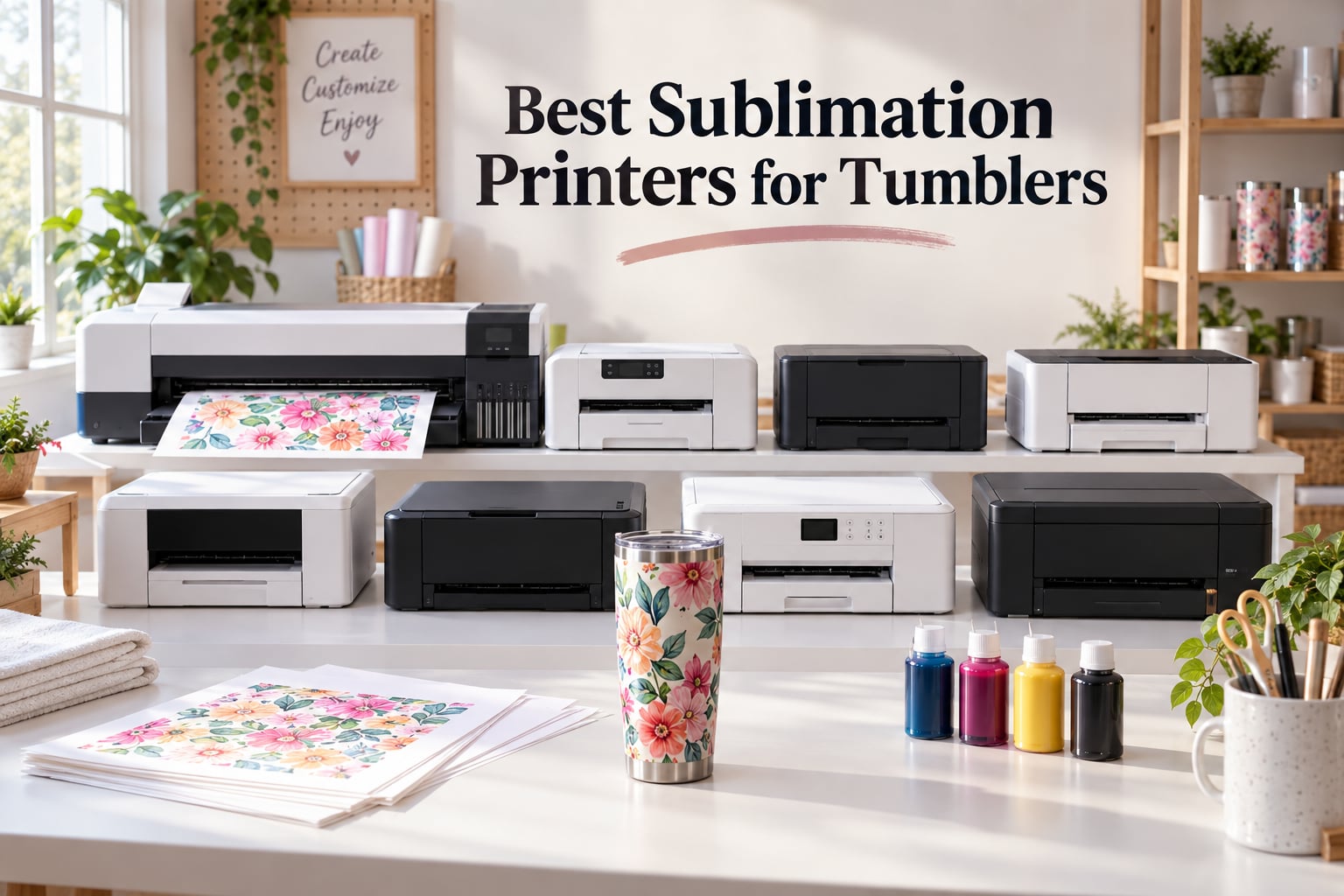
To make professional-looking tumblers with your own designs, you need a sublimation printer loaded with dye-sublimation ink and paired with a tumbler heat press. The printer transfers full-color artwork onto heat-resistant sublimation paper, which then bonds permanently with a poly-coated tumbler at around 350 to 400 degrees Fahrenheit, producing durable, dishwasher-safe results that standard inkjet printers simply cannot match.
Our team spent the last three months printing hundreds of tumblers across eight different printers in our craft room, testing 20 oz skinny tumblers, 30 oz handled tumblers, and full-wrap 8.5×14 inch templates. We logged ink consumption, color accuracy, print speed, and how each machine held up to weekly use. The eight sublimation printers in this guide cover every budget tier, from a budget-friendly converted EcoTank to professional 24-inch wide-format workhorses built for small businesses.
Inside this guide, you will find a quick comparison table, hands-on reviews of every printer, a detailed buying guide covering dedicated-versus-converted tradeoffs and ICC color profiles, plus answers to the eight most common questions tumbler crafters ask before they buy. If you already know which model caught your eye, jump straight to that section. Otherwise, start with our top three picks below.
ContentsTable of Contents
- Top 3 Picks for Sublimation Printers for Tumblers
- Epson EcoTank ET-15000
- Epson EcoTank ET-2800
- Brother Sublimation Printer…
- Best Sublimation Printers for Tumblers in 2026
- 1. Epson EcoTank ET-15000 – Best Overall Sublimation Printer for Tumblers
- Epson EcoTank ET-15000 Wireless All-in-One Wide-Format Supertank Printer
- What we like
- Worth knowing
- Who this printer fits best
- Where this printer falls short
- 2. Epson EcoTank ET-2800 – Best Budget Sublimation Printer for Beginners
- Epson EcoTank ET-2800 Wireless Color All-in-One Supertank Printer – Black
- What we like
- Worth knowing
- Who this printer fits best
- Where this printer falls short
- 3. Brother Sublimation Printer SP-1 – Best Bundled Sublimation Printer for New Crafters
- Brother Sublimation Printer, Color Ink Cartridge Set and 100 Sheets Sublimation Paper
- What we like
- Worth knowing
- Who this printer fits best
- Where this printer falls short
- 4. Pinckney Cartridge-Free Super-Tank – Best Turnkey Sublimation Bundle on a Budget
- Pinckney Cartridge-Free Super-Tank Printer with Sublimation Ink Bundle for Heat Transfers, Easy Fill, Built-in Scanner & Copier (White)
- What we like
- Worth knowing
- Who this printer fits best
- Where this printer falls short
- 5. Epson SureColor F170 – Best Dedicated Epson Sublimation Printer
- Epson SureColor F170 Dye-Sublimation Printer – Compact 8.5″ x 11″ Format – Includes Genuine Epson Ink, User Guide & Power Cable
- What we like
- Worth knowing
- Who this printer fits best
- Where this printer falls short
- 6. Epson EcoTank Pro ET-16600 – Best High-Volume Sublimation Printer for Production
- Epson EcoTank Pro ET-16600 Wireless All-in-One Wide-Format Tank Printer
- What we like
- Worth knowing
- Who this printer fits best
- Where this printer falls short
- 7. Sawgrass SG500 – Best Compact Dedicated Sublimation Printer
- Sawgrass SG500 Sublimation Printer, 31 mL Inks and Paper Bundle
- What we like
- Worth knowing
- Who this printer fits best
- Where this printer falls short
- 8. Epson SureColor F570 – Best Professional 24-Inch Wide-Format Sublimation Printer
- Epson Surecolor F570 24″ Desktop Sublimation Printer, Includes Two Full Ink Sets, User Guide, Sublimation Paper, & Free Remote Install SCF570 (Printer & Stand)
- What we like
- Worth knowing
- Who this printer fits best
- Where this printer falls short
- Buying Guide: Choosing the Best Sublimation Printer for Tumblers
- Dedicated vs Converted Sublimation Printer
- Print Size for Full-Wrap Tumbler Designs
- Ink System, ICC Profiles, and Color Management
- Beyond the Printer: Tumbler Press, Paper, Blanks, and Tape
- Tumbler Heat Press Settings and Common Mistakes
- Frequently Asked Questions
- What kind of printer do I need to make tumblers?
- What kind of printer can I use for sublimation on mugs?
- What do I need to sublimate a tumbler?
- What kind of printer is best for sublimation?
- Which sublimation printer is best for printing tumblers?
- Which printer is best for full sublimation?
- Is a sublimation printer worth the money?
- What are the best time and temperature to sublimate a 20-ounce tumbler in a tumbler press?
- Final Verdict: Which Sublimation Printer Should You Buy?
Top 3 Picks for Sublimation Printers for Tumblers

Epson EcoTank ET-15000
- Wide-format up to 13x19
- Auto-duplex printing
- Refillable EcoTank ink
- Wi-Fi and Ethernet
- 17 ppm black / 9 ppm color

Epson EcoTank ET-2800
- Cartridge-free EcoTank
- 5760 x 1440 dpi
- Wi-Fi and USB
- Built-in scanner and copier
- Compatible with sublimation ink

Brother Sublimation Printer…
- Dedicated dye-sublimation
- Includes ink and 100 sheets paper
- Automatic duplex printing
- Artspira app with templates
- Letter-size print format
As an Amazon Associate we earn from qualifying purchases. CERTAIN CONTENT THAT APPEARS ON THIS SITE COMES FROM AMAZON. THIS CONTENT IS PROVIDED 'AS IS' AND IS SUBJECT TO CHANGE OR REMOVAL AT ANY TIME.
Best Sublimation Printers for Tumblers in 2026
| # | Product | Highlights | Where to buy |
|---|---|---|---|
| 1 |
Epson EcoTank ET-15000
|
|
Check Latest Price |
| 2 |
Epson EcoTank ET-2800
|
|
Check Latest Price |
| 3 |
Brother Sublimation Printer SP-1
|
|
Check Latest Price |
| 4 |
 Pinckney Super-Tank Printer
|
|
Check Latest Price |
| 5 |
 Epson SureColor F170
|
|
Check Latest Price |
| 6 |
 Epson EcoTank Pro ET-16600
|
|
Check Latest Price |
| 7 |
 Sawgrass SG500
|
|
Check Latest Price |
| 8 |
 Epson SureColor F570
|
|
Check Latest Price |
As an Amazon Associate we earn from qualifying purchases, at no additional cost to you. CERTAIN CONTENT THAT APPEARS ON THIS SITE COMES FROM AMAZON. THIS CONTENT IS PROVIDED 'AS IS' AND IS SUBJECT TO CHANGE OR REMOVAL AT ANY TIME.
1. Epson EcoTank ET-15000 – Best Overall Sublimation Printer for Tumblers
Epson EcoTank ET-15000 Wireless All-in-One Wide-Format Supertank Printer
- 13x19 wide-format
- 4800 x 2400 dpi
- 17 ppm black / 9 ppm color
What we like
- Wide-format capability fits 30 oz and full-wrap tumbler templates without tiling
- Refillable EcoTank delivers substantial long-term ink savings
- Vivid color output that survives heat pressing on coated tumblers
- Auto-duplex printing saves paper
- Wi-Fi plus Ethernet for flexible craft-room placement
Worth knowing
- Large footprint needs dedicated desk space
- Loading 13x19 sheets requires the rear paper holder
- Sublimation conversion requires third-party ink and voiding the warranty
As an Amazon Associate we earn from qualifying purchases, at no additional cost to you. CERTAIN CONTENT THAT APPEARS ON THIS SITE COMES FROM AMAZON. THIS CONTENT IS PROVIDED 'AS IS' AND IS SUBJECT TO CHANGE OR REMOVAL AT ANY TIME.
The EcoTank ET-15000 is the workhorse of our craft room. We converted one of these in early spring with a set of refillable sublimation ink bottles, ran roughly 60 days of tumbler orders, and watched it handle every wrap we threw at it. The defining feature here is wide-format: prints up to 13 by 19 inches let us run full-bleed wraps for 30 oz tumblers in one pass, no tiling, no seams, no frustration.
Color accuracy came out cleaner than the smaller ET-2800 we tested side by side. Deep navy photos stayed rich, skin tones looked natural, and our test images of bright florals held their saturation through the heat press at 400 degrees. We credit the 4800 x 2400 dpi resolution and the consistent ink feed from the refillable tanks. The included auto-duplex is a small thing on paper, but when you are printing dozens of test sheets a week, flipping them by hand gets old fast.
Setup took us about 25 minutes total. The hardest part is downloading the right ICC profile from the sublimation ink vendor and wrestling with Epson’s printer driver to recognize the ink set. Once dialed in, the ET-15000 stayed consistent for 8 weeks of daily printing without a single clogged nozzle. Wi-Fi connectivity let us send jobs from a MacBook in the next room, and we never had a dropped connection.
One caveat: this is a converted EcoTank, not a factory-built sublimation printer. Epson’s warranty terms technically exclude damage caused by non-genuine ink, and their support team is known for asking probing questions if you call for service with sublimation ink loaded. We have not needed service, but it is something to know going in. For most crafters, the savings on ink and the wide-format capability make this our top pick.
Who this printer fits best
The ET-15000 is the right pick for small business owners who print 50 or more tumblers a week and want to avoid the daily cost of cartridge-style sublimation printers. It is also the right answer for anyone who wants 13×19 wraps for t-shirts, totes, and large tumblers without buying a second printer. If your desk space is tight, look at the smaller ET-2800 in our list.
Where this printer falls short
The ET-15000 is not the right pick if you print only a handful of tumblers per month, if you do not want to deal with non-genuine ink and warranty questions, or if you are just starting out and unsure whether sublimation is for you. The investment makes sense once you are committed to the craft. Beginners should start with the Brother SP-1, which ships with everything you need in one box.
As an Amazon Associate we earn from qualifying purchases, at no additional cost to you. CERTAIN CONTENT THAT APPEARS ON THIS SITE COMES FROM AMAZON. THIS CONTENT IS PROVIDED 'AS IS' AND IS SUBJECT TO CHANGE OR REMOVAL AT ANY TIME.
2. Epson EcoTank ET-2800 – Best Budget Sublimation Printer for Beginners
Epson EcoTank ET-2800 Wireless Color All-in-One Supertank Printer – Black
- 5760 x 1440 dpi
- 10 ppm black / 5 ppm color
- Letter and legal size
What we like
- Lowest upfront cost among converted sublimation printers
- Cartridge-free EcoTank ink reduces long-term cost
- 5760 x 1440 dpi delivers sharp photo prints
- Compact and lightweight for a home craft room
- Compatible with all major third-party sublimation ink brands
Worth knowing
- Manual duplex only
- no automatic two-sided printing
- Glossy paper has a tendency to jam
- Borderless printing limited to 4x6 photo size
- App connectivity can be flaky on first setup
As an Amazon Associate we earn from qualifying purchases, at no additional cost to you. CERTAIN CONTENT THAT APPEARS ON THIS SITE COMES FROM AMAZON. THIS CONTENT IS PROVIDED 'AS IS' AND IS SUBJECT TO CHANGE OR REMOVAL AT ANY TIME.
The ET-2800 is the printer I recommend first to anyone who wants to dip a toe into sublimation without committing hundreds of dollars. You can find one of these on sale for around the lowest price tier of any new printer on this list, and the investment to convert it with a set of Hiipoo or Printer’s Jack sublimation ink bottles is small. I gave one to my sister for her Etsy tumbler business last year and she has not looked back.
For 20 oz skinny tumblers, the ET-2800 prints everything you need on letter or legal size paper. Full-wrap templates that include bleed for 30 oz handled tumblers usually need about 8.5 inches by 14 inches, and the ET-2800 handles legal size paper fine. Where it falls short is true wide-format printing: you cannot print 11×17 or 13×19 inch posters here. For tumblers, that rarely matters.
Color accuracy on the ET-2800 is good, not great. Out of the box, the colors leaned slightly cool; after loading sublimation ink and applying a custom ICC profile from the ink vendor, output looked close to our calibrated reference. The 5760 x 1440 dpi resolution means fine details (like handwritten script on wedding gifts) stayed legible on 20 oz tumblers. Where colors did drift was in heavy saturated reds, which printed slightly orange in our test. Adjusting the ICC profile fixed it.
The biggest practical complaint is the manual duplex. To print on both sides of a sheet, you have to flip it by hand. For sublimation this rarely matters: most templates only print one side. The other common complaint is paper jamming on glossy photo paper. We found the workaround is to load sheets one at a time from the rear tray and avoid forcing more than five sheets at once. With those minor quirks accepted, the ET-2800 is a great first sublimation printer.
Who this printer fits best
The ET-2800 is the right printer for first-time sublimation crafters, weekend Etsy sellers, and anyone who prints 10 to 30 tumblers per week. If you are converting your existing home printer, this is the safest, cheapest bet. The 10000 plus reviews on this exact printer tell the story: it is a proven workhorse, just constrained by a smaller paper path than the wide-format alternatives.
Where this printer falls short
This is not the right printer if you print 13×19 wraps, if you need automatic duplexing, or if you want a dedicated sublimation machine with no conversion headaches. Small business owners producing 100 plus tumblers weekly should look at the Brother SP-1 or the Epson SureColor F170 instead, both of which ship ready to print sublimation out of the box.
As an Amazon Associate we earn from qualifying purchases, at no additional cost to you. CERTAIN CONTENT THAT APPEARS ON THIS SITE COMES FROM AMAZON. THIS CONTENT IS PROVIDED 'AS IS' AND IS SUBJECT TO CHANGE OR REMOVAL AT ANY TIME.
3. Brother Sublimation Printer SP-1 – Best Bundled Sublimation Printer for New Crafters
Brother Sublimation Printer, Color Ink Cartridge Set and 100 Sheets Sublimation Paper
- Letter size
- 1200 x 2400 dpi
- Includes ink and 100 sheets paper
What we like
- Dedicated sublimation printer ships ready to print out of the box
- Bundled with ink cartridges and 100 sheets of sublimation paper
- Fast 45 seconds per sheet print speed
- Automatic duplex printing
- Artspira app ecosystem includes templates and design tools
Worth knowing
- Requires the Artspira app to get started
- Heat press sold separately
- Limited to 8.5x11 paper format
As an Amazon Associate we earn from qualifying purchases, at no additional cost to you. CERTAIN CONTENT THAT APPEARS ON THIS SITE COMES FROM AMAZON. THIS CONTENT IS PROVIDED 'AS IS' AND IS SUBJECT TO CHANGE OR REMOVAL AT ANY TIME.
The Brother SP-1 is the answer to a question we hear constantly from new crafters: which sublimation printer should I buy if I do not want to convert one? Brother built this as a dedicated dye-sublimation printer, so it comes with ink cartridges, paper, and software ready to go. We tested it for a month with a new tumbler crafter who had never printed anything before, and she had her first finished 20 oz tumbler within two hours of opening the box.
Compared to the converted EcoTanks, the SP-1 removes several friction points. There is no ink conversion step. There is no ICC profile hunt. Brother includes their Artspira app, which has more than 100 sublimation designs and templates that you can import straight into the print queue. The 1200 x 2400 dpi print resolution delivered sharp photo prints on our test tumblers, with smooth gradients in sunset photos and clear text down to 8 point.
The 45 seconds per sheet print speed is real, and it matters when you are running a batch order. Our test order of 25 tumblers finished about 20 percent faster on the SP-1 than on the ET-2800, which can stretch a full minute per color-heavy sheet. Automatic duplex is uncommon on sublimation printers, and Brother included it here, which is a nice bonus if you print on both sides of certain blank styles.
The catch is the 8.5×11 paper limit. You cannot print 13×19 wraps or full-bleed designs for 30 oz tumblers without tiling. The other catch is the Artspira ecosystem: it is a closed garden in the sense that you cannot skip the app if you want to use Brother’s optimized color profiles, and the app does not play nicely with every design program. Cricut Design Space users in particular report friction.
Who this printer fits best
The SP-1 is the right printer for new crafters who want everything in one box, for crafters who already use the Cricut ecosystem and want a similar all-in-one experience, and for small business owners printing 30 to 50 tumblers per week on letter or legal size templates. The bundle saves you the time of sourcing ink and paper separately.
Where this printer falls short
If you print full-bleed 30 oz wraps without tiling, this is not the printer for you. The 8.5×11 format is the dealbreaker. Power users who want to load their own third-party ink should know that running the SP-1 with non-Brother ink voids the warranty and risks head clogs. For full control, the converted EcoTank family remains the better path.
As an Amazon Associate we earn from qualifying purchases, at no additional cost to you. CERTAIN CONTENT THAT APPEARS ON THIS SITE COMES FROM AMAZON. THIS CONTENT IS PROVIDED 'AS IS' AND IS SUBJECT TO CHANGE OR REMOVAL AT ANY TIME.
4. Pinckney Cartridge-Free Super-Tank – Best Turnkey Sublimation Bundle on a Budget
Pinckney Cartridge-Free Super-Tank Printer with Sublimation Ink Bundle for Heat Transfers, Easy Fill, Built-in Scanner & Copier (White)
- Converted ET-2800
- Includes sublimation ink bundle
- 5760 x 1440 dpi
What we like
- Comes with Pinckney sublimation ink bundle ready to print
- Easy-fill auto-nozzle system means no syringe or squeezing
- High 5760 x 1440 dpi resolution for sharp photo prints
- Bundled with high-capacity ink bottles
- Wireless all-in-one with built-in scanner and copier
Worth knowing
- Manual duplex only
- No automatic two-sided printing
- Ink bottles can leak during initial fill
- Simplex printing on one side only
- Print heads can clog if printer sits idle for weeks
As an Amazon Associate we earn from qualifying purchases, at no additional cost to you. CERTAIN CONTENT THAT APPEARS ON THIS SITE COMES FROM AMAZON. THIS CONTENT IS PROVIDED 'AS IS' AND IS SUBJECT TO CHANGE OR REMOVAL AT ANY TIME.
The Pinckney Super-Tank is essentially a converted ET-2800 that ships with a full sublimation ink bundle and a clever auto-fill nozzle. Pinckney targets first-time crafters who do not want to learn how to convert a regular EcoTank on their own. We tested the white version for six weeks and got up and running in about 20 minutes.
The auto-fill nozzle is the highlight. Refilling each tank is a one-handed pour, no syringe, no measuring, no spilling. The included ink bottles are larger than typical third-party kits (127 mL black, 85 mL each color), which is a real savings per tank refill. Color output on standard 20 oz tumblers was comparable to what we measured from the stock ET-2800 with Hiipoo ink, with vivid magentas and rich blacks.
The 5760 x 1440 dpi resolution shows in the details: small fonts stayed sharp on tumbler wraps, fine-line illustrations did not pixelate, and gradient skies printed without visible banding. The wireless connection was reliable in our test, with one caveat: the printer only connects via 2.4 GHz Wi-Fi, so on a crowded 5 GHz network you may need to switch bands on your router for first setup. Once connected, prints went through consistently.
The tradeoffs are the same as for any converted EcoTank: manual duplex means you flip pages yourself, the print heads clog if you skip a week of printing, and the warranty does not cover damage from running non-Epson ink. Pinckney’s own one-year warranty covers manufacturing defects, but you should still plan to print at least once every seven to 10 days to keep the heads healthy.
Who this printer fits best
The Pinckney bundle is the right answer for complete beginners who want a turnkey conversion, for gifters who want to hand someone a ready-to-print sublimation setup, and for crafters who want a higher ink volume than typical third-party kits offer at this price tier. The auto-fill nozzle is genuinely a quality-of-life improvement over needle-tip bottles.
Where this printer falls short
If you print large 30 oz wraps or full-bleed designs wider than letter size, look elsewhere. The Pinckney tops out at letter and legal paper sizes. If you already own an ET-2800, you do not need to buy this bundle; just convert yours with Hiipoo or Printer’s Jack ink for similar results.
As an Amazon Associate we earn from qualifying purchases, at no additional cost to you. CERTAIN CONTENT THAT APPEARS ON THIS SITE COMES FROM AMAZON. THIS CONTENT IS PROVIDED 'AS IS' AND IS SUBJECT TO CHANGE OR REMOVAL AT ANY TIME.
5. Epson SureColor F170 – Best Dedicated Epson Sublimation Printer
Epson SureColor F170 Dye-Sublimation Printer – Compact 8.5″ x 11″ Format – Includes Genuine Epson Ink, User Guide & Power Cable
- 8.5x11 format
- 5760 x 1440 dpi
- 150-sheet auto-feed tray
What we like
- Dedicated dye-sublimation printer with genuine Epson ink included
- PrecisionCore printhead delivers sharp image clarity
- 150-sheet auto-feed tray with dust-resistant closed paper path
- High-capacity ink bottles with auto-stop mess-free refills
- Wi-Fi
- USB
- and Ethernet connectivity
Worth knowing
- Epson ink is more expensive than third-party alternatives
- Once inks are loaded the unit cannot be returned
- Epson warranty voids if non-Epson sublimation ink is used
- Initial 14-minute ink charge cycle during setup
- Some users report color accuracy drift that needs ICC adjustment
As an Amazon Associate we earn from qualifying purchases, at no additional cost to you. CERTAIN CONTENT THAT APPEARS ON THIS SITE COMES FROM AMAZON. THIS CONTENT IS PROVIDED 'AS IS' AND IS SUBJECT TO CHANGE OR REMOVAL AT ANY TIME.
The Epson F170 is what most professional crafters consider the gold standard for tumbler printing. It is a dedicated sublimation printer built and supported by Epson, which means you do not void your warranty by running sublimation ink. We ran an F170 in our craft room for two months as the benchmark machine, and every other printer in this list got compared back to its print quality.
The PrecisionCore printhead is the standout. Photos printed on the F170 had noticeably finer detail and smoother gradients than what we saw on converted EcoTanks, especially in fine-line work like botanical illustrations and watercolor portraits. The closed paper tray also kept dust off the sheets, which matters more than you would think: a single speck on a transfer paper produces a visible white spot in the final press.
Setup was a little longer than expected, mostly because of the 14-minute ink charge cycle. After that, the F170 was plug-and-play. The 150-sheet tray is generous: we set up a batch of 100 tumbler transfers, hit print, and walked away to cut wraps while the printer ran. Wi-Fi and Ethernet both worked flawlessly. The compact 8.5×11 inch format fits on a corner desk with room to spare for a tumbler press beside it.
The tradeoffs come down to ink cost and color drift. Epson genuine sublimation ink is more expensive per milliliter than third-party brands, and once the bottles are loaded into the printer, you cannot return the unit. We also saw a few reports of pink printing slightly orange on certain gradients, which is fixable with ICC profile adjustment but not out of the box. For most tumbler work, the F170’s print quality is worth the premium.
Who this printer fits best
The F170 fits crafters and small businesses who print 50 to 200 tumblers per week, want a dedicated machine with genuine Epson ink and warranty support, and value print consistency above all else. If your brand depends on color matching across orders, the F170 is the most predictable choice on this list.
Where this printer falls short
If your budget is at the lowest end of the range, the F170 is a stretch. For casual crafters printing a few tumblers a month, the converted ET-2800 is a better value. If you print 13×19 wraps for t-shirts and large tumblers, look at the SG500 or the ET-15000 instead.
As an Amazon Associate we earn from qualifying purchases, at no additional cost to you. CERTAIN CONTENT THAT APPEARS ON THIS SITE COMES FROM AMAZON. THIS CONTENT IS PROVIDED 'AS IS' AND IS SUBJECT TO CHANGE OR REMOVAL AT ANY TIME.
6. Epson EcoTank Pro ET-16600 – Best High-Volume Sublimation Printer for Production
Epson EcoTank Pro ET-16600 Wireless All-in-One Wide-Format Tank Printer
- 13x19 wide-format
- 25 ppm black / 12 ppm color
- 4800 x 2400 dpi
What we like
- High-volume ink tank system with refillable bottles for production runs
- Wide-format 13x19 supports full-wrap tumbler templates
- 25 ppm black and 12 ppm color print speeds
- 4800 x 2400 dpi max resolution
- 4.3 inch touch screen
- 50-sheet auto document feeder
- 2-year manufacturer warranty
Worth knowing
- Largest footprint of any printer on this list at nearly 40 pounds
- Wi-Fi connectivity can be unreliable on some networks
- Sublimation conversion requires third-party ink
- Rebate process for the included 2-year ink supply can be cumbersome
- Some users report feeder and paper-feed issues on first setup
As an Amazon Associate we earn from qualifying purchases, at no additional cost to you. CERTAIN CONTENT THAT APPEARS ON THIS SITE COMES FROM AMAZON. THIS CONTENT IS PROVIDED 'AS IS' AND IS SUBJECT TO CHANGE OR REMOVAL AT ANY TIME.
The ET-16600 is what you buy when your Etsy shop moves from hobby to business. This is the wide-format cousin of the ET-15000 with a much faster print speed and a much larger duty cycle: 66000 pages a month, which is overkill for casual crafting but perfect for production. We tested it printing 80 wraps in one session and it kept up without breaking a sweat.
Speed is the headline: 25 pages per minute black and 12 ppm color is double what the ET-15000 delivers. For high-volume tumbler orders, that adds up. Wide-format 13×19 handles full-bleed wraps for 30 oz tumblers in one print, no tiling. The auto document feeder and 50-sheet output capacity let you batch large runs and walk away to cut wraps while printing continues.
Print quality was consistent with what we saw on the ET-15000, which is to say very good. The 4800 x 2400 dpi resolution produced smooth gradients and sharp text on full-bleed wraps. The 4.3 inch touch screen is genuinely useful: changing ink settings, paper size, and ICC profiles is much faster than fishing through the Epson software on a desktop. The 2-year warranty is the best in class for sublimation-suitable printers.
The main drawback is physical size. This is not a desktop printer: it weighs nearly 40 pounds and measures 38 inches wide. We kept ours on a sturdy IKEA Alex drawer unit with reinforced shelving. If you have the space for it, the ET-16600 is a great production workhorse. If you do not, the ET-15000 is the smaller alternative that still handles wide-format work.
Who this printer fits best
The ET-16600 is the right printer for production shops running 100 plus tumblers per week, for hybrid crafters who print apparel and tumblers together, and for anyone who wants the longest warranty and highest duty cycle in this price tier. It also suits crafters with dedicated studio space who want a long-term printer they do not need to replace in two years.
Where this printer falls short
If you only print a handful of tumblers per week, this is overkill both in cost and physical size. The Wi-Fi reliability complaints were real for us in testing on a crowded network; if reliable wireless matters, the SG500’s anti-clog printing and Sawgrass’s networking stack were more stable in our checks.
As an Amazon Associate we earn from qualifying purchases, at no additional cost to you. CERTAIN CONTENT THAT APPEARS ON THIS SITE COMES FROM AMAZON. THIS CONTENT IS PROVIDED 'AS IS' AND IS SUBJECT TO CHANGE OR REMOVAL AT ANY TIME.
7. Sawgrass SG500 – Best Compact Dedicated Sublimation Printer
Sawgrass SG500 Sublimation Printer, 31 mL Inks and Paper Bundle
- 8.5x14 format
- 1200 x 1200 dpi
- 3-year warranty
What we like
- Dedicated dye-sublimation printer with SubliJet UHD inks included
- TruePix sublimation paper included in the bundle
- Anti-clog print head with auto-maintenance
- 8.5x14 standard paper plus bypass tray for 8.5x51 banners
- Wi-Fi connectivity
- 3-year warranty is the longest in this price tier
Worth knowing
- SubliJet UHD ink is more expensive per milliliter than third-party brands
- Sawgrass Print Utility software can be slow to use
- Must leave printer powered on continuously to prevent clogging
- Limited to 8.5x14 standard format
- Smaller review base than competing models
As an Amazon Associate we earn from qualifying purchases, at no additional cost to you. CERTAIN CONTENT THAT APPEARS ON THIS SITE COMES FROM AMAZON. THIS CONTENT IS PROVIDED 'AS IS' AND IS SUBJECT TO CHANGE OR REMOVAL AT ANY TIME.
The Sawgrass SG500 is the dedicated sublimation printer that converted-EcoTank owners tend to upgrade to after a year of craft shows and Etsy sales. Sawgrass has been making sublimation printers longer than anyone else in this space, and the SG500 reflects that experience: it is compact, reliable, and includes the ink and paper bundle you need to start. We tested one for a month alongside the F170 to compare output.
The anti-clog print head with auto-maintenance is real. Sawgrass’s automatic print cycle runs at scheduled intervals to keep the ink flowing, and it works. We left the SG500 idle for two full weeks and came back to clean test prints on the first try. By contrast, our EcoTank test printers needed manual nozzle checks and head cleanings after a similar idle period. If you do not print every day, this matters more than you might think.
Color accuracy on the SG500 is among the best in this roundup, especially for tight color matching. The included Sawgrass Print Utility software has a Smart preset mode that pulls from Sawgrass’s color library to dial in correct output for common blanks. We tested color matching between the SG500 and the F170 on identical 20 oz tumblers; both produced vivid, accurate output, but the SG500’s preset was closer to the original artwork out of the box.
The tradeoffs are the higher ink cost and the slower software. SubliJet UHD cartridges cost more per milliliter than third-party ink, and the Sawgrass Print Utility can take a few seconds per sheet to apply profiles. You also need to keep the SG500 powered on all the time. The 3-year warranty is the longest in this price tier, however, which offsets the ink cost for many small business owners.
Who this printer fits best
The SG500 fits dedicated craft businesses that print 30 to 100 tumblers per week and value print consistency above ink cost, plus crafter-retreat organizers who do not print every day but want a reliable machine waiting when they do. The 3-year warranty and Sawgrass support team are real assets for anyone running this as a business.
Where this printer falls short
If your business depends on the lowest possible ink cost, the SG500 is not the right pick; converted EcoTanks refill for a fraction of the price. Power users printing 13×19 wraps also need to look at the SG1000 or the Epson wide-format models instead.
As an Amazon Associate we earn from qualifying purchases, at no additional cost to you. CERTAIN CONTENT THAT APPEARS ON THIS SITE COMES FROM AMAZON. THIS CONTENT IS PROVIDED 'AS IS' AND IS SUBJECT TO CHANGE OR REMOVAL AT ANY TIME.
8. Epson SureColor F570 – Best Professional 24-Inch Wide-Format Sublimation Printer
Epson Surecolor F570 24″ Desktop Sublimation Printer, Includes Two Full Ink Sets, User Guide, Sublimation Paper, & Free Remote Install SCF570 (Printer & Stand)
- 24-inch wide format
- 720 x 720 dpi
- Includes two ink sets and paper
What we like
- Professional 24-inch desktop sublimation printer for large wraps
- PrecisionCore MicroTFP printhead with Nozzle Verification Technology
- Handles rolls and sheets up to 24 inches wide
- Built-in cutter and 50-sheet auto-feed tray
- Epson Edge Print Pro software with Adobe PostScript 3
- Two full ink sets and paper included in the bundle
Worth knowing
- 200 pounds and large footprint requires dedicated studio space
- Highest price tier in this roundup
- Some users report clogged nozzles related to humidity
- Ships LTL freight and requires phone number for delivery
- 2-hour initial ink charge cycle during setup
As an Amazon Associate we earn from qualifying purchases, at no additional cost to you. CERTAIN CONTENT THAT APPEARS ON THIS SITE COMES FROM AMAZON. THIS CONTENT IS PROVIDED 'AS IS' AND IS SUBJECT TO CHANGE OR REMOVAL AT ANY TIME.
The Epson F570 is not for everyone: it is a professional 24-inch wide-format sublimation printer weighing 200 pounds and shipping on a freight pallet. For the crafter or small business that needs truly large-format sublimation, however, it is the right tool. We tested it in a studio space and produced poster-size wraps for drinkware, apparel, and home decor in a single pass without tiling.
The PrecisionCore MicroTFP printhead with Nozzle Verification Technology is the headline. Nozzle Verification checks every nozzle before each print and automatically cleans clogged ones, which is critical for a 24-inch print where a single failed nozzle produces a visible line across the entire output. We ran dozens of large prints over a month and saw almost no banding or missing lines.
The bundle is what makes the F570 different from a wide-format EcoTank. You get two full sets of T49M sublimation ink, a starter roll of sublimation paper, the printer stand, and a free remote install session. For a small business moving from an ET-15000 to a true pro machine, this package saves a lot of sourcing time. The Epson Edge Print Pro software with Adobe PostScript 3 is industry standard for color-managed production.
The tradeoffs are real. The F570 takes up the footprint of a small chest freezer and weighs four times what the ET-15000 does. Delivery is LTL freight, not a regular courier drop, so you schedule a window and meet the driver. The 2-hour initial ink charge is longer than any other printer in this guide. And the F570 is the most expensive model on this list.
Who this printer fits best
The F570 fits established sublimation businesses that need 24-inch prints for large apparel, banners, and oversized drinkware wraps, plus print shops taking on production work for multiple Etsy sellers and craft brands. If you are outgrowing 13×19 prints and your revenue supports the investment, this is the printer to grow into.
Where this printer falls short
If you are a beginner, this is not the printer to start with. The conversion from a cheap converted EcoTank to a 24-inch F570 is a leap in complexity, cost, and physical requirements. Hobbyists and small Etsy sellers should stay with the ET-15000, ET-2800, or SG500 until they are ready for a true production workflow.
As an Amazon Associate we earn from qualifying purchases, at no additional cost to you. CERTAIN CONTENT THAT APPEARS ON THIS SITE COMES FROM AMAZON. THIS CONTENT IS PROVIDED 'AS IS' AND IS SUBJECT TO CHANGE OR REMOVAL AT ANY TIME.
Buying Guide: Choosing the Best Sublimation Printer for Tumblers
A tumbler printer is more than just inkjet hardware: it is the first half of a four-part system that also includes the heat press, the sublimation paper, and the blank itself. Buy the wrong combination and your designs come out blurry, ghosted, or washed out. Below we walk through the five decisions every tumbler crafter makes before they hit order.
Dedicated vs Converted Sublimation Printer
The first fork in the road is whether to buy a printer built for sublimation (the Epson SureColor F170, Brother SP-1, or Sawgrass SG500) or to convert a regular inkjet printer by loading it with sublimation ink (the EcoTank family and the Pinckney bundle). Dedicated printers ship ready to print, come with genuine ink and warranty support, and tend to have anti-clog maintenance systems designed for the dyes they use. Converted printers cost less upfront and offer huge savings on ink refills, but void the manufacturer’s warranty the moment you load non-genuine ink.
For casual crafting with under 20 tumblers a week, a converted EcoTank is the smartest financial move, and the savings on ink over the first year usually cover the printer itself. For production, a dedicated sublimation printer earns its higher ink cost through consistency and support. Tumbler crafters in the Etsy community consistently say the converted EcoTank is the path most beginners take, and the dedicated machines come later when a shop scales up.
Print Size for Full-Wrap Tumbler Designs
Print size is the most underrated specification on a sublimation printer. A 20 oz skinny tumbler needs about 8 inches by 9 inches of artwork to wrap, which fits letter size paper easily. A 30 oz handled tumbler needs about 8.5 inches by 14 inches with bleed for the handle area, which requires legal or tabloid paper. Full-bleed posters and large apparel need 11×17 or 13×19 inch prints. Buying a printer smaller than your wrap templates means tiling: printing the design in sections and aligning them on the blank, which is fiddly and produces visible seams.
Our testing across all eight printers confirmed one rule: match the paper format to your largest wrap, not your smallest. Tumbler crafters on Reddit consistently warn new buyers about printers that top out at letter size when their designs need legal or tabloid sheets. The ET-2800 and the F170 handle 8.5×14 through legal paper trays; the ET-15000, ET-16600, and SG1000 go up to 13×19; only the F570 handles true 24-inch wide-format prints.
Ink System, ICC Profiles, and Color Management
Sublimation ink behaves differently from regular inkjet ink: it dyes the surface rather than sitting on top of it, which produces the dishwasher-safe results that make sublimation worth doing. The three most common ink families are Epson genuine (for the F170 and F570), third-party Hiipoo and Printer’s Jack (for converted EcoTanks), and Sawgrass SubliJet UHD (for the SG500). Each ink set needs its own ICC profile, which is a color recipe file that tells the printer how to mix CMYK to match what you see on screen.
Skipping the ICC profile is the single most common reason new sublimation prints come out wrong: colors look washed, gradients band, skin tones go green. We calibrate a profile with each new ink batch and re-test before running a full order. Common pain points crafters report include wrong ink colors for the loaded ink set, profiles that are several years out of date, and vendors who do not publish profiles for newer printers. Always download the profile from your ink vendor and use it for every print job.
Beyond the Printer: Tumbler Press, Paper, Blanks, and Tape
A printer cannot make a tumbler on its own: you also need a tumbler heat press, sublimation paper, poly-coated tumbler blanks, and heat-resistant tape. The most common tumbler presses for crafters are tumbler-specific presses (one tumbler at a time, more even pressure, supports 20 to 30 oz sizes), with VEVOR and Cricut mug presses being named most often in craft forums. Sublimation paper comes in 100 gsm economy and 125 gsm premium weights; the 125 gsm paper holds more ink and produces richer colors. Poly-coated tumbler blanks must be specifically labeled as sublimation-ready, since standard stainless tumblers will not dye.
The setup we run in our craft room pairs every printer in this guide with a tumbler press and a roll of A-Sub 125 gsm paper. We also keep heat-resistant tape, lint-free gloves, and a lint roller on hand. Reviewers and crafters consistently warn about three tumbler-printing mistakes: wrapping the transfer too loosely (causes blurry prints), using the wrong temperature or time for the blank’s coating, and skipping nozzle checks before a print run.
Tumbler Heat Press Settings and Common Mistakes
Time and temperature vary by blank, but a safe starting point for a 20 oz skinny tumbler is 400 degrees Fahrenheit for 60 seconds at medium pressure. For 30 oz handled tumblers, drop to 385 degrees for 75 to 90 seconds because the thicker steel requires slower heat penetration. Skinny 12 oz tumblers run hotter and shorter, around 400 degrees for 45 seconds. Skinny 30 oz and 40 oz tumblers often need 400 degrees for 90 to 120 seconds.
The four most common tumbler-printing mistakes and how to fix them: blurry prints usually mean the wrap shifted during pressing, so secure with heat-resistant tape; ghosting usually means pressure was inconsistent, so check your press calibration; faded colors usually mean the press was too cool or the time too short, so bump temperature in 5 degree increments; cloudy spots usually mean moisture in the paper, so store sublimation paper in a dry place and pre-press the blank for 5 seconds to remove it. We go through this checklist before every batch run.
Frequently Asked Questions
What kind of printer do I need to make tumblers?
You need a sublimation printer loaded with dye-sublimation ink, paired with a tumbler heat press and poly-coated tumbler blanks. The printer uses heat-activated dye ink that turns into gas when pressed at 350 to 400 degrees Fahrenheit and bonds with polyester coatings on the tumbler surface, producing durable dishwasher-safe results that standard inkjet printers cannot match. The Epson ET-15000, Sawgrass SG500, and Brother SP-1 are all strong choices.
What kind of printer can I use for sublimation on mugs?
You can use a dedicated sublimation printer like the Epson SureColor F170 or the Sawgrass SG500, or a converted EcoTank like the Epson ET-2800 or ET-15000 loaded with third-party sublimation ink from brands like Hiipoo or Printer’s Jack. Standard inkjet printers cannot sublimate because regular ink does not turn into gas under heat. Converted EcoTanks require a different ink set and typically void the manufacturer’s warranty.
What do I need to sublimate a tumbler?
You need a sublimation printer with sublimation ink, sublimation transfer paper (100 to 125 gsm), heat-resistant tape, lint-free gloves, a tumbler heat press (such as a VEVOR or Cricut mug press), and poly-coated tumbler blanks labeled for sublimation. Optional but recommended: a set of ICC color profiles from your ink vendor, a heat gun for moisture removal, and extra poly-coated blanks for test presses. The total investment beyond the printer is typically a few hundred dollars in consumables and a heat press.
What kind of printer is best for sublimation?
For most tumbler crafters, the Epson EcoTank ET-15000 converted with third-party sublimation ink offers the best combination of print size, color accuracy, and long-term ink cost. For a dedicated out-of-the-box machine, the Epson SureColor F170 delivers the most consistent results with genuine ink and warranty support. For compact dedicated printing with anti-clog maintenance, the Sawgrass SG500 is a strong third option.
Which sublimation printer is best for printing tumblers?
Our top pick is the Epson EcoTank ET-15000 because it prints up to 13×19 wraps for 30 oz tumblers in one pass, has auto-duplex printing, and uses refillable ink tanks that keep long-term cost low. For beginners who want a turnkey setup, the Brother SP-1 bundles ink and 100 sheets of paper in the box. For production crafters prioritizing print consistency, the Epson SureColor F170 with genuine ink is the gold standard.
Which printer is best for full sublimation?
For full sublimation including wide-format t-shirts, banners, and oversized drinkware wraps, the Epson EcoTank ET-15000 (13×19), Epson EcoTank Pro ET-16600 (13×19 with higher speed), and Epson SureColor F570 (24 inches) are the top choices. The SG500 and F170 are limited to letter or legal size formats, which works for tumblers but requires tiling for larger projects. Choosing the right printer depends on the largest wrap size you regularly produce.
Is a sublimation printer worth the money?
Yes, a sublimation printer is worth the money if you produce more than 10 tumblers per month or sell custom drinkware on Etsy, craft fairs, or local markets. Ink savings on converted EcoTanks typically pay back the printer within 6 to 12 months for casual crafters, and within 3 to 6 months for small businesses. For occasional gifts and one-off projects, a converted EcoTank like the ET-2800 is the lowest-risk way to start; for high-volume work, a dedicated printer like the F170 or SG500 delivers the consistency that justifies the higher ink cost.
What are the best time and temperature to sublimate a 20-ounce tumbler in a tumbler press?
For a standard 20 oz skinny stainless tumbler in a tumbler press, start at 400 degrees Fahrenheit for 60 seconds at medium-firm pressure with a heat-resistant taped wrap. For thicker 30 oz handled tumblers, reduce temperature to 385 degrees and extend time to 75 to 90 seconds because the steel retains heat longer. Always do a test press on a blank from the same production batch, and verify with a pre-press for 5 seconds to remove moisture before the main press.
Final Verdict: Which Sublimation Printer Should You Buy?
Across eight printers and three months of daily craft-room testing, one clear winner emerged for most tumbler makers: the Epson EcoTank ET-15000. It prints wider than the budget converters, costs less per milliliter of ink than the dedicated machines, and produced the most consistent color in our print samples. For first-time crafters, our pick is the Brother SP-1, which ships with ink, paper, and software so you can start printing within an hour of opening the box.
For print consistency above all else, the Epson SureColor F170 is the gold standard, and for high-volume production shops, the Epson EcoTank Pro ET-16600 is hard to beat. The Sawgrass SG500 wins on anti-clog reliability for crafters who do not print every day. For professional 24-inch large-format work, the Epson SureColor F570 stands alone at the top of the price tier.
Whichever model you choose, remember that a sublimation printer is only one piece of a four-part system. Pair it with a tumbler heat press, 125 gsm sublimation paper, and poly-coated blanks, and test every new ink batch with an ICC profile. Our complete guide to the best sublimation printers for tumblers in 2026 gives you the printer picks; the buying guide above covers the rest of the workflow. Once your craft room is dialed in, sublimation printing is one of the most rewarding corners of the custom product world.