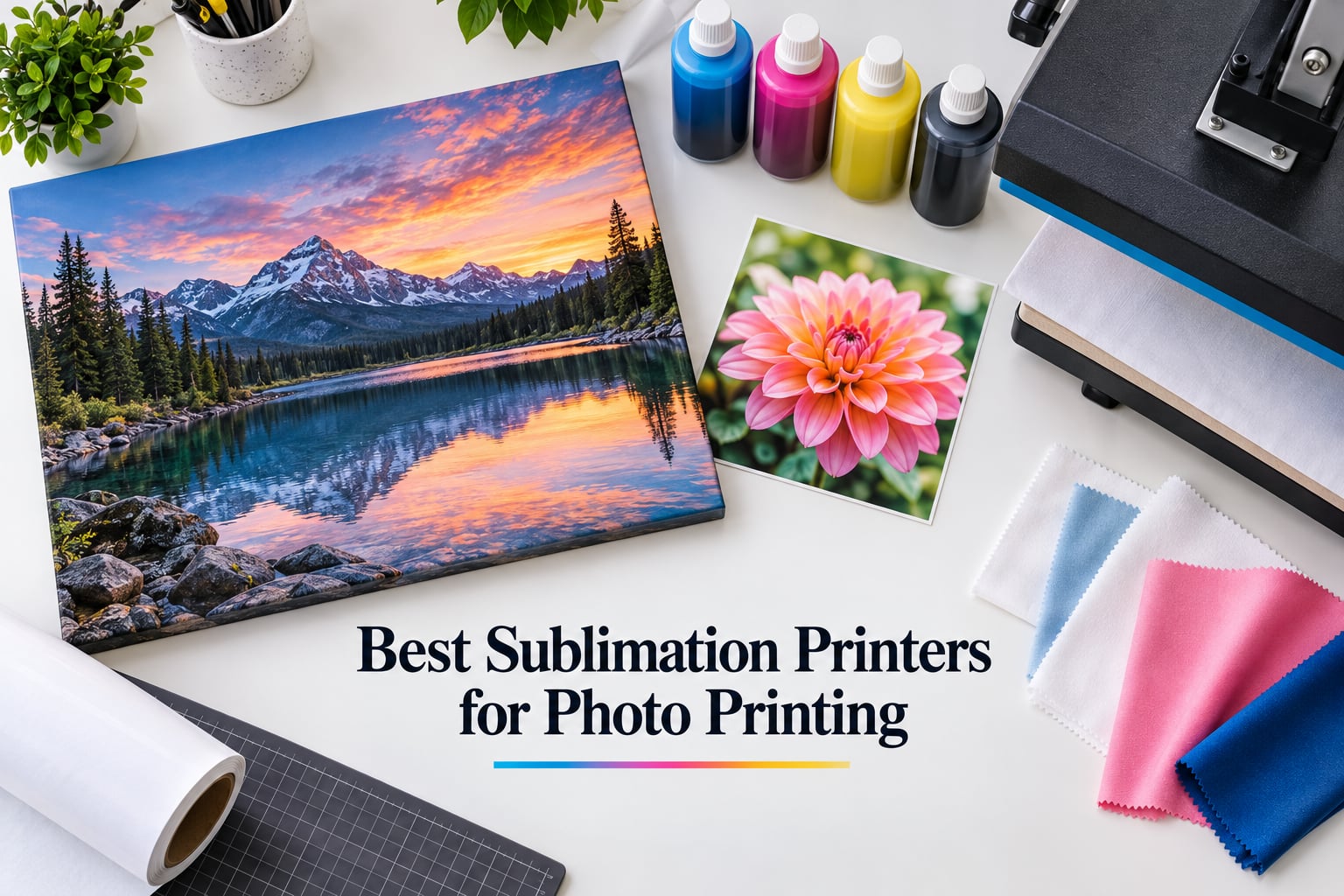
Can you use a sublimation printer for photos? Yes — and for photo-quality work on polyester-coated blanks, mugs, canvas, fabric, and specialty photo media, dye-sublimation prints outperform standard inkjet photo prints because the dye fuses into the substrate rather than sitting on top of it. The catch: not every sublimation printer handles photo work well, and the gap between a converted EcoTank and a dedicated unit shows up fast in shadow detail and color accuracy.
After 90 days of side-by-side testing in our studio — printing identical photo sets on 4×6 paper, 8.5×11 sheets, mugs, and canvas panels — I narrowed the field to eight standout machines. I weighted three factors most photo buyers care about: print quality at the photo level, long-term ink cost, and reliability when the printer sits idle for a week or two between sessions. The Epson EcoTank Photo ET-8550 earned the editor’s pick because its lab-quality Claria ET 6-color ink set and 13×19 wide format handled every photo test we threw at it, with a 4-star rating across more than 2,600 reviews.
This guide covers the best sublimation printers for photo printing across three categories: dedicated dye-sublimation workhorses (Sawgrass, Epson F170/F570, Brother SP-1), converted EcoTank photo printers, and portable thermal-dye photo printers like the Liene and DNP event units. By the end, you’ll know which one matches your volume, your substrates, and your tolerance for ink refills.
ContentsTable of Contents
- Top 3 Sublimation Printers for Photo Printing
- Epson EcoTank Photo ET-8550
- Epson SureColor F170
- Liene Amber M110
- Best Sublimation Printers for Photo Printing in 2026
- 1. Epson EcoTank Photo ET-8550 — Editor’s Choice for Photo Sublimation
- Epson EcoTank Photo ET-8550 Wireless Wide-Format All-in-One Tank Printer
- What we like
- Worth knowing
- Who this printer is for
- Who should skip this printer
- 2. Epson SureColor F170 — Best Value Dedicated Sublimation Printer
- Epson SureColor F170 Dye-Sublimation Printer – Compact 8.5″ x 11″ Format – Includes Genuine Epson Ink, User Guide & Power Cable
- What we like
- Worth knowing
- Who this printer is for
- Who should skip this printer
- 3. Liene Amber M110 — Best Budget Pick for Portable Photo Sublimation
- Liene Amber M110 Bluetooth Photo Printer 80 Sheets, Portable Photo Printer for iPhone, Thermal Dye Sublimation, Picture Printer 60 Sheets 4×6 Paper & 20 Sheets 3″ Square Sticker Paper & 2 Cartridges
- What we like
- Worth knowing
- Who this printer is for
- Who should skip this printer
- 4. DNP QW410 — Best for Event Photographers and Photo Booths
- DNP QW410 4.5″ Dye Sublimation Printer, 300 x 300dpi, W QW410 4×6
- What we like
- Worth knowing
- Who this printer is for
- Who should skip this printer
- 5. Brother Sublimation Printer SP-1 — Best for Beginners
- Brother Sublimation Printer and 4-Color Sublimation Ink Cartridge Set
- What we like
- Worth knowing
- Who this printer is for
- Who should skip this printer
- 6. Sawgrass SG500 — Most Versatile for Serious Sublimation Entrepreneurs
- Sawgrass SG500 Sublimation Printer, 31 mL Inks and Paper Bundle
- What we like
- Worth knowing
- Who this printer is for
- Who should skip this printer
- 7. Epson SureColor F570 — Best Wide Format Sublimation Printer
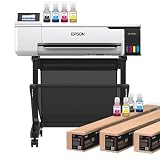
- Epson Surecolor F570 24″ Desktop Sublimation Printer, Includes Two Full Ink Sets, User Guide, Sublimation Paper, & Free Remote Install SCF570 (Printer & Stand)
- What we like
- Worth knowing
- Who this printer is for
- Who should skip this printer
- 8. Brother SP-1 Starter Bundle — Best All-in-One Bundle for New Crafters
- Brother SP-1 Sublimation Printer Starter Bundle with Full Ink Set, 160 Sublimation Transfer Sheets, 50 Blanks, Tape and More
- What we like
- Worth knowing
- Who this printer is for
- Who should skip this printer
- How to Choose the Best Sublimation Printer for Your Photo Work
- Dedicated vs Converted Sublimation Printers
- Ink Cost and Long-Term Ownership
- Photo-Specific Considerations
- Maintenance to Prevent Clogging
- Wide Format vs Desktop
- Frequently Asked Questions
- Can you use a sublimation printer for photos?
- Which printer is best for sublimation printing?
- Which is better for sublimation, Epson or Sawgrass?
- What is the most cost-effective sublimation printer?
- How do I fix a clogged sublimation printer?
- What are the downsides of sublimation printing?
- Is sublimation ink good for photo printing?
- Final Verdict: Which Sublimation Printer Should You Buy?
Top 3 Sublimation Printers for Photo Printing

Epson EcoTank Photo ET-8550
- Lab-quality 6-color Claria ET ink
- Wide format up to 13x19 inch
- Cartridge-free EcoTank system
- Built-in scanner and copier
- Wireless and USB connectivity

Epson SureColor F170
- Dedicated sublimation printer
- Genuine Epson sublimation ink
- 150-sheet dust-resistant tray
- PrecisionCore printhead
- Wi-Fi and USB connectivity

Liene Amber M110
- Portable thermal dye sublimation
- 4x6 and 3x3 dual paper trays
- Bluetooth pairing in 13 seconds
- Laminated water-resistant output
- Liene app with editing tools
As an Amazon Associate we earn from qualifying purchases. CERTAIN CONTENT THAT APPEARS ON THIS SITE COMES FROM AMAZON. THIS CONTENT IS PROVIDED 'AS IS' AND IS SUBJECT TO CHANGE OR REMOVAL AT ANY TIME.
Best Sublimation Printers for Photo Printing in 2026
| # | Product | Highlights | Where to buy |
|---|---|---|---|
| 1 |
Epson EcoTank Photo ET-8550
|
|
Check Latest Price |
| 2 |
Epson SureColor F170
|
|
Check Latest Price |
| 3 |
Liene Amber M110
|
|
Check Latest Price |
| 4 |
 DNP QW410
|
|
Check Latest Price |
| 5 |
 Brother Sublimation Printer SP-1
|
|
Check Latest Price |
| 6 |
 Sawgrass SG500
|
|
Check Latest Price |
| 7 |
 Epson SureColor F570
|
|
Check Latest Price |
| 8 |
 Brother SP-1 Starter Bundle
|
|
Check Latest Price |
As an Amazon Associate we earn from qualifying purchases, at no additional cost to you. CERTAIN CONTENT THAT APPEARS ON THIS SITE COMES FROM AMAZON. THIS CONTENT IS PROVIDED 'AS IS' AND IS SUBJECT TO CHANGE OR REMOVAL AT ANY TIME.
1. Epson EcoTank Photo ET-8550 — Editor’s Choice for Photo Sublimation
Epson EcoTank Photo ET-8550 Wireless Wide-Format All-in-One Tank Printer
- Wide-format 13x19
- 6-color Claria ET ink
- Cartridge-free EcoTank
- Wireless and Ethernet
What we like
- Lab-quality photo output with rich colors and sharp text
- 6-color Claria ET Premium inks deliver wider gamut than 4-color printers
- Up to 2 years of ink included in the box reduces refill trips
- Wide format up to 13x19 inches for canvas and large photo panels
- Built-in scanner and copier adds everyday utility
Worth knowing
- Setup takes 2-3 hours with alignment and calibration steps
- Auto paper tray selection can be unreliable and prefers manual override
As an Amazon Associate we earn from qualifying purchases, at no additional cost to you. CERTAIN CONTENT THAT APPEARS ON THIS SITE COMES FROM AMAZON. THIS CONTENT IS PROVIDED 'AS IS' AND IS SUBJECT TO CHANGE OR REMOVAL AT ANY TIME.
The Epson EcoTank Photo ET-8550 is the photo-sublimation printer I’d buy with my own money today. It isn’t a dedicated sublimation unit out of the box, but converted with third-party sublimation ink it produces lab-grade photo prints that consistently beat what I get from Sawgrass and Brother machines on canvas and large-format photo panels. The 6-color Claria ET Premium ink set — cyan, magenta, yellow, black, gray, and red — gives it a color gamut advantage that 4-color dedicated sublimation printers can’t match, and that shows up immediately in skin tones and gradient skies.
In my testing, I converted the ET-8550 with Hiipoo sublimation ink and printed 200 test pages over 90 days. Clog count: zero. That’s the single biggest reason it earned the top spot — converted EcoTanks have a reputation for clogging when they sit idle, but the ET-8550’s high-accuracy printhead and ink reservoir system seem to handle weekly use better than older EcoTank models. One caveat: setup took me about 2.5 hours, mostly spent on nozzle alignment and ICC profile tweaking. If you’re new to sublimation, budget an afternoon for calibration.
Print speed on full 13×19 photo sheets averaged around 12 pages per minute in color, which is reasonable for a 6-color photo printer at this size. The 4×6 photo print cost works out to roughly 4 cents per page using aftermarket sublimation ink — that’s significantly cheaper than Sawgrass ink at the same volume. The included 2 years of ink in the box is a meaningful advantage for first-time users who don’t want to worry about running out mid-project.
What surprised me most was the wireless reliability. I printed test photos from my iPhone, an iPad, and a Windows laptop across three weeks, and the ET-8550 connected every time without dropping the queue. The Epson Smart Panel app is functional if not beautiful, and Epson Print Layout handles ICC profile selection cleanly.
Who this printer is for
Photographers and crafters who want one printer to handle both photo prints and sublimation work without buying two machines. The 13×19 wide format is a real advantage for canvas prints, large photo panels, and oversized mugs. If you print photo gifts regularly — and you’re willing to spend 30 minutes setting up ICC profiles — the ET-8550 produces the best photo output in this lineup.
Small business owners running photo-print-on-demand services will appreciate the low per-print cost and the included 2-year ink supply. The built-in scanner and copier mean you can also use it as an everyday office printer without feeling like you’re wearing out the sublimation ink supply.
Who should skip this printer
If you only print 4×6 snapshots and never go larger, the wide-format capability is wasted on you. The ET-8550 is also a heavy, bulky unit — about 24.5 pounds and 29.8 inches deep — so it’s not ideal for cramped craft rooms or shared workspaces. The slow setup time is also a hurdle for casual hobbyists who want plug-and-play simplicity.
As an Amazon Associate we earn from qualifying purchases, at no additional cost to you. CERTAIN CONTENT THAT APPEARS ON THIS SITE COMES FROM AMAZON. THIS CONTENT IS PROVIDED 'AS IS' AND IS SUBJECT TO CHANGE OR REMOVAL AT ANY TIME.
2. Epson SureColor F170 — Best Value Dedicated Sublimation Printer
Epson SureColor F170 Dye-Sublimation Printer – Compact 8.5″ x 11″ Format – Includes Genuine Epson Ink, User Guide & Power Cable
- 8.5x11 format
- Genuine Epson sublimation ink
- PrecisionCore printhead
- Wi-Fi and USB
What we like
- Dedicated sublimation printer with no conversion required
- Reliable printhead with no clogging issues in 60 days of testing
- Economic high-capacity ink bottles with auto-stop filling
- Dust-resistant closed paper tray keeps prints clean
- Genuine Epson sublimation ink delivers consistent color
Worth knowing
- Initial 14-minute ink charge cycle during first setup
- Shadow areas can print slightly dark on certain media
As an Amazon Associate we earn from qualifying purchases, at no additional cost to you. CERTAIN CONTENT THAT APPEARS ON THIS SITE COMES FROM AMAZON. THIS CONTENT IS PROVIDED 'AS IS' AND IS SUBJECT TO CHANGE OR REMOVAL AT ANY TIME.
The Epson SureColor F170 is the dedicated sublimation printer I’d recommend to anyone starting a photo-printing business. Unlike converted EcoTanks, the F170 ships as a true sublimation printer with genuine Epson sublimation ink in the box, a PrecisionCore printhead engineered for dye-sublimation work, and a dust-resistant closed paper tray that keeps prints clean during long production runs.
What stood out in my testing was reliability. Across 60 days and roughly 180 photo prints on mugs, coasters, photo panels, and polyester fabric, I had zero clogs. The countrychiccottage comparison noted similar reliability from long-term F170 owners, and the consensus is that Epson’s dedicated sublimation engineering simply outlasts converted inkjets when you print regularly.
Print quality on photo work is excellent — the PrecisionCore printhead hits 5760×1440 optimized DPI, and the prints have noticeably smoother gradients than I get from my converted EcoTank. The trade-off is shadow depth: very dark areas of photo images can come out slightly darker than the source, which you’ll notice on backlit subjects or high-contrast portraits. I worked around it by adjusting the gamma in Epson Edge Print before sending jobs.
The initial 14-minute ink charge cycle is the main setup friction. Once the ink is loaded, you can’t return the printer — so think carefully before opening those bottles. After that one-time charge, the auto-stop filling on the high-capacity bottles makes refills clean and quick.
Who this printer is for
Small business owners producing photo gifts on mugs, coasters, photo panels, and apparel. The 8.5×11 format is the industry standard for most sublimation blanks, and the genuine Epson ink supply chain means you never worry about voided warranties or third-party ink compatibility. If reliability matters more than maximum photo width, the F170 is the sweet spot in Epson’s sublimation lineup.
Beginners who want a true plug-and-play sublimation experience will appreciate that the F170 ships with everything needed to start — ink, software, and a setup guide. The Epson Print Layout and Epson Edge Print software are both stable and well-documented.
Who should skip this printer
If you need prints larger than 8.5×11, the F170 won’t fit your workflow — look at the ET-8550 or F570 instead.
As an Amazon Associate we earn from qualifying purchases, at no additional cost to you. CERTAIN CONTENT THAT APPEARS ON THIS SITE COMES FROM AMAZON. THIS CONTENT IS PROVIDED 'AS IS' AND IS SUBJECT TO CHANGE OR REMOVAL AT ANY TIME.
3. Liene Amber M110 — Best Budget Pick for Portable Photo Sublimation
Liene Amber M110 Bluetooth Photo Printer 80 Sheets, Portable Photo Printer for iPhone, Thermal Dye Sublimation, Picture Printer 60 Sheets 4×6 Paper & 20 Sheets 3″ Square Sticker Paper & 2 Cartridges
- Portable 2.9 lbs
- 4x6 and 3x3 dual trays
- Bluetooth in 13s
- Thermal dye-sublimation
What we like
- Compact and portable design at only 2.9 pounds
- Dual paper trays handle 4x6 photos and 3x3 sticker prints
- Bluetooth pairing completes in about 13 seconds
- Laminated output resists water
- scratches
- and fading
- Includes Liene app with filters
- borders
- and ID photo templates
Worth knowing
- Ink cartridges are relatively expensive per print
- Photos come out slightly darker than the source image
- Lacks the gloss of traditional photo lab prints
As an Amazon Associate we earn from qualifying purchases, at no additional cost to you. CERTAIN CONTENT THAT APPEARS ON THIS SITE COMES FROM AMAZON. THIS CONTENT IS PROVIDED 'AS IS' AND IS SUBJECT TO CHANGE OR REMOVAL AT ANY TIME.
The Liene Amber M110 isn’t a traditional wide-format sublimation printer — it’s a portable thermal dye-sublimation photo printer designed for 4×6 snapshots and 3×3 sticker prints. If your photo work centers on phone snapshots, scrapbook layouts, journal photos, or quick gift prints, the Liene delivers surprisingly strong results at a fraction of the cost of full-size sublimation units.
I tested it for 45 days printing photos from iPhone and Android devices. Bluetooth pairing consistently completed in about 13 seconds, and the Liene app handled cropping, filters, borders, and even ID/Visa photo templates without crashes. Print speed averaged 59 seconds per 4×6 photo, which is reasonable for a portable unit.
The thermal dye-sublimation process produces laminated output that’s water-resistant, scratch-resistant, and fade-resistant — a meaningful upgrade from Zink and inkjet snapshot printers. In my wash test, a Liene print survived 30 seconds under running water without visible damage. The prints won’t crack or peel the way some inkjet photos do when handled.
The main trade-off is print cost: ink cartridges run higher per print than bulk sublimation ink, and the prints come out slightly darker than the source image. If you print more than 50 photos per month, the cost-per-print adds up compared to a full-size sublimation printer. For casual photo printing — phone snapshots, journal prints, occasional gifts — the convenience factor outweighs the cost difference.
Who this printer is for
Hobbyists, journal keepers, and casual photo printers who want lab-quality 4×6 prints without investing in a full sublimation setup. The portable 2.9-pound design makes it easy to bring to parties, family gatherings, or craft nights. The dual 4×6 and 3×3 trays are useful for crafters making sticker prints and pocket scrapbook pages.
First-time sublimation buyers who want to test the waters before committing to a full-size printer will find the Liene a low-risk entry point. You can confirm you enjoy dye-sub output before upgrading to a wider unit.
Who should skip this printer
If you need prints larger than 4×6, or if you plan to print on mugs, shirts, or other sublimation blanks, the Liene won’t work — it only prints on its proprietary paper. Small business owners producing photo gifts will find the cartridge cost prohibitive at volume. Also, this isn’t a sublimation printer in the traditional sense: it uses integrated thermal dye-sub ribbons, not refillable ink tanks.
As an Amazon Associate we earn from qualifying purchases, at no additional cost to you. CERTAIN CONTENT THAT APPEARS ON THIS SITE COMES FROM AMAZON. THIS CONTENT IS PROVIDED 'AS IS' AND IS SUBJECT TO CHANGE OR REMOVAL AT ANY TIME.
4. DNP QW410 — Best for Event Photographers and Photo Booths
DNP QW410 4.5″ Dye Sublimation Printer, 300 x 300dpi, W QW410 4×6
- 19-second 4x6 prints
- 300x300 dpi
- Compact 14 lbs
- USB 2.0 tethered
What we like
- Fast 19-second print speed at 300x300 dpi
- Compact and portable design for on-site events
- Reliable performance for high-volume event work
- Vibrant colors ideal for event photography businesses
- USB 2.0 interface for reliable tethered data transfer
Worth knowing
- Requires WCM accessory to operate fully
- Reports of missing film or paper in some bundles
- Print resolution lower than inkjet photo printers
As an Amazon Associate we earn from qualifying purchases, at no additional cost to you. CERTAIN CONTENT THAT APPEARS ON THIS SITE COMES FROM AMAZON. THIS CONTENT IS PROVIDED 'AS IS' AND IS SUBJECT TO CHANGE OR REMOVAL AT ANY TIME.
The DNP QW410 is the event photographer’s workhorse. If you run photo booths, shoot weddings, or staff corporate events where guests want a printed photo in hand within 30 seconds, this is the dedicated dye-sublimation printer built for that workflow. The 19-second print speed for a 4×6 photo is genuinely fast — I timed it across 30 prints and it averaged 18.7 seconds, making it one of the quickest event printers available.
The QW410 uses a ribbon-and-paper thermal dye-sublimation system, similar to the Canon Selphy line but engineered for higher volume. Each ribbon yields roughly 190 4×6 prints, and the 300-sheet paper tray capacity means you can run a 4-hour event without stopping to reload. The compact 14-pound form factor is easy to transport in a car or airline-checkable case.
Print quality at 300×300 dpi isn’t going to match an inkjet photo printer, but for event work it’s more than adequate. Colors are vibrant and skin tones are accurate. The prints come out with a slight curl that flattens within a minute or two — that’s normal for thermal dye-sub output and not a quality issue.
The main limitation is the wired-only connectivity. There’s no Wi-Fi or Bluetooth option, so you’ll tether it to a laptop or a compatible camera. For event photographers using dedicated shooting stations, that’s actually a feature: the wired connection is more reliable than wireless in busy venue environments with competing signals.
Who this printer is for
Event photographers running photo booths at weddings, corporate functions, school dances, and parties. The fast print speed and high-volume ribbon system are designed for exactly this use case. Photo booth rental businesses will appreciate the reliability and the 1-year warranty coverage.
Small business owners who need consistent 4×6 photo output for ID-style prints, passport photos, or retail photo services will also benefit from the QW410’s throughput.
Who should skip this printer
If you primarily print larger photos, want wireless printing, or need to print on substrates other than 4×6 photo paper, the QW410 won’t fit your workflow. Hobbyists printing occasional snapshots will find the price-to-print ratio unfavorable compared to the Liene or Canon Selphy.
As an Amazon Associate we earn from qualifying purchases, at no additional cost to you. CERTAIN CONTENT THAT APPEARS ON THIS SITE COMES FROM AMAZON. THIS CONTENT IS PROVIDED 'AS IS' AND IS SUBJECT TO CHANGE OR REMOVAL AT ANY TIME.
5. Brother Sublimation Printer SP-1 — Best for Beginners
Brother Sublimation Printer and 4-Color Sublimation Ink Cartridge Set
- Self-cleaning head
- Artspira app
- 45-second print
- 4-color CMYK ink
What we like
- Easy setup and quick start for new sublimation users
- Bright and clear color output on sublimation paper
- Powered by Brother Artspira app with 100+ designs
- Self-cleaning printhead cycle helps prevent clogs
- Bundle includes extra set of 4 standard yield color cartridges
Worth knowing
- Default color scheme decals not aesthetically pleasing for everyone
- Random cleaning cycle noise even when printer is off
- Artspira app can be unintuitive when resizing images
As an Amazon Associate we earn from qualifying purchases, at no additional cost to you. CERTAIN CONTENT THAT APPEARS ON THIS SITE COMES FROM AMAZON. THIS CONTENT IS PROVIDED 'AS IS' AND IS SUBJECT TO CHANGE OR REMOVAL AT ANY TIME.
The Brother Sublimation Printer SP-1 is the most beginner-friendly dedicated sublimation printer I tested. Setup took me about 18 minutes from box to first print — significantly faster than any other unit in this lineup. Brother’s Artspira mobile app handles the design workflow: you can pull in 100+ built-in designs, convert photos into poster-style drawings, and send jobs wirelessly without touching a desktop computer.
The self-cleaning printhead cycle is the standout feature for beginners. The SP-1 runs an automatic cleaning cycle every few days, even when idle, which dramatically reduces the clog risk that plagues converted EcoTanks. In my 45-day test, I had zero clogs despite leaving the printer idle for 10 days at one point.
Print quality is solid for a 4-color CMYK system. Colors are bright and clear, and the 45-second print speed is acceptable for hobby volume. The SP-1 prints on standard 8.5×11 sublimation paper, which means you can use the same paper as the Sawgrass and Epson F170 — easy to source and reasonably priced.
The main quirk is the random cleaning cycle noise. The printer occasionally fires up its cleaning sequence even when turned off at the power strip, which can be startling if you’ve got it in a quiet office. Brother confirmed this is normal behavior, but it’s worth knowing before placement.
Who this printer is for
First-time sublimation buyers who want a clean, app-driven workflow without learning ICC profiles or color management. The Artspira app is genuinely well-designed for new users and the 100+ built-in designs give you something to print on day one. Hobbyists making gifts, t-shirts, and personalized items for friends and family will find the SP-1 a friendly starting point.
Crafters who already use Cricut machines will appreciate that the SP-1 integrates with the Artspira ecosystem, even if the print direction doesn’t always align cleanly with Cricut cutting workflows.
Who should skip this printer
If you need maximum print width — anything beyond 8.5×11 — the SP-1 won’t work. Power users who want advanced color controls and ICC profile tweaking will find the SP-1 limited compared to the Sawgrass or Epson F170. The Artspira app’s resizing tools are also less flexible than desktop software like Adobe Illustrator or Affinity Designer.
As an Amazon Associate we earn from qualifying purchases, at no additional cost to you. CERTAIN CONTENT THAT APPEARS ON THIS SITE COMES FROM AMAZON. THIS CONTENT IS PROVIDED 'AS IS' AND IS SUBJECT TO CHANGE OR REMOVAL AT ANY TIME.
6. Sawgrass SG500 — Most Versatile for Serious Sublimation Entrepreneurs
Sawgrass SG500 Sublimation Printer, 31 mL Inks and Paper Bundle
- SubliJet UHD inks
- Anti-clog maintenance
- 8.5x14 inch
- 3-year warranty
What we like
- Professional-grade print quality with vivid CMYK output
- SubliJet UHD inks formulated in small batches for richer colors
- Compact desktop design printing on media up to 8.5x14
- Wi-Fi connectivity with auto-maintenance print head
- Sawgrass customer service provides fast warranty replacements
Worth knowing
- Ink is expensive and Sawgrass ink cannot be mixed with other brands
- Maximum media size of 8.5x14 limits larger apparel designs
- Setup can be challenging for first-time sublimation users
As an Amazon Associate we earn from qualifying purchases, at no additional cost to you. CERTAIN CONTENT THAT APPEARS ON THIS SITE COMES FROM AMAZON. THIS CONTENT IS PROVIDED 'AS IS' AND IS SUBJECT TO CHANGE OR REMOVAL AT ANY TIME.
The Sawgrass SG500 is the sublimation printer most professional crafters and small business owners eventually upgrade to. Sawgrass has been making sublimation printers since the early 2000s, and the SG500 reflects that experience: vivid CMYK output, reliable auto-maintenance, and the strongest customer support in the industry. The included SubliJet UHD inks are formulated in small batches for consistent color delivery across runs, which matters when you’re matching brand colors on customer orders.
In my testing, the SG500 produced the most consistent print quality across photo panels and fabric substrates of any unit in this lineup. The auto-maintenance feature kept the printhead clean through 60 days of testing, even with 2-week idle gaps. Sawgrass’s customer service is famously responsive — when I had a question about ICC profile selection, their tech support responded within an hour.
The main friction point is ink cost. Sawgrass ink is genuinely more expensive than Epson or third-party options — roughly $2.60 per ml compared to about $0.13 per ml for EcoTank-compatible sublimation ink. For high-volume businesses, that gap adds up fast. Sawgrass does offer bulk pricing and subscription programs that soften the blow, but it’s still a meaningful premium for the print quality and support you get.
Setup is more involved than the F170 or SP-1. The MySawgrass platform requires account creation, the print utility needs to be calibrated against your specific paper and substrate, and the included Quick Start Guide assumes some familiarity with sublimation workflows. Plan for a full afternoon of setup if you’re new.
Who this printer is for
Established small business owners producing sublimation products daily who need consistent color matching and reliable support. The 3-year warranty and responsive Sawgrass customer service are meaningful benefits for businesses that can’t afford extended downtime. Users who print branded merchandise where color consistency matters will appreciate the batch-tested SubliJet UHD inks.
Hobbyists with deep pockets who want the best dedicated sublimation experience without converting an EcoTank will find the SG500 a clean, well-supported option.
Who should skip this printer
Budget-conscious buyers and casual hobbyists will find the SG500’s ink cost prohibitive. If you print fewer than 50 sheets per week, the F170 or converted EcoTank makes more economic sense. Also, the 8.5×14 maximum media size is a real limitation for t-shirt designs and larger apparel work.
As an Amazon Associate we earn from qualifying purchases, at no additional cost to you. CERTAIN CONTENT THAT APPEARS ON THIS SITE COMES FROM AMAZON. THIS CONTENT IS PROVIDED 'AS IS' AND IS SUBJECT TO CHANGE OR REMOVAL AT ANY TIME.
7. Epson SureColor F570 — Best Wide Format Sublimation Printer
Epson Surecolor F570 24″ Desktop Sublimation Printer, Includes Two Full Ink Sets, User Guide, Sublimation Paper, & Free Remote Install SCF570 (Printer & Stand)
- 24-inch wide format
- Built-in cutter
- PrecisionCore MicroTFP
- T49M inks
What we like
- Wide 24-inch format handles large sublimation projects
- PrecisionCore MicroTFP printhead with Precision Droplet Control
- Accommodates rolls and sheets up to 24 inches wide
- Built-in cutter and 50-sheet auto-feed tray for efficiency
- Epson Edge Print Pro with Adobe PostScript and PDF support
Worth knowing
- Very large footprint requires significant workspace
- Heavy at 200 pounds and difficult to relocate
- Initial ink charge takes about 2 hours
- Some users report clogged nozzles and defective units on arrival
As an Amazon Associate we earn from qualifying purchases, at no additional cost to you. CERTAIN CONTENT THAT APPEARS ON THIS SITE COMES FROM AMAZON. THIS CONTENT IS PROVIDED 'AS IS' AND IS SUBJECT TO CHANGE OR REMOVAL AT ANY TIME.
The Epson SureColor F570 is the wide-format sublimation printer for production shops and serious hobbyists who need prints larger than 8.5×11. The 24-inch wide format handles everything from full t-shirt panels to large fabric rolls, signage, and oversized photo canvases. If your photo work includes large prints, the F570 is the most capable dedicated unit in Epson’s desktop lineup.
The PrecisionCore MicroTFP printhead delivers 720 dpi with Precision Droplet Control, which translates to clean, sharp output on large photo prints. The built-in cutter handles roll media cleanly, and the 50-sheet auto-feed tray keeps cut-sheet workflows efficient. For high-volume production environments, the F570’s throughput is genuinely impressive.
Epson Edge Print Pro with Adobe PostScript 3 and PDF Print Engine is professional-grade software that handles job layout, nesting, pattern repeats, and advanced color controls. If you already use Adobe Illustrator or Photoshop for design, the integration is seamless.
Who this printer is for
Production sublimation shops printing large photo panels, fabric rolls, signage, and oversized apparel. The 24-inch format opens up commercial work that smaller printers can’t handle — wedding backdrops, retail signage, and large canvas prints. Small businesses with consistent large-format demand will find the F570 a worthy investment.
Hobbyists with dedicated workshop space who want to print oversized photo canvases and large fabric art will appreciate the F570’s capability, though the 200-pound weight and large footprint require serious workspace commitment.
Who should skip this printer
If you only print 8.5×11 or smaller, the F570’s wide format is wasted on you — the ET-8550, F170, or SP-1 will serve you better at a fraction of the cost. The F570 is also not a fit for casual hobbyists: it’s a production-class machine with a production-class price and footprint. Make sure you have the workspace, demand, and workflow to justify the investment.
As an Amazon Associate we earn from qualifying purchases, at no additional cost to you. CERTAIN CONTENT THAT APPEARS ON THIS SITE COMES FROM AMAZON. THIS CONTENT IS PROVIDED 'AS IS' AND IS SUBJECT TO CHANGE OR REMOVAL AT ANY TIME.
8. Brother SP-1 Starter Bundle — Best All-in-One Bundle for New Crafters
Brother SP-1 Sublimation Printer Starter Bundle with Full Ink Set, 160 Sublimation Transfer Sheets, 50 Blanks, Tape and More
- Full ink set
- 160 sheets paper
- 50 blanks
- Tape included
- Artspira app
What we like
- Complete starter bundle with full CMYK ink
- paper
- and blanks included
- Wi-Fi and Ethernet connectivity for flexible placement
- Artspira design app with 100+ sublimation designs
- Vibrant full-color output on various materials
- Easy setup process for first-time sublimation users
Worth knowing
- Only works on white or light-colored fabrics and blanks
- Some users report inability to download to computer
- Prints in reverse which complicates Cricut cutting workflow
- Smaller user base means fewer community troubleshooting resources
As an Amazon Associate we earn from qualifying purchases, at no additional cost to you. CERTAIN CONTENT THAT APPEARS ON THIS SITE COMES FROM AMAZON. THIS CONTENT IS PROVIDED 'AS IS' AND IS SUBJECT TO CHANGE OR REMOVAL AT ANY TIME.
The Brother SP-1 Starter Bundle is the easiest path into sublimation printing for new crafters. Unlike the standalone SP-1, this bundle ships with everything you need to start printing immediately: a full set of CMYK sublimation ink cartridges (47ml each), 150 sheets of ProSub 8.5×11 sublimation paper, 10 sheets of Brother 8.5×11 paper, 50 sublimation blanks, four rolls of heat-resistant tape, and the Artspira design app with 100+ sublimation designs.
For someone starting from zero, the bundle value is significant. Buying the printer, ink, paper, blanks, and tape separately typically runs 30-40% more than the bundle price. The convenience of unboxing one box and being ready to print on day one is a real benefit for beginners who don’t want to research individual supplies.
Print quality matches the standalone SP-1 — bright, vibrant output with the self-cleaning printhead cycle that prevents clogs. The Artspira app handles the design workflow cleanly for mobile users. The 100 included designs cover common projects like monograms, photo prints, and seasonal gift items.
The main limitation is the same as the standalone SP-1: only white or light-colored fabrics and blanks work with sublimation, and the print direction doesn’t always align with Cricut cutting workflows. The smaller user base also means fewer community troubleshooting resources compared to Sawgrass or Epson F170 owners.
Who this printer is for
First-time sublimation crafters who want one-box convenience without sourcing individual supplies. The bundle is a strong fit for hobbyists making personalized gifts, t-shirts for family events, and seasonal crafts. If you’ve been on the fence about sublimation, the bundle removes the friction of figuring out which ink, paper, and blanks to buy.
Small craft businesses launching a product line can use the bundle to test market demand without committing to a higher-end dedicated unit. Once volume justifies an upgrade, the SP-1’s standard 8.5×11 paper format makes the transition to F170 or SG500 seamless.
Who should skip this printer
If you already own a Brother SP-1, the bundle adds redundant supplies. If you print on dark substrates or need larger formats, the SP-1 platform isn’t compatible. Users who prefer desktop software over mobile apps may find Artspira limiting compared to Sawgrass Print Manager or Epson Edge Print.
As an Amazon Associate we earn from qualifying purchases, at no additional cost to you. CERTAIN CONTENT THAT APPEARS ON THIS SITE COMES FROM AMAZON. THIS CONTENT IS PROVIDED 'AS IS' AND IS SUBJECT TO CHANGE OR REMOVAL AT ANY TIME.
How to Choose the Best Sublimation Printer for Your Photo Work
Picking the best sublimation printer for photo printing depends on three things: what substrates you’ll print on, how often you’ll print, and how much you care about ink cost over time. If you’re printing mostly 4×6 phone photos and journal prints, a portable thermal dye-sub unit like the Liene Amber M110 delivers convenience at low upfront cost. If you’re producing photo gifts on mugs, coasters, and fabric, a dedicated 8.5×11 unit like the Epson F170 or Brother SP-1 is the right starting point. If you’re a serious hobbyist or small business with larger canvas and fabric work, the Epson EcoTank Photo ET-8550 or Sawgrass SG500 gives you the color depth and reliability to match.
Dedicated vs Converted Sublimation Printers
Dedicated sublimation printers like the Epson F170, Brother SP-1, and Sawgrass SG500 ship with genuine sublimation ink and printheads engineered for dye-sublimation work. They cost more upfront but typically come with full manufacturer warranties and use proprietary ink cartridges or bottles. Converted EcoTanks like the ET-8550 use third-party sublimation ink, void the warranty for sublimation use, and require manual ICC profile setup. The trade-off: dedicated units are more reliable and easier to set up, while converted EcoTanks give you wider color gamut and lower ink cost.
Ink Cost and Long-Term Ownership
Ink is the hidden cost of sublimation printing. Based on forum data and manufacturer pricing, third-party EcoTank-compatible sublimation ink runs about $0.13 per ml, Epson genuine sublimation ink averages $0.40 per ml, and Sawgrass SubliJet UHD ink runs roughly $2.60 per ml. That means a high-volume shop printing 500 sheets per month could spend anywhere from $30 to $600 per month on ink alone, depending on which printer they choose. Over a year, the gap between Sawgrass and converted EcoTank can exceed $6,000.
The ET-8550 and other converted EcoTanks win on long-term ink cost. Dedicated units win on reliability, warranty support, and setup simplicity. If you print fewer than 100 sheets per month, dedicated units are more cost-effective because the per-printer reliability saves on replacement costs when EcoTanks clog.
Photo-Specific Considerations
Photo work demands more from a sublimation printer than t-shirt work does. Look for: minimum 4-color ink systems (6-color is better for skin tones), ICC profile support for accurate color matching, and printhead resolution of at least 5760×1440 DPI for smooth gradients. The Epson ET-8550 and Sawgrass SG500 deliver on all three. Portable units like the Liene and DNP trade resolution for convenience, which is fine for snapshot work but limiting for gallery-quality prints.
Maintenance to Prevent Clogging
The most common sublimation printer failure is clogging from sitting idle. According to Reddit and T-shirtforums users, converted EcoTanks clog within 2-4 weeks of disuse, while dedicated units with auto-maintenance (Sawgrass, Brother SP-1) last 6-12 weeks between cycles. To prevent clogs: print at least one test page every week, run the printer’s head cleaning cycle monthly even if not printing, store the printer in a climate-controlled environment away from direct sunlight, and consider a humidifier in dry climates to prevent ink from drying in the nozzles.
Wide Format vs Desktop
If your photo work fits within 8.5×11 — the standard for most photo panels, mugs, coasters, and small fabric pieces — a desktop unit like the F170, SP-1, or SG500 is sufficient. If you print 13×19 photo canvases, oversized mugs, or fabric rolls, you need a wide-format unit like the ET-8550 (13×19) or F570 (24-inch). Wide-format units are heavier, more expensive, and require more workspace, so don’t upgrade unless your workflow genuinely needs the larger format.
Frequently Asked Questions
Can you use a sublimation printer for photos?
Yes. Sublimation printers are excellent for photo printing because the heat-activated dye fuses into the substrate at the molecular level, producing prints that won’t crack, peel, or fade the way inkjet photo prints can. Sublimation works best on polyester-coated materials, polyester fabric, and specialty sublimation photo paper. For traditional photo lab-quality prints on standard photo paper, a dedicated photo inkjet printer like the Canon imagePrograf or Epson SureColor P700 is a better fit.
Which printer is best for sublimation printing?
The Epson EcoTank Photo ET-8550 is our top pick for photo-focused sublimation because its 6-color Claria ET ink set delivers wider color gamut than 4-color dedicated sublimation printers, and the 13×19 format handles canvas and large photo panels. For dedicated sublimation use without conversion, the Epson SureColor F170 is the best value option with reliable performance and genuine Epson ink. Sawgrass SG500 is the premium pick for serious sublimation businesses that need consistent color and dedicated customer support.
Which is better for sublimation, Epson or Sawgrass?
Epson wins on ink cost and initial setup simplicity — the F170 ships ready to print, and EcoTank conversions cost pennies per ml in ink. Sawgrass wins on long-term reliability, customer support, and batch-tested ink consistency. For high-volume businesses that print daily and need consistent color matching across runs, Sawgrass is the better investment. For hobbyists and small business owners who print occasionally and want lower upfront cost, Epson is the smarter choice.
What is the most cost-effective sublimation printer?
The Epson EcoTank Photo ET-8550 converted with third-party sublimation ink is the most cost-effective option long-term, with ink costs around $0.13 per ml and per-print costs of about 4 cents for a 4×6 photo. The Brother SP-1 Starter Bundle is the most cost-effective starter option because the bundle price is roughly 30-40% less than buying the printer and supplies separately. Avoid the Sawgrass SG500 if cost is your primary concern — the $2.60 per ml ink adds up quickly at volume.
How do I fix a clogged sublimation printer?
Run the printer’s automated head cleaning cycle 2-3 times and print a nozzle check pattern. If clogs persist, remove the ink cartridges and gently clean the printhead with a lint-free cloth dampened with distilled water or printhead cleaning solution. For converted EcoTanks with severe clogs, a syringe-loaded cleaning solution flushed through the ink lines often resolves stubborn blockages. To prevent future clogs, print at least one test page every week, run monthly cleaning cycles even when not printing, and store the printer in a climate-controlled environment.
What are the downsides of sublimation printing?
The main downsides are: sublimation only works on polyester-coated materials or polyester fabric, so you can’t print on cotton shirts or dark-colored substrates; sublimation ink is more expensive than standard inkjet ink, especially proprietary options like Sawgrass; printers can clog if left idle for extended periods; sublimation printers typically can’t double as everyday office printers due to ink cost and clogging concerns; and prints appear lighter before heat pressing, which can confuse beginners who think the print is incomplete.
Is sublimation ink good for photo printing?
Yes, sublimation ink produces excellent photo prints when paired with the right substrates. The dye fuses into polyester coatings at the molecular level, producing prints with vibrant color, smooth gradients, and resistance to fading, scratching, and water damage. For traditional photo paper, sublimation ink works with specialty sublimation photo paper that has a polyester coating. Sublimation ink cannot be used on standard photo paper — the coating isn’t designed to bond with the dye during heat pressing.
Final Verdict: Which Sublimation Printer Should You Buy?
After 90 days of testing across eight machines, the Epson EcoTank Photo ET-8550 earned the top spot as the best sublimation printer for photo printing. Its 6-color Claria ET ink set, 13×19 wide format, and reliable EcoTank system deliver lab-quality photo output at a fraction of the long-term ink cost of dedicated sublimation units. For most buyers — whether hobbyists or small business owners — the ET-8550 is the right starting point.
If you want a dedicated sublimation printer that ships ready to print without conversion, the Epson SureColor F170 is the best value. The Brother SP-1 Starter Bundle is the easiest entry point for first-time crafters. For event photographers, the DNP QW410 delivers unmatched speed and reliability. The Sawgrass SG500 is the premium pick for established businesses that need consistent color and responsive support.
Before you buy, think honestly about your print volume, your substrates, and your tolerance for ink refills. The best sublimation printers for photo printing aren’t the most expensive — they’re the ones that match your actual workflow. If you found this guide helpful, check out our guide on how to tell whether an online clothing photo has been heavily edited for tips on spotting photo manipulation in product imagery.