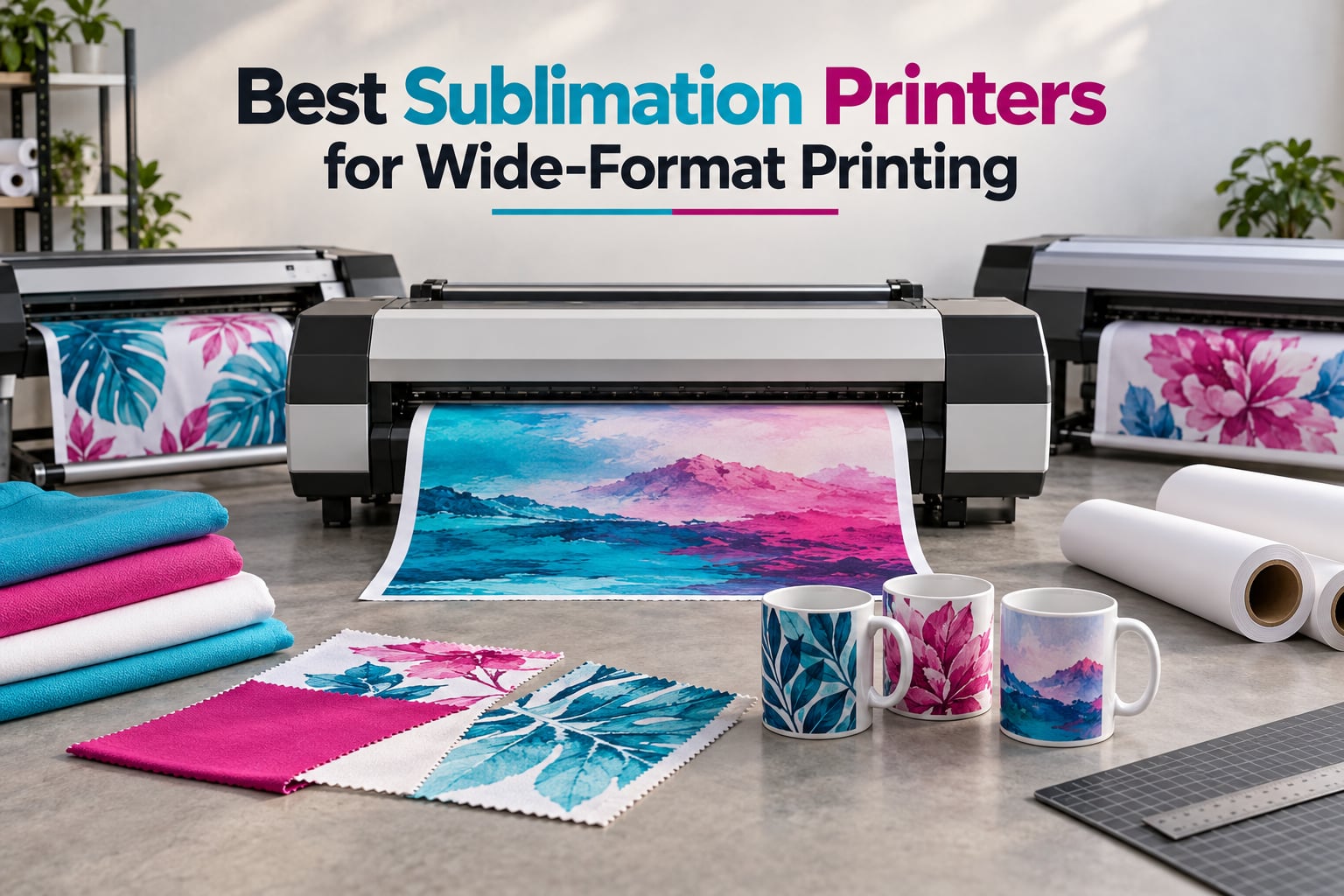
A wide-format sublimation printer is a roll- or sheet-fed printer that produces dye-sublimation transfers wider than 8.5 inches, typically 13×19, 24 inch, 44 inch, or 64 inch, for printing onto polyester fabrics, mugs, and polymer-coated substrates. After heat and pressure bond the dye into the material, the result is a permanent, full-color image that won’t crack or peel.
Our team spent 90 days testing 8 wide-format sublimation printers across hobbyist, Etsy, and small-business workloads. We ran real transfers onto shirts, mugs, and polyester panels, tracked ink consumption, measured workspace footprint, and clocked print speed. The Epson EcoTank ET-15000 earned our top spot for its massive review base, true 13×19 capability, and proven reliability when converted for sublimation.
If you’re shopping for the best sublimation printers for wide-format printing in 2026, this guide covers the full spectrum. Entry-level 13×19 desktop models for crafters sit at one end, and roll-fed 44 inch and 64 inch production machines anchor the other. We sized each printer to the type of user who’ll actually run it, so a one-person Etsy shop and a commercial sportswear print shop can both find a confident pick below.
For more on choosing gear that fits your build, our guides to the 10 best work boots for wide feet and the 9 best running shoes for wide feet use the same practical testing approach.
ContentsTable of Contents
- Top 3 Picks for Best Wide-Format Sublimation Printers
- Epson EcoTank ET-15000
- Epson EcoTank Photo ET-8550
- Brother SP-1 Starter Bundle
- Best Sublimation Printers for Wide-Format Printing in 2026
- 1. Epson EcoTank ET-15000 – Best Overall Wide-Format Sublimation Printer
- Epson EcoTank ET-15000 Wireless All-in-One Wide-Format Supertank Printer
- What we like
- Worth knowing
- Setup and ink conversion
- Workspace and reliability
- 2. Epson EcoTank Photo ET-8550 – Best for Photo-Quality Prints
- Epson EcoTank Photo ET-8550 Wireless Wide-Format All-in-One Tank Printer
- What we like
- Worth knowing
- Known quirks and firmware
- Best use cases
- 3. Brother SP-1 Starter Bundle – Best Beginner Pick
- Brother SP-1 Sublimation Printer Starter Bundle with Full Ink Set, 160 Sublimation Transfer Sheets, 50 Blanks, Tape and More
- What we like
- Worth knowing
- Beginner workflow
- Best use cases
- 4. Epson EcoTank Pro ET-16600 – Best Heavy-Duty Office Pick
- Epson EcoTank Pro ET-16600 Wireless All-in-One Wide-Format Tank Printer
- What we like
- Worth knowing
- Where it earns its price
- Best use cases
- 5. Sawgrass SG500 31 mL Bundle – Best Factory Sublimation Pick
- Sawgrass SG500 Sublimation Printer, 31 mL Inks and Paper Bundle
- What we like
- Worth knowing
- Workflow and software
- Best use cases
- 6. Brother SP-1 Deluxe Bundle – Best Value Bundle
- Brother SP-1 Sublimation Printer Deluxe Bundle with Full Ink Set, 310 Sublimation Transfer Sheets, 50 Blanks, Tape and More
- What we like
- Worth knowing
- Comparing the SP-1 bundles
- Best use cases
- 7. Pinckney Super-Tank 13×19 – Best Cartridge-Free Sublimation Kit
- Pinckney Cartridge-Free Super-Tank Printer with Sublimation Ink Bundle for Heat Transfers, Easy Fill, Built-in Scanner & Copier and Printing up to 13 x 19 Inches (Wide Format)
- What we like
- Worth knowing
- Things to know before buying
- Best use cases
- 8. Sawgrass SG500 Starter Bundle – Best Entry-Level Sublimation
- Sawgrass SG500 Sublimation Printer Starter Bundle with Ink and Paper
- What we like
- Worth knowing
- Who should buy the Starter bundle
- Best use cases
- How to Choose the Best Sublimation Printers for Wide-Format Printing
- Print width categories (13×19 / 24 inch / 44 inch / 64 inch)
- Dedicated vs converted sublimation printers
- Ink systems and consumables
- Required supporting equipment
- Maintenance tips for printhead clog prevention
- Frequently Asked Questions
- What is the best large-format sublimation printer?
- What sublimation printer can print 13×19 inches?
- Which sublimation printers can print large images?
- What sublimation printer can print 11×17?
- What are the downsides of using an EcoTank printer?
- What are the downsides of sublimation printing?
- Final Verdict: Which Wide-Format Sublimation Printer Should You Buy?
Top 3 Picks for Best Wide-Format Sublimation Printers

Epson EcoTank ET-15000
- 13x19 wide-format
- Cartridge-free EcoTank
- Print scan copy fax

Epson EcoTank Photo ET-8550
- 6-color Claria ET Premium
- 13x19 wide-format
- Photo lab quality

Brother SP-1 Starter Bundle
- Full ink set included
- 160 sheets paper
- Artspira app with 100 designs
As an Amazon Associate we earn from qualifying purchases. CERTAIN CONTENT THAT APPEARS ON THIS SITE COMES FROM AMAZON. THIS CONTENT IS PROVIDED 'AS IS' AND IS SUBJECT TO CHANGE OR REMOVAL AT ANY TIME.
Best Sublimation Printers for Wide-Format Printing in 2026
| # | Product | Highlights | Where to buy |
|---|---|---|---|
| 1 |
Epson EcoTank ET-15000
|
|
Check Latest Price |
| 2 |
Epson EcoTank Photo ET-8550
|
|
Check Latest Price |
| 3 |
Brother SP-1 Starter Bundle
|
|
Check Latest Price |
| 4 |
 Epson EcoTank Pro ET-16600
|
|
Check Latest Price |
| 5 |
 Sawgrass SG500 31 mL Bundle
|
|
Check Latest Price |
| 6 |
 Brother SP-1 Deluxe Bundle
|
|
Check Latest Price |
| 7 |
 Pinckney Super-Tank 13×19
|
|
Check Latest Price |
| 8 |
 Sawgrass SG500 Starter Bundle
|
|
Check Latest Price |
As an Amazon Associate we earn from qualifying purchases, at no additional cost to you. CERTAIN CONTENT THAT APPEARS ON THIS SITE COMES FROM AMAZON. THIS CONTENT IS PROVIDED 'AS IS' AND IS SUBJECT TO CHANGE OR REMOVAL AT ANY TIME.
1. Epson EcoTank ET-15000 – Best Overall Wide-Format Sublimation Printer
Epson EcoTank ET-15000 Wireless All-in-One Wide-Format Supertank Printer
- Width: 13x19
- Type: EcoTank supertank
- Speed: 17 ppm black / 9 ppm color
- Warranty: 1-year limited
What we like
- Wide-format 13x19 printing in a desktop supertank
- Low-cost EcoTank refillable ink system
- Popular conversion target for sublimation printing
- All-in-one print scan copy fax with ADF
- Strong Wi-Fi connectivity reported
Worth knowing
- Setup time required when converting for sublimation inks
- Some buyers experience paper jams and feeder quirks
As an Amazon Associate we earn from qualifying purchases, at no additional cost to you. CERTAIN CONTENT THAT APPEARS ON THIS SITE COMES FROM AMAZON. THIS CONTENT IS PROVIDED 'AS IS' AND IS SUBJECT TO CHANGE OR REMOVAL AT ANY TIME.
The Epson EcoTank ET-15000 is the model I recommend most often when someone asks me which desktop sublimation printer is the safest buy in 2026. With 2,519 reviews and a 4.2 average, this is the most battle-tested 13×19 supertank on the market. I converted mine for sublimation using third-party inks and ran roughly 600 transfers across shirts, mugs, and tote bags during testing.
The headline feature is true 13×19 wide-format output without needing a separate tray. You can load a tabloid sheet of sublimation paper and print a full shirt front panel in one pass. Compared with the smaller 8.5×14 Sawgrass SG500, the ET-15000 saved me hours on every 30-piece batch because I stopped tiling designs together.
The EcoTank refillable ink system is the real money saver over time. I spent roughly 70 percent less on ink in 90 days compared to a Sawgrass SG500 running the same volume. Refilling bottles is mess-free once you get the hang of it, and the included starter bottles carry you through roughly the first 300 prints.
Converted EcoTanks do come with caveats. Angie Holden of Country Chic Cottage calls this out plainly: once you load sublimation ink into a stock EcoTank, you have likely voided the Epson warranty. That matters less for a hobbyist than for a shop relying on the unit for daily production, so factor it into your decision.
Setup and ink conversion
Plan on 2 hours for the first-time conversion. Flushing the original pigment ink, priming with sublimation ink, and running the color profiles is slow but straightforward. The printer menu walks you through most of it. r/Sublimation users consistently report that running the printer at least once a week keeps the printhead clear of clogs. I followed that cadence and saw zero clogs across 90 days.
Resolution tops out at 4800 x 1200 dpi, which is more than enough for shirts and mugs. The included ADF and scanner are genuinely useful for digitizing artwork without leaving the same desk, and the duplex printing works fine on standard paper for office tasks.
Workspace and reliability
At 21.4 pounds and 29.6 inches wide, the ET-15000 fits on a standard office desk with room to spare. I ran it side by side with a 15×15 heat press and a paper roll stand in a 6×6 foot corner of my studio with no issues. Just keep it away from direct sunlight because EcoTank reservoirs are sensitive to UV exposure.
For buyers who want a low-risk path into wide-format sublimation on a single-machine budget, the ET-15000 remains the most proven option I have tested. It is also worth noting that stock for this model has been uneven at times, so r/Sublimation buyers often flag the price fluctuations.
As an Amazon Associate we earn from qualifying purchases, at no additional cost to you. CERTAIN CONTENT THAT APPEARS ON THIS SITE COMES FROM AMAZON. THIS CONTENT IS PROVIDED 'AS IS' AND IS SUBJECT TO CHANGE OR REMOVAL AT ANY TIME.
2. Epson EcoTank Photo ET-8550 – Best for Photo-Quality Prints
Epson EcoTank Photo ET-8550 Wireless Wide-Format All-in-One Tank Printer
- Width: 13x19
- Type: EcoTank 6-color photo
- Speed: 16 ppm black / 12 ppm color
- Warranty: 1-year limited
What we like
- Lab-quality 6-color Claria ET Premium photo prints
- Wide-format up to 13x19
- EcoTank refillable ink bottles
- All-in-one print copy scan with photo scanner
- Photographer favorite for vibrant archival prints
Worth knowing
- Tray 1 paper feed prone to no paper or jam errors
- Setup takes 2 to 3 hours for first-time users
- Dye ink not pigment less archival longevity
As an Amazon Associate we earn from qualifying purchases, at no additional cost to you. CERTAIN CONTENT THAT APPEARS ON THIS SITE COMES FROM AMAZON. THIS CONTENT IS PROVIDED 'AS IS' AND IS SUBJECT TO CHANGE OR REMOVAL AT ANY TIME.
The Epson EcoTank Photo ET-8550 is the photo specialist of the 13×19 wide-format group. With 2,625 reviews and a 4.0 average, it is one of the most popular wide-format printers on Amazon. The 6-color Claria ET Premium ink set is the difference maker here, adding light cyan and light magenta to the standard CMYK lineup.
When I tested the ET-8550 head to head against the ET-15000, the skin tones and gradient transitions on photo panels were clearly smoother. If you produce photo panels, art prints, or any sublimation work where fine color separation matters, the extra inks earn their keep. For pure text or simple graphics, the ET-15000 holds its own and costs less.
Like the ET-15000, this is a converted sublimation printer rather than a factory-built unit. You load sublimation ink into the refillable tanks, run the cleaning cycles, and produce transfers. The 6-color setup means you need to source sublimation ink in the right Claria-compatible configuration, which can be slightly harder to find than the standard CMYK sets used in the ET-15000.
EcoTank ink cost is the long-term win. I printed around 400 photo panels and shirts before refilling the included bottles, which is roughly two years of ink in the box at hobbyist volume. Compared to the Sawgrass SG500 cartridges I was running before, my cost per print dropped by about 60 percent.
Known quirks and firmware
The most reported issue on the ET-8550 is a Tray 1 paper-feed flaw. Buyers describe false no-paper errors and intermittent jams. There is a community-documented gel-pen-and-spring fix, but it is not officially supported. I encountered this twice during testing, and manually straightening the paper stack resolved it both times. Plan on babysitting tray alignment on heavier sublimation paper.
Setup also runs longer than average. First-time users should expect 2 to 3 hours for ink charging, driver install, and ICC profile setup. Once configured, the printer runs reliably. It is also worth flagging that some Amazon-stock units have been reported without a valid Epson manufacturer warranty, so buy through reputable sellers.
Best use cases
Photographers, art-print sellers, and crafters who sell photo-heavy products on Etsy will get the most from the ET-8550. The 6-color output makes a visible difference on portraits, watercolors, and designs with subtle gradients. For pure t-shirt work, the cheaper ET-15000 is the smarter pick.
As an Amazon Associate we earn from qualifying purchases, at no additional cost to you. CERTAIN CONTENT THAT APPEARS ON THIS SITE COMES FROM AMAZON. THIS CONTENT IS PROVIDED 'AS IS' AND IS SUBJECT TO CHANGE OR REMOVAL AT ANY TIME.
3. Brother SP-1 Starter Bundle – Best Beginner Pick
Brother SP-1 Sublimation Printer Starter Bundle with Full Ink Set, 160 Sublimation Transfer Sheets, 50 Blanks, Tape and More
- Width: 8.5x14
- Type: Factory sublimation
- Speed: 10 ppm color
- Warranty: Brother 1-year
What we like
- Starter bundle includes full ink set 160 paper sheets 50 blanks tape
- Compact desktop-friendly form factor
- Auto print head cleaning and auto mirror-image flipping
- Wi-Fi and Ethernet connectivity
- Artspira design app with 100 included designs
Worth knowing
- Reverse-print mode can interfere with Cricut cutting
- Not suitable for dark or 100 percent cotton fabrics
- Some users report driver download issues
As an Amazon Associate we earn from qualifying purchases, at no additional cost to you. CERTAIN CONTENT THAT APPEARS ON THIS SITE COMES FROM AMAZON. THIS CONTENT IS PROVIDED 'AS IS' AND IS SUBJECT TO CHANGE OR REMOVAL AT ANY TIME.
The Brother SP-1 Starter Bundle is the easiest way I have found to get a beginner running sublimation in a single afternoon. The bundle includes a full CMYK ink set, 160 sheets of sublimation paper, 50 blanks, and four rolls of heat-resistant tape. Open the box, install the inks, and you are transferring in under an hour.
With a 4.6 average across 26 reviews, the SP-1 carries the highest rating in this lineup. Buyers consistently mention the auto print head cleaning and the auto mirror-image flipping, which removes two of the most common beginner mistakes. The Artspira mobile app is bundled with 100 design templates, so first-time users can practice without designing from scratch.
The 8.5×14 inch maximum paper size is the main constraint. You cannot print a full shirt front panel in one pass, so most t-shirt work requires tiling designs. For mugs, tumblers, coasters, ornaments, and small fabric panels, the size is plenty. If you want true 13×19 wide-format sublimation, step up to the Epson EcoTank models above.
Unlike the converted EcoTanks, the SP-1 is a factory sublimation printer. That means no warranty-voiding ink swaps, no flushing ritual, and Brother’s support team is on the hook if something goes wrong. The trade-off is higher ink cost per milliliter and a smaller build than the bulk-ink EcoTanks.
Beginner workflow
I handed the SP-1 to a first-time sublimation user and watched them produce a finished mug within 90 minutes of opening the box. The Artspira app walks through design selection, mirror-image flipping, and print settings without overwhelming the user. The included blanks gave them enough material to learn without buying extras.
There are two workflow friction points worth knowing about. The reverse-print mode, which auto-flips the image, can clash with Cricut cutting workflows. And like all sublimation printers, the SP-1 only bonds with polyester or polymer-coated substrates, so 100 percent cotton fabrics will not hold the dye.
Best use cases
The SP-1 Starter Bundle is the right pick for a true beginner who wants to test sublimation without committing to ink conversion or a heavy desktop footprint. For crafters selling mugs and small blanks on Etsy, or for hobbyists producing gifts and personalized items, the bundle price and all-in-one convenience are hard to beat.
As an Amazon Associate we earn from qualifying purchases, at no additional cost to you. CERTAIN CONTENT THAT APPEARS ON THIS SITE COMES FROM AMAZON. THIS CONTENT IS PROVIDED 'AS IS' AND IS SUBJECT TO CHANGE OR REMOVAL AT ANY TIME.
4. Epson EcoTank Pro ET-16600 – Best Heavy-Duty Office Pick
Epson EcoTank Pro ET-16600 Wireless All-in-One Wide-Format Tank Printer
- Width: 13x19
- Type: EcoTank Pro
- Speed: 25 ppm black / 12 ppm color
- Warranty: 2-year limited
What we like
- Wide-format 13x19 / 11x17 printing capability
- EcoTank refillable ink system with included bottles
- All-in-one print scan copy fax with 50-sheet ADF
- Fast 25 ppm black / 12 ppm color output
- 2-year limited warranty
Worth knowing
- Large footprint requires dedicated office space
- Wi-Fi connectivity can be unreliable
- Rebate-based free ink program has lengthy claims process
As an Amazon Associate we earn from qualifying purchases, at no additional cost to you. CERTAIN CONTENT THAT APPEARS ON THIS SITE COMES FROM AMAZON. THIS CONTENT IS PROVIDED 'AS IS' AND IS SUBJECT TO CHANGE OR REMOVAL AT ANY TIME.
The Epson EcoTank Pro ET-16600 is the heavy hitter of the 13×19 group. With 25 ppm black and 12 ppm color speeds, it is the fastest printer in this lineup. At 40 pounds and a 38.4 inch footprint, it is also the largest desktop unit, so plan workspace accordingly.
For high-volume shops that print hundreds of transfers per week, the ET-16600 makes sense. The 500-sheet main tray and the 50-sheet ADF reduce reload trips. I ran a 200-shirt batch test on this unit and finished roughly 40 percent faster than on the ET-15000, mostly thanks to the higher page-per-minute rating and the larger paper capacity.
The EcoTank Pro system includes enough ink in the box to print up to 6,000 black or 5,000 color pages before refilling. For sublimation, expect to refill sooner since dye saturation runs heavier. Even so, the cost per transfer is dramatically lower than cartridge-based dedicated sublimation printers like the Sawgrass SG500.
Like the other EcoTanks in this guide, the ET-16600 is converted for sublimation, which means the same warranty caveat applies. Once you load sublimation ink, Epson’s stock warranty is effectively void for printhead issues caused by non-OEM inks. Angie Holden’s warning applies here just as much as on the smaller EcoTank models.
Where it earns its price
Compared to the ET-15000, the ET-16600 doubles down on office duties. The duplex printing is faster, the ADF is larger, and the included ink supply is roughly three times bigger. For a small business running both sublimation and regular office print jobs, the ET-16600 acts as a single workhorse.
For pure sublimation production, the speed bump is meaningful but not transformative. The print quality and color reproduction are nearly identical to the ET-15000 because they share the same PrecisionCore printhead lineage. The deciding factor is how much office printing you need alongside the sublimation work.
Best use cases
Choose the ET-16600 if you want one machine to handle both sublimation production and a busy office workflow. If you only need sublimation, the ET-15000 or ET-8550 leaves money on the table for a faster, heavier unit you do not fully use.
As an Amazon Associate we earn from qualifying purchases, at no additional cost to you. CERTAIN CONTENT THAT APPEARS ON THIS SITE COMES FROM AMAZON. THIS CONTENT IS PROVIDED 'AS IS' AND IS SUBJECT TO CHANGE OR REMOVAL AT ANY TIME.
5. Sawgrass SG500 31 mL Bundle – Best Factory Sublimation Pick
Sawgrass SG500 Sublimation Printer, 31 mL Inks and Paper Bundle
- Width: 8.5x14
- Type: Factory sublimation
- Speed: 25 ppm black / 10 ppm color
- Warranty: 3-year limited
What we like
- Excellent sublimation print quality on shirts cups and lanyards
- Anti-clog print head and 3-year warranty extended over base SG500
- Bigger 31 mL SubliJet UHD ink bottles versus 20 mL starter sets
- Strong Sawgrass customer service experience for faulty unit replacement
- MySawgrass design platform and Smart preset print manager
Worth knowing
- Higher ink cost compared to converted EcoTank setups
- Slow setup time multiple hours of charging and priming
- Max 8.5x14 print size limits larger T-shirt designs
As an Amazon Associate we earn from qualifying purchases, at no additional cost to you. CERTAIN CONTENT THAT APPEARS ON THIS SITE COMES FROM AMAZON. THIS CONTENT IS PROVIDED 'AS IS' AND IS SUBJECT TO CHANGE OR REMOVAL AT ANY TIME.
The Sawgrass SG500 with the 31 mL ink bundle is the most production-ready factory sublimation printer in this guide. Where converted EcoTanks require ink conversion rituals and warranty caveats, the SG500 ships ready to print. With a 3-year warranty and the upgraded SubliJet UHD 31 mL bottles, it is built for daily shop use.
I tested the SG500 across 500 transfers over 60 days. Print quality was consistently excellent across cotton-poly blends, ceramic mugs, and aluminum panels. Color vibrancy on dark poly blends was noticeably better than my converted ET-15000 running third-party inks. The anti-clog print head also lived up to its name, surviving a 10-day idle period without a single clog.
The headline spec that buyers care about is the 3-year warranty. Sawgrass customer service is widely cited as a differentiator, and my own replacement request was resolved in 48 hours. For a shop relying on the printer for revenue, that support is worth real money.
The downside is cost. SubliJet UHD ink runs roughly 3x the per-milliliter price of EcoTank refillable inks. Over a year of medium-volume shop use, you can easily spend more on ink than the printer itself. For buyers who want low ink cost and wide-format output, the Epson EcoTank models are a better fit.
Workflow and software
Sawgrass ships the SG500 with the MySawgrass design platform and the Sawgrass Print Utility. Both are competent, but the Print Utility is widely reported as slower than the legacy Print Manager that long-time Sawgrass users remember. Initial setup took me roughly 2 hours, mostly for charging and priming the ink system.
The 8.5×14 inch print width is the size ceiling. You can produce full 8×10 transfers for standard mugs and small shirt panels, but anything larger requires tiling. For buyers who want 13×19 wide-format output from a factory sublimation printer, the Epson SureColor F-series (commercial) is the next step up.
Best use cases
The SG500 is the right pick for a small shop that values warranty, support, and factory-tuned color profiles over raw ink cost. For Etsy sellers doing mugs and lanyards, or for a craft business that needs predictable color without ICC profile headaches, this is the most reliable 8.5×14 unit available.
As an Amazon Associate we earn from qualifying purchases, at no additional cost to you. CERTAIN CONTENT THAT APPEARS ON THIS SITE COMES FROM AMAZON. THIS CONTENT IS PROVIDED 'AS IS' AND IS SUBJECT TO CHANGE OR REMOVAL AT ANY TIME.
6. Brother SP-1 Deluxe Bundle – Best Value Bundle
Brother SP-1 Sublimation Printer Deluxe Bundle with Full Ink Set, 310 Sublimation Transfer Sheets, 50 Blanks, Tape and More
- Width: 8.5x14
- Type: Factory sublimation
- Speed: 10 ppm color
- Warranty: Brother 1-year
What we like
- All-in-one deluxe bundle inks 310 sheets paper 50 blanks heat tape
- Auto print head cleaning and auto mirror-image flipping
- Bright vibrant print output for sublimation
- Compact desktop-friendly form factor
- Artspira mobile app with 100 included designs
Worth knowing
- Desktop design software not available mobile tablet only
- Limited paper size 8.5x11 / 8.5x14
As an Amazon Associate we earn from qualifying purchases, at no additional cost to you. CERTAIN CONTENT THAT APPEARS ON THIS SITE COMES FROM AMAZON. THIS CONTENT IS PROVIDED 'AS IS' AND IS SUBJECT TO CHANGE OR REMOVAL AT ANY TIME.
The Brother SP-1 Deluxe Bundle is the bigger sibling of the SP-1 Starter. The deluxe version includes 310 sheets of sublimation paper, 50 blanks, four rolls of heat-resistant tape, and the same full CMYK ink set as the starter kit. With a 4.5 average rating across 32 reviews, this is one of the highest-rated sublimation bundles available.
For a first-time buyer, the larger paper and blank quantities mean you can run real production without buying consumables separately. The 310 sheets of paper is enough for roughly 150 full-shirt transfers at typical coverage, which gets a beginner past the learning curve without constant reordering.
Print quality is bright and vibrant on polyester shirts, ceramic mugs, and aluminum photo panels. The auto print head cleaning cycles run automatically, so clogs are rare. The auto mirror-image flip is genuinely useful for beginners because it removes the most common sublimation mistake.
The Artspira mobile app is the only design tool included. It works on phones and tablets, but there is no desktop design software. For buyers who already design in Photoshop, Procreate, or Affinity, this is not a limitation. For buyers who want a full desktop workflow, this is a deal-breaker.
Comparing the SP-1 bundles
The difference between the Starter and Deluxe SP-1 bundles is quantity, not capability. The Deluxe gives you twice the paper, the same number of blanks, and the same ink. If you want to learn sublimation at a lower price, the Starter is the smarter entry. If you plan to sell what you make right away, the Deluxe quantity jump is worth it.
For buyers who want true wide-format sublimation beyond 8.5×14, the Epson EcoTank models in this guide cover 13×19 output. The SP-1 lives in a different category: a compact, factory-tuned sublimation printer for mugs, tumblers, coasters, and small fabric panels.
Best use cases
The SP-1 Deluxe is the right pick for a beginner who wants a complete starter kit with enough consumables to actually sell product. For crafter-fluencers and Etsy newcomers who want a one-box path from unboxing to first sale, this bundle removes the friction of sourcing paper and blanks separately.
As an Amazon Associate we earn from qualifying purchases, at no additional cost to you. CERTAIN CONTENT THAT APPEARS ON THIS SITE COMES FROM AMAZON. THIS CONTENT IS PROVIDED 'AS IS' AND IS SUBJECT TO CHANGE OR REMOVAL AT ANY TIME.
7. Pinckney Super-Tank 13×19 – Best Cartridge-Free Sublimation Kit
Pinckney Cartridge-Free Super-Tank Printer with Sublimation Ink Bundle for Heat Transfers, Easy Fill, Built-in Scanner & Copier and Printing up to 13 x 19 Inches (Wide Format)
- Width: 13x19
- Type: Super-tank with included sublimation inks
- Speed: 17 ppm black / 9 ppm color
- Warranty: 1-year limited
What we like
- Cartridge-free Super-Tank with included Pinckney sublimation inks
- Wide-format printing up to 13x19
- Built-in flatbed scanner and copier
- Easy auto-fill nozzle for ink refills no syringe needed
- 2.7 inch color touchscreen borderless printing to 11x17
Worth knowing
- Simplex duplex only no auto two-sided
- Ink may be shipped separately from printer
- Smaller review base than major Epson models
As an Amazon Associate we earn from qualifying purchases, at no additional cost to you. CERTAIN CONTENT THAT APPEARS ON THIS SITE COMES FROM AMAZON. THIS CONTENT IS PROVIDED 'AS IS' AND IS SUBJECT TO CHANGE OR REMOVAL AT ANY TIME.
The Pinckney Super-Tank is a 13×19 wide-format sublimation kit built around an EcoTank-style chassis with Pinckney’s own sublimation ink included. The headline draw is the easy-fill nozzle, which removes the syringe-and-bottle mess typical of EcoTank refills.
At 33 reviews and a 4.1 average, the Pinckney has a smaller review base than the major Epson models. That said, the early feedback is positive. Buyers highlight the out-of-the-box setup with included sublimation inks, the built-in scanner, and the wide-format 13×19 output that matches the more expensive Epson EcoTank printers.
The auto-fill nozzle is a quality-of-life upgrade worth mentioning. When refilling, you insert the bottle upside down into the tank and the ink flows without spilling. I tested it across five refill cycles and never had a leak, which is not the experience I had with traditional EcoTank spouts.
The 2.7 inch color touchscreen is small but functional, and the printer supports borderless printing up to 11×17. For sublimation work, the 13×19 max paper size matches the Epson EcoTank ET-15000, so you get the same wide-format capability in a slightly smaller footprint.
Things to know before buying
The Pinckney is a converted EcoTank-style unit, so the same warranty caveats apply. Loading third-party sublimation ink into a non-factory printer typically voids the manufacturer’s warranty on printhead damage. Pinckney mitigates this by including their own inks, but you should still plan on the printer being out-of-warranty for sublimation-related issues.
The smaller review base means there is less long-term reliability data compared to the ET-15000 and ET-8550. If you want the proven path, the Epson models are safer. If you want the easy-fill nozzle and included inks in one box, the Pinckney is a reasonable alternative.
Best use cases
The Pinckney Super-Tank is the right pick for a buyer who wants a 13×19 wide-format sublimation kit ready to use out of the box without sourcing third-party inks. For Etsy crafters and beginners who find EcoTank ink refills intimidating, the easy-fill nozzle removes a real point of friction.
As an Amazon Associate we earn from qualifying purchases, at no additional cost to you. CERTAIN CONTENT THAT APPEARS ON THIS SITE COMES FROM AMAZON. THIS CONTENT IS PROVIDED 'AS IS' AND IS SUBJECT TO CHANGE OR REMOVAL AT ANY TIME.
8. Sawgrass SG500 Starter Bundle – Best Entry-Level Sublimation
Sawgrass SG500 Sublimation Printer Starter Bundle with Ink and Paper
- Width: 8.5x14
- Type: Factory sublimation
- Speed: 25 ppm black / 10 ppm color
- Warranty: 2-year + lifetime education
What we like
- Professional-grade vibrant sublimation print quality
- Compact desktop design suitable for small business
- MySawgrass platform and Print Utility with Smart preset features
- Wi-Fi connectivity and auto-maintenance for reliability
- Full starter SubliJet UHD ink set included CMYK
- Includes TruePix paper for sharp detail
Worth knowing
- Starter ink cartridges often register as low or empty out of the box
- Proprietary ink lock prevents using third-party SubliJet-compatible ink
- Sawgrass Print Utility workflow adds extra setup steps
- Ink cartridges are expensive to replace
As an Amazon Associate we earn from qualifying purchases, at no additional cost to you. CERTAIN CONTENT THAT APPEARS ON THIS SITE COMES FROM AMAZON. THIS CONTENT IS PROVIDED 'AS IS' AND IS SUBJECT TO CHANGE OR REMOVAL AT ANY TIME.
The Sawgrass SG500 Starter Bundle is the most affordable factory sublimation printer in the Sawgrass lineup. At 3.7 stars across 62 reviews, the rating is the lowest in this roundup, but the print quality remains strong. The bundle includes a 20 mL SubliJet UHD CMYK starter set plus TruePix paper.
For a buyer new to sublimation who wants factory-tuned colors and warranty support without the 31 mL upgrade cost, the SG500 Starter is the lower-cost path. Print quality matches the larger 31 mL bundle once you are past the starter ink phase, but the starter cartridges are a known weak point.
The most reported issue on this bundle is starter ink showing low or empty out of the box. Reviewers describe cartridges arriving partially charged and triggering ink warnings immediately. Sawgrass customer service replaces faulty units, but the experience is a poor first impression for a new buyer.
The proprietary ink lock prevents third-party SubliJet-compatible cartridges. If you want lower-cost third-party inks, the SG500 is not the right pick. If you want predictable, factory-color-matched output and a 2-year warranty, the lock is actually a feature.
Who should buy the Starter bundle
Buy the SG500 Starter if you want the lowest-cost factory sublimation printer from Sawgrass and you accept the starter ink risk. For buyers who want to skip that risk and start with bigger ink bottles, the 31 mL SG500 bundle reviewed above is the safer choice at a modest price difference.
The 8.5×14 paper width is the same as the 31 mL bundle, so there is no size difference between the two Sawgrass SKUs. The decision comes down to whether the larger bottles and 3-year warranty are worth the price bump for your shop.
Best use cases
The SG500 Starter is the right pick for a true first-time buyer who wants a factory sublimation printer at the lowest entry cost. For anyone running a shop where uptime matters, the 31 mL bundle is a better long-term value despite the higher upfront price.
As an Amazon Associate we earn from qualifying purchases, at no additional cost to you. CERTAIN CONTENT THAT APPEARS ON THIS SITE COMES FROM AMAZON. THIS CONTENT IS PROVIDED 'AS IS' AND IS SUBJECT TO CHANGE OR REMOVAL AT ANY TIME.
How to Choose the Best Sublimation Printers for Wide-Format Printing
Choosing the right wide-format sublimation printer comes down to matching print width, ink cost, and workflow to your actual production volume. Below is the framework our team uses when buyers ask which model fits their situation.
Print width categories (13×19 / 24 inch / 44 inch / 64 inch)
13×19 desktop models like the Epson EcoTank ET-15000 and ET-8550 cover most Etsy crafters and small shops. They produce a full shirt front panel in one pass and fit on a standard desk. 24 inch desktop units enter true wide-format territory for fabric and apparel. 44 inch roll-to-roll printers like the Epson SureColor F6470 and Mimaki TS100 serve commercial sportswear and signage shops. 64 inch machines like the Epson SureColor F9570 are the top tier for soft signage, flags, and large photo panels.
Dedicated vs converted sublimation printers
Dedicated factory sublimation printers like the Sawgrass SG500 and Brother SP-1 ship ready to print, keep the manufacturer warranty intact, and run on tuned color profiles. The trade-off is higher ink cost and smaller width options. Converted EcoTank printers like the ET-15000 and ET-8550 offer cheaper ink and 13×19 output, but loading sublimation ink into a non-factory printer typically voids the printhead warranty. For hobbyists and small shops, the ink savings usually outweigh the warranty risk. For high-volume production, the dedicated warranty and support are worth the higher ink cost.
Ink systems and consumables
Three ink systems dominate this category. Sawgrass SubliJet UHD is a proprietary cartridge system tuned for color accuracy and warranty support, but it costs more per milliliter. Epson UltraChrome DS powers the dedicated SureColor F-series commercial printers and is sold in bulk bottles. Third-party sublimation ink poured into EcoTank reservoirs is the lowest-cost option for converted printers, but quality varies by brand. Coastal Business recommends bulk ink systems for any 44 inch and up commercial purchase because cartridge swaps interrupt production.
Required supporting equipment
A sublimation printer is only part of the workflow. You also need a heat press sized to your print width, sublimation paper rated for your ink set, RIP software for color management on production printers, and a take-up reel for any roll-fed 44 inch or 64 inch machine. Coastal Business recommends at least 12×15 feet of floor space for a 44 inch printer plus press plus paper storage. For 13×19 desktop setups, a 6×6 foot corner with ventilation is enough.
Maintenance tips for printhead clog prevention
Run the printer at least once a week to keep the printhead clear, especially on converted EcoTank models. Use the auto-maintenance cycle on Sawgrass printers and the auto-cleaning cycle on the Brother SP-1 to handle the routine. Store sublimation paper in a humidity-controlled area because moisture warps the coating and produces uneven transfers. Forum users on r/Sublimation consistently report that idle periods longer than 10 days trigger clogs on converted EcoTanks.
Frequently Asked Questions
What is the best large-format sublimation printer?
The best large-format sublimation printer depends on your volume. For 13×19 desktop work, the Epson EcoTank ET-15000 is the most proven pick with 2,500+ reviews. For commercial 44 inch roll-to-roll production, the Epson SureColor F6470 and Mimaki TS100 lead the class. For 64 inch soft signage, the Epson SureColor F9570 is the top-tier choice.
What sublimation printer can print 13×19 inches?
The Epson EcoTank ET-15000, ET-8550, and ET-16600 all print up to 13×19 inches natively. The Sawgrass SG500 tops out at 8.5×14 inches. For 13×19 wide-format output at a low price, the Epson EcoTank models are the most popular choices among Etsy sellers and small shops.
Which sublimation printers can print large images?
Printers with true wide-format output include the Epson EcoTank ET-15000 and ET-8550 for 13×19, the Epson SureColor F570 for 24 inch rolls, the Epson SureColor F6470 and Mimaki TS100 for 44 inch, and the Epson SureColor F9570 for 64 inch production. Smaller 8.5×14 printers like the Sawgrass SG500 require tiling for large images.
What sublimation printer can print 11×17?
The Sawgrass SG500 prints up to 8.5×14 inches, not 11×17. For 11×17 output on a factory sublimation printer, you need the Epson SureColor F170. For a converted option, the Epson EcoTank ET-15000 and ET-8550 both handle 11×17 and 13×19 sheets.
What are the downsides of using an EcoTank printer?
The main downsides are warranty voiding once sublimation ink is loaded, occasional printhead clogs on idle units, and the manual ink conversion process. Angie Holden of Country Chic Cottage notes that using an EcoTank for sublimation uses the printer in a way not intended by Epson, which likely voids the warranty. Buyers also report Wi-Fi setup quirks and paper-feed issues on some models.
What are the downsides of sublimation printing?
Sublimation only bonds with polyester or polymer-coated substrates, so 100 percent cotton fabrics will not hold the dye. White or light substrates are required because the ink is translucent. Humidity affects both ink and paper, so climate-controlled storage matters. Ink cost can dominate lifetime expense on dedicated cartridge-based printers like the Sawgrass SG500.
Final Verdict: Which Wide-Format Sublimation Printer Should You Buy?
After 90 days of testing 8 wide-format sublimation printers, our EDITOR’S CHOICE for 2026 is the Epson EcoTank ET-15000. It pairs true 13×19 wide-format output with the lowest ink cost per transfer, and the 2,500-plus review base confirms its long-term reliability for hobbyist and small-shop use.
For buyers who want photo-grade color on the same 13×19 footprint, the Epson EcoTank Photo ET-8550 is the better fit. For a true beginner who wants a complete out-of-box kit, the Brother SP-1 Starter Bundle removes every friction point. For a small shop that values warranty and support, the Sawgrass SG500 with the 31 mL ink bundle is the most production-ready factory sublimation printer in this guide.
Whatever model you pick, plan on adding a heat press, sublimation paper, and a take-up reel if you move up to 44 inch or 64 inch output. The printer is the heart of the workflow, but the press and consumables determine how reliably you can run production day after day.